
RGB gaming desk setup ideas
Six elements that build a fully-synced, immersive RGB battlestation — vivid and cinematic, but cohesive and intentional instead of a chaotic rainbow.
The difference between an RGB gaming setup that looks incredible and one that looks like a rave isn't the number of lights — it's whether they work together. RGB lighting enhances the aesthetic of a gaming setup, but only when it's planned, not plastered on as an afterthought. A wall of clashing random colors reads as cheap and chaotic. A synced ecosystem running one cohesive color scheme across every device reads as intentional, immersive, and genuinely premium.
That's the whole game with RGB: cohesion over quantity. The best RGB battlestations aren't the ones with the most lights — they're the ones where the bias light behind the monitor, the wall panels, the keyboard, and the under-desk glow all belong to one deliberate scheme, often synced in real time to games, music, and PC hardware through a single app. Done right, your desk edge can pulse red when your health drops in an FPS and shift to deep neon hues to match the streets in an open-world game, all while looking composed rather than chaotic.
A calm, well-tuned RGB gaming desk is always better than a room that looks like a rave. People comment on a setup because it looks intentional — not because it's the brightest one they've seen.
This guide breaks an immersive RGB build into six elements, from the synced ecosystem down to the diffusion tricks that separate a pro install from a strip stuck on visibly. It covers the gear worth buying, the mistakes that turn RGB chaotic, and an FAQ on syncing, Wi-Fi control, and avoiding the washed-out, headache-inducing over-lighting that ruins so many setups.
What actually makes RGB look good
Great RGB is a design discipline, not a quantity contest. These five principles separate an immersive, intentional setup from a chaotic one — and none of them are about adding more lights.
- 01
Cohesion beats quantity
One coordinated color scheme across every light looks dramatically better than a dozen devices each glowing a different random color. The setups people admire run a unified palette — a smooth gradient or a deliberate two-color pairing — across the strip, panels, peripherals, and ambient glow. Mixing too many RGB ecosystems so nothing syncs is the single most common reason a setup looks chaotic. Standardize around one or two brands and one control app, and the whole desk snaps into intentional coherence.
- 02
Think in lighting zones
The single change that makes the biggest difference is mapping light to three zones: behind the monitors (bias lighting), under the desk (under-glow), and on the wall (accent panels). Each zone does a specific job, and together they build depth no single strip can. Bias lighting enhances visual appeal by reducing the contrast between a bright screen and a dark wall; under-glow adds a floating effect; wall panels fill the room. Plan the zones first, then choose products to fill them — not the other way around.
- 03
Diffuse the light, hide the LEDs
The fastest tell of an amateur install is visible individual LED dots and harsh hot spots. The pro look comes from diffusion: mounting strips hidden behind the monitor and under the desk lip so only their smooth, even glow shows. COB LED strips, with their continuous diode layout, eliminate visible hot spots entirely, and diffused lighting creates a far cleaner appearance than exposed individual LEDs. The light should wash a surface evenly; you should rarely see the source.
- 04
Brightness down, not up
Maximum brightness on every strip makes games look washed out and causes real headaches — the opposite of immersive. Dial brightness to 30-60% for daily use, run warm white around 3500-4000K for work, and drop to soft low-brightness color for late-night gaming to avoid eye strain. Ambient and indirect lighting reduce fatigue during marathon sessions precisely because they're gentle. Disable flashing and chasing effects for everyday use; save the intense reactive modes for when you actually want the show.
- 05
Sync through one app, on solid Wi-Fi
The immersion payoff — lights reacting to games, music, and PC hardware in real time — depends on a single unified control layer. Consolidate to one app (running too many lighting apps at once eats 8-12% CPU and causes desync) and put all RGB lights on a stable 2.4 GHz Wi-Fi band with the router in line of sight of the desk. Group everything into named scenes — “Workday,” “Ranked Night,” “Movie Mode” — so one tap or voice command reconfigures the entire desk.
Six elements that build an RGB gaming desk
Each element adds a layer to an immersive, synced setup. Build all six and you've got a cohesive RGB battlestation that reacts to your games and looks composed rather than chaotic.
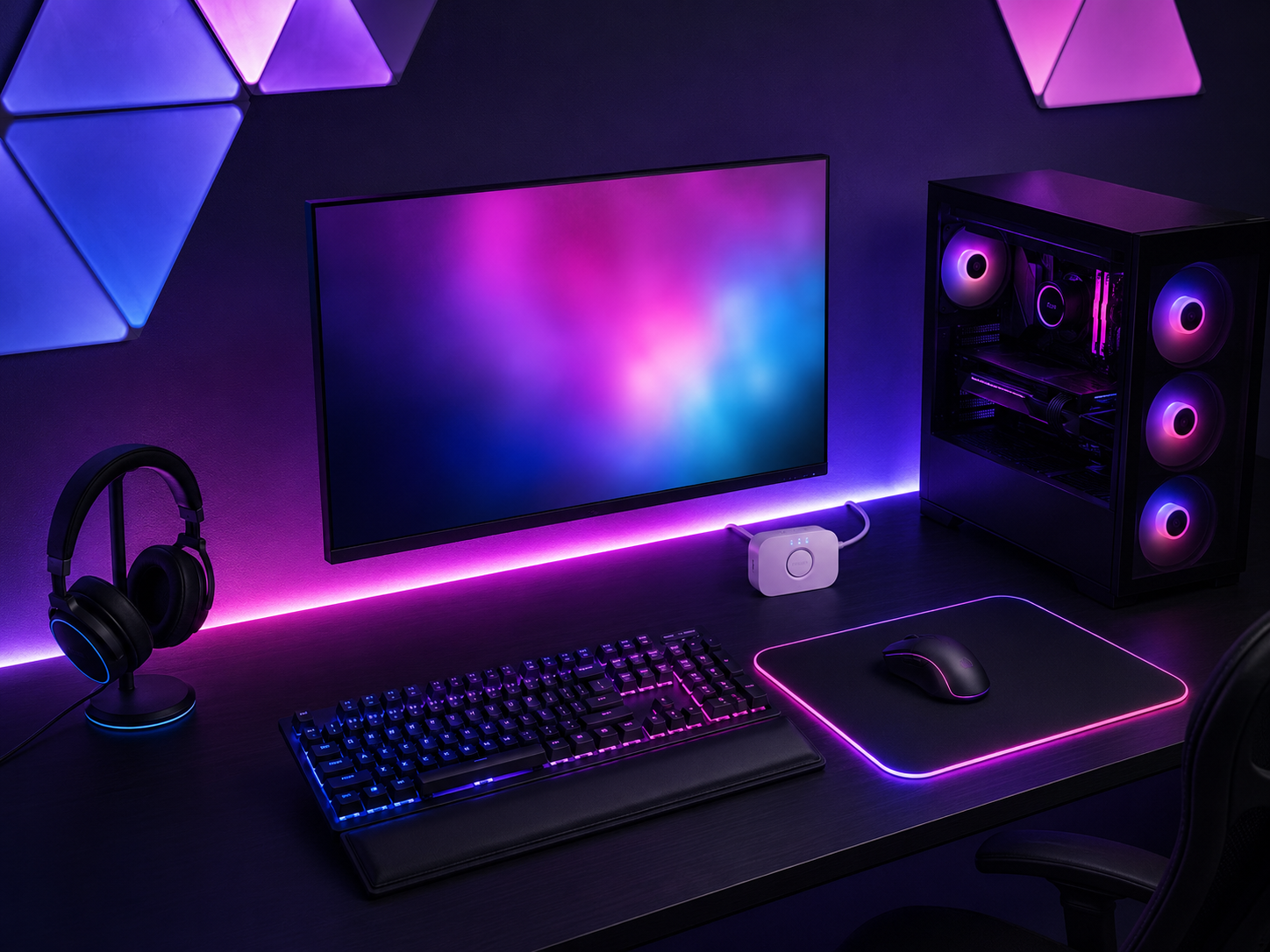
Synced RGB Ecosystem
The foundation of a great RGB setup is sync: every light belonging to one coordinated scheme rather than each device doing its own thing. Smart-compatible LED strips synchronize with PC components when they share a common control protocol, and consolidating everything into a single app (SignalRGB, OpenRGB, or a vendor suite) lets the strip, panels, peripherals, and PC hardware all move together. Standardize around one or two brands — mixing too many ecosystems is why most setups never sync properly. The result is a desk that shifts as one unified organism instead of a patchwork of clashing colors.
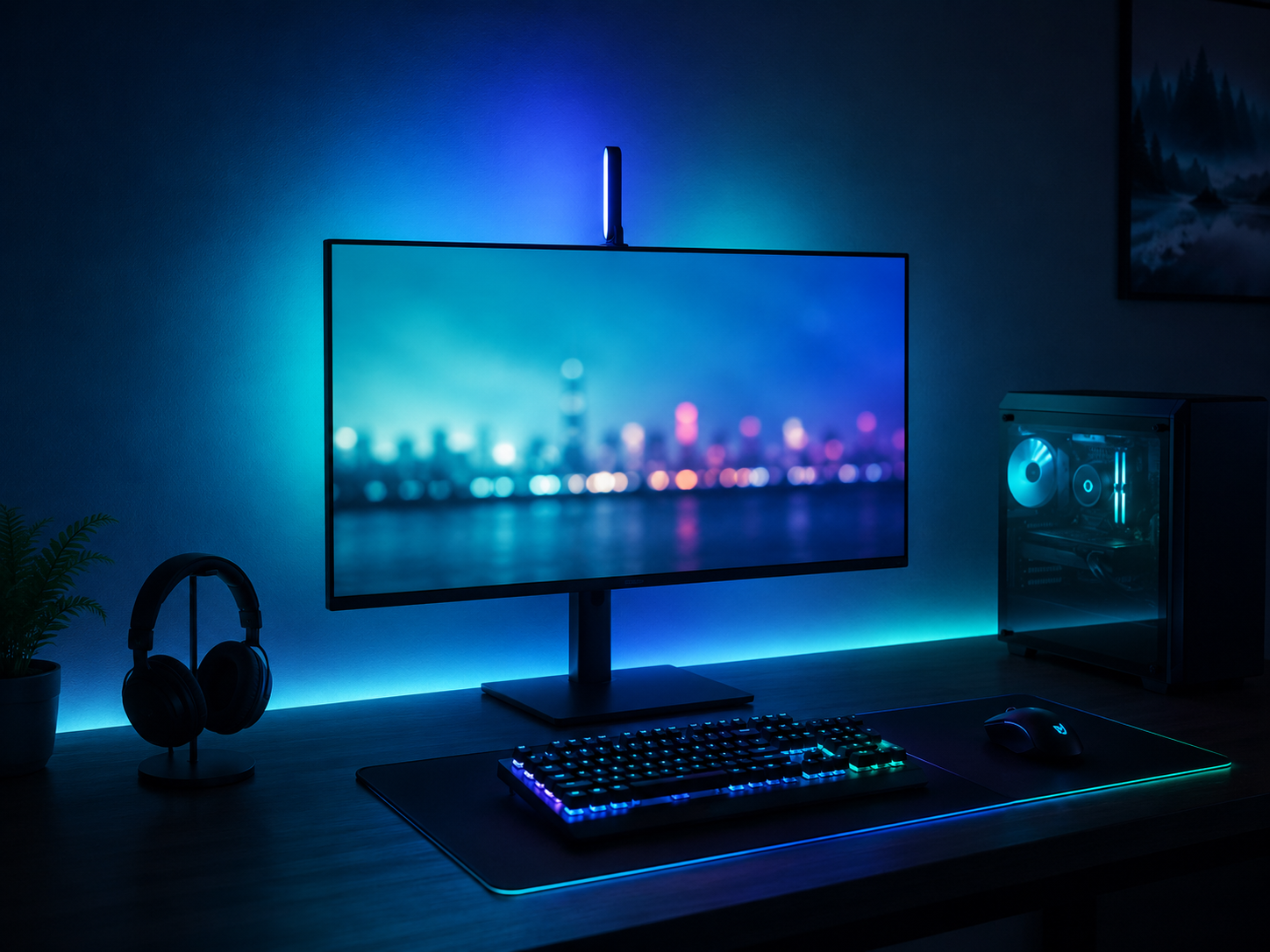
Bias & Ambient Lighting
Bias lighting — a soft glow behind the monitor washing the wall — is the highest-impact RGB zone and the easiest to get right. It enhances visual appeal by reducing the harsh contrast between a bright screen and a dark wall, which also reduces eye strain during long sessions. A light bar mounted on top of the monitor or an RGBIC strip on the rear desk edge creates the immersive halo. Run it warm white for work and a soft, low-brightness color for late-night gaming. This single zone transforms how a screen feels — the display seems to float in coordinated color rather than glaring out of a dark void.
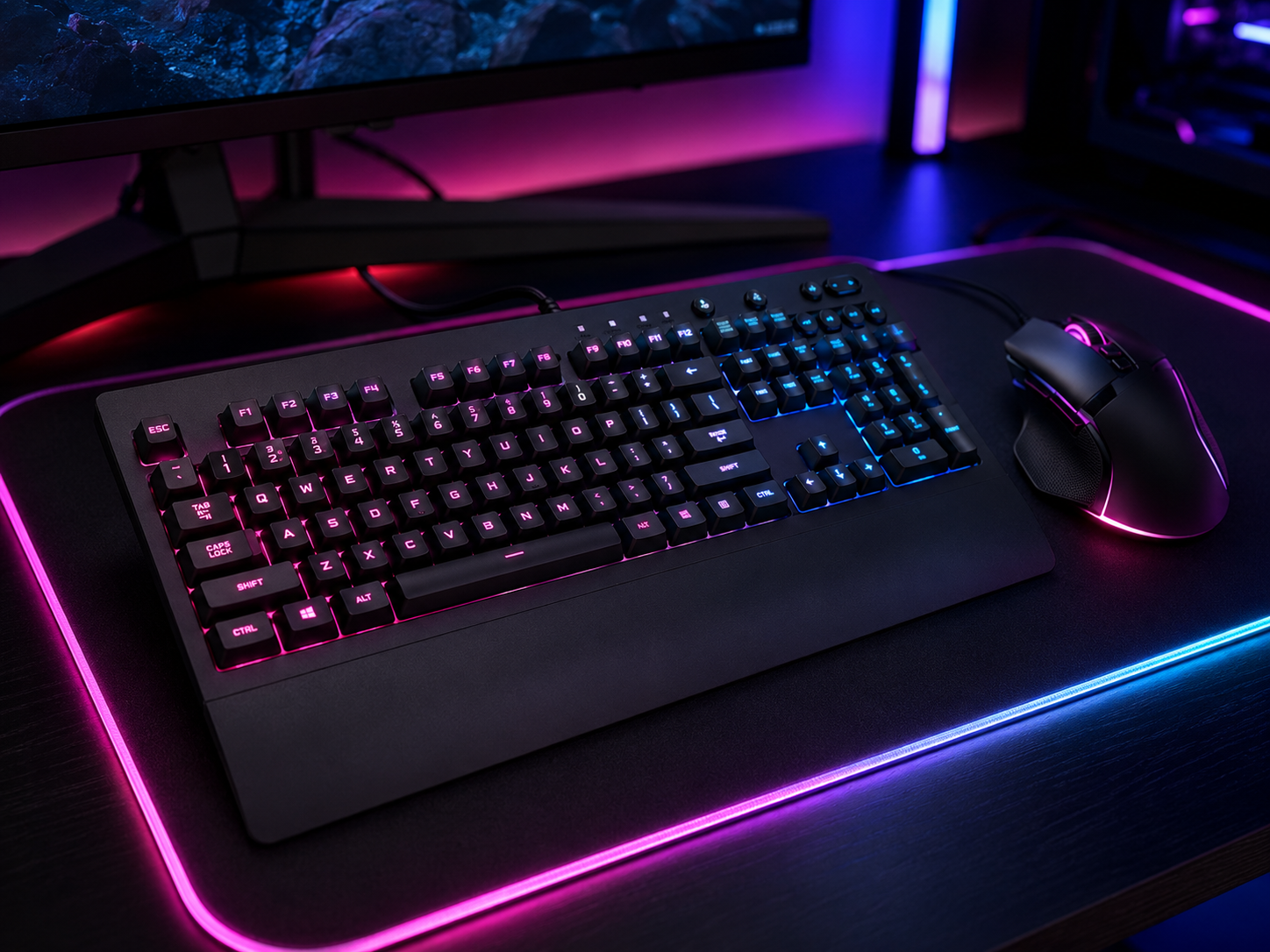
RGB Peripherals
The keyboard, mouse, and mousepad are the closest lights to your hands and the most visible in any setup, so they anchor the color scheme. An RGB mechanical keyboard with per-key lighting, an RGB mouse, and an RGB-edge mousepad all glowing in the same palette tie the desk surface into the broader ecosystem. The discipline is the same as everywhere else: a unified scheme or smooth gradient, not random per-key chaos. When the peripherals sync to the same app as the rest of the lights, a single scene change recolors your hands' immediate surroundings along with the whole room.
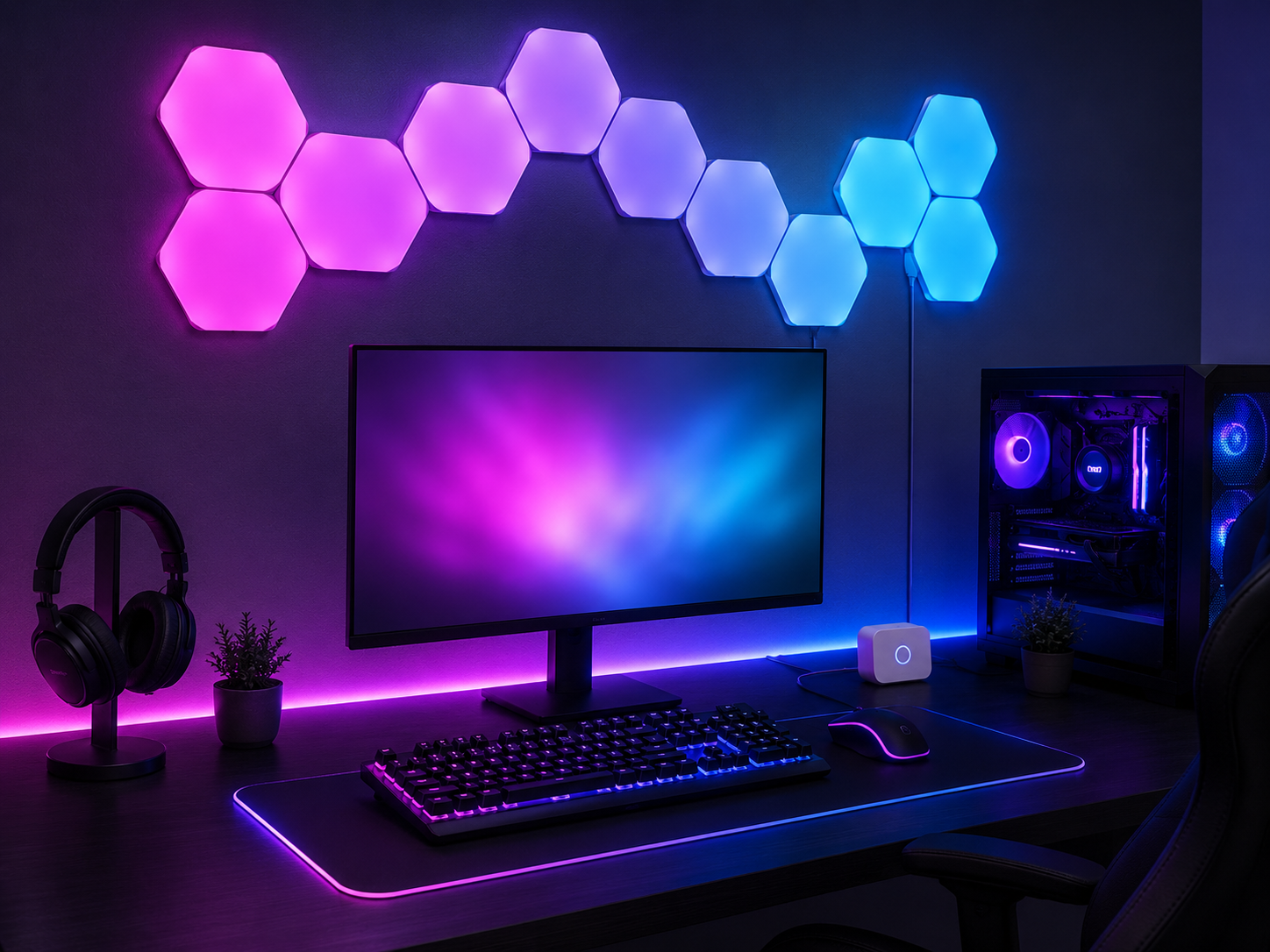
Wall & Panel Lighting
Modular wall panels are the boldest RGB statement — a glowing geometric feature above the desk that fills the whole room with coordinated color. Hexagon or triangle panels mounted in a deliberate arrangement produce soft, diffuse area light and become the visual centerpiece of the setup. They also double as functional decor: a place to anchor the room's color story while pegboards and panels nearby can hold headsets or controllers. Run a gradient flowing across the cluster that ties into the desk zones below, and the wall becomes part of one continuous lighting composition rather than a separate accent.
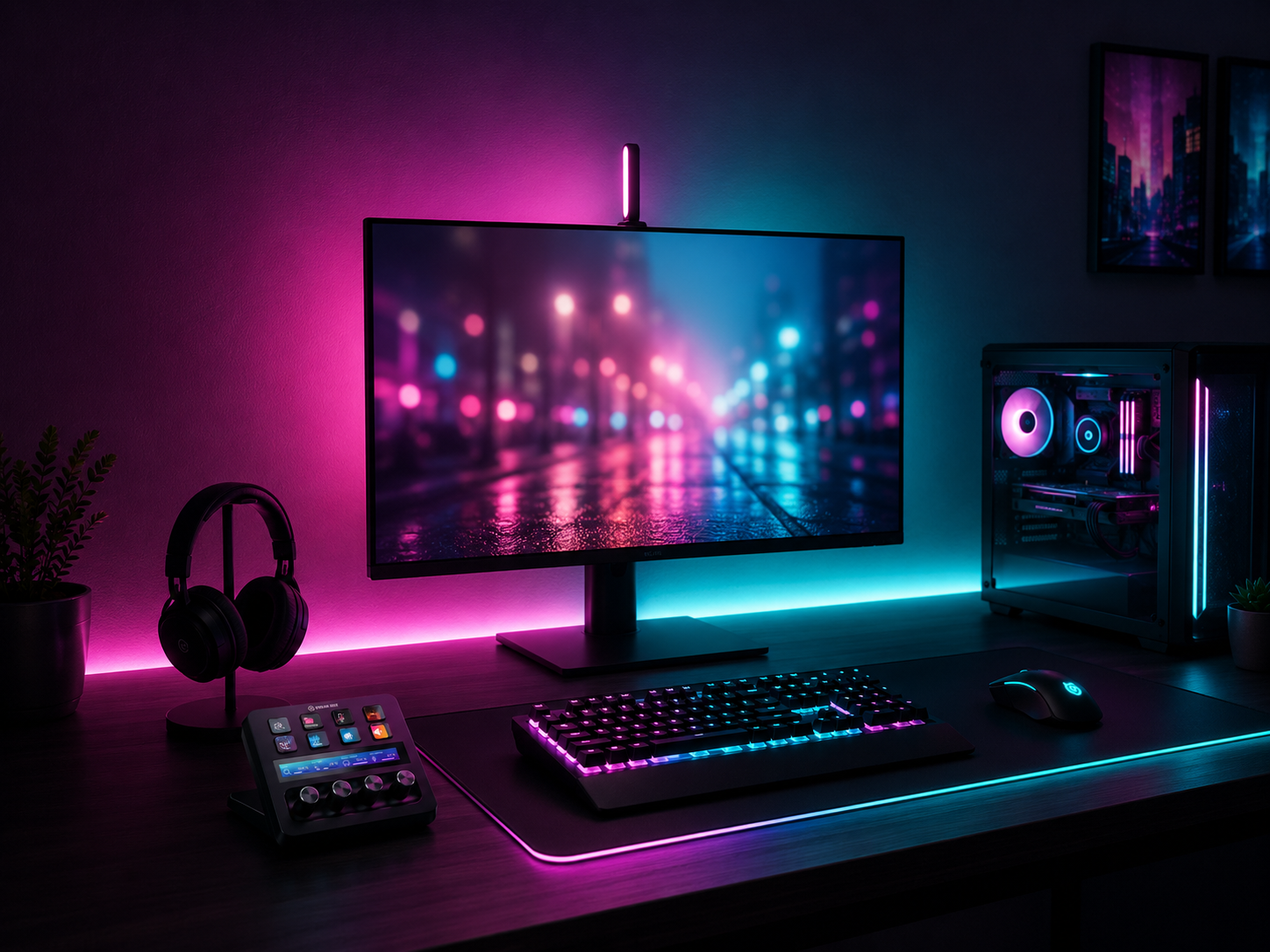
Color Theory & Scene Design
This is what separates a designed setup from a default rainbow. Choosing a deliberate scheme — a cyan-purple cyberpunk palette, a warm amber-white, or a complementary two-color pairing — and applying it with intention makes the whole desk look composed. Pick a theme early, because it dictates which lights you buy: a gradient scheme needs addressable strips, not basic single-color LEDs. Then build named scenes for different moods: a warm-white “Workday,” a cyan-purple “Ranked Night,” a soft amber “Movie Mode.” A control hub or stream deck lets you switch the entire designed scene with one button.
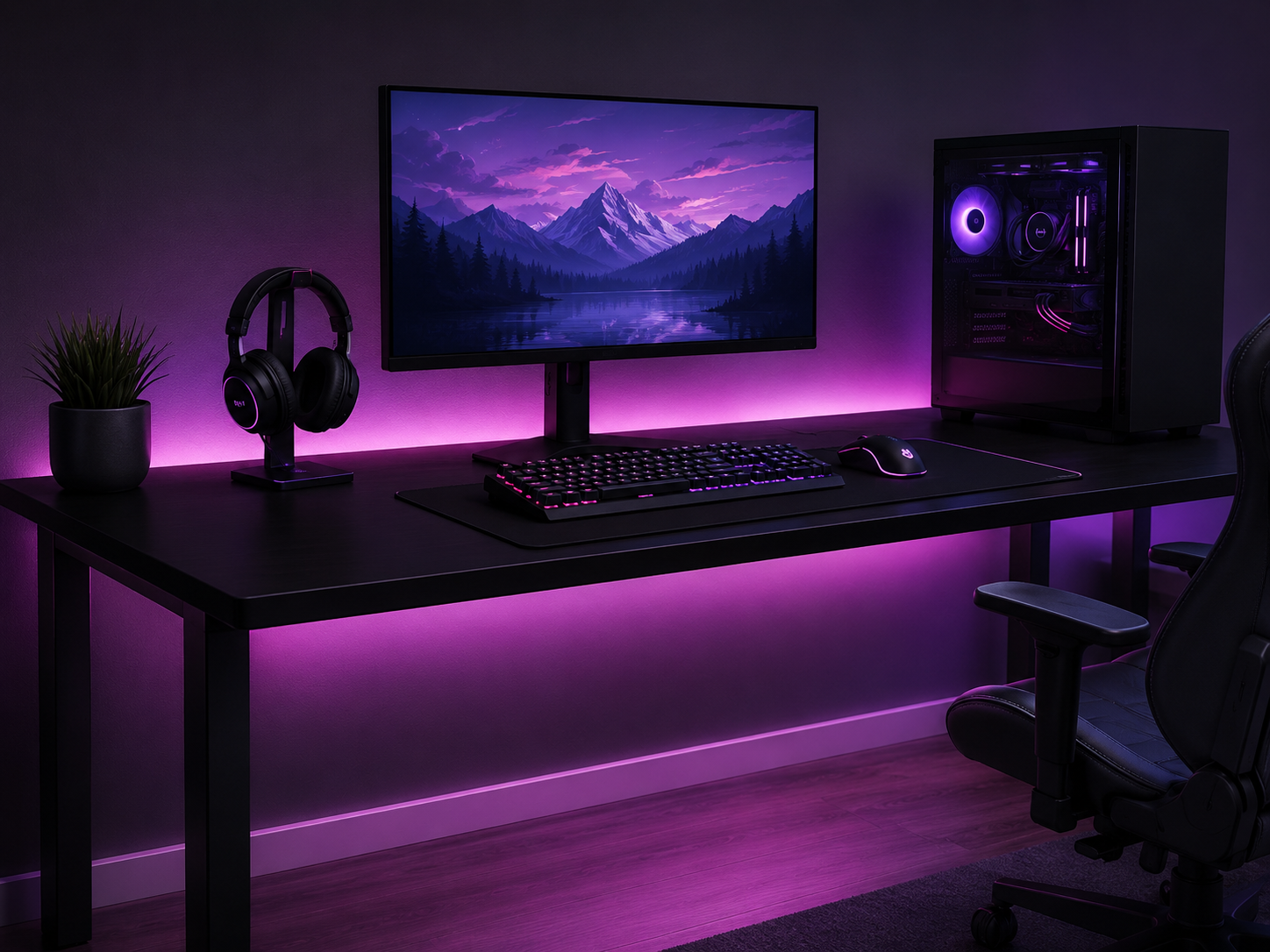
Diffusion & Clean Placement
The final 10% that makes a setup look professionally installed: hide the LEDs and diffuse the glow. Mount strips behind the monitor and under the front desk lip so only their smooth, even wash shows — never the individual diodes. COB strips eliminate visible hot spots; mounting channels and clips keep runs clean and prevent the sharp bends that kill LEDs. Keep bright lights above or behind your line of sight, never in front, to avoid glare on glossy screens and keycaps. And manage the lighting cables as carefully as the lights themselves — a clean install is half the look.
Six pieces that build a synced RGB battlestation
Each piece fills a specific lighting zone or anchors the sync. Chosen for ecosystem compatibility and color quality — because in RGB, gear that syncs together beats gear that's individually impressive but won't talk to anything else.
Some links in this section are affiliate links. If you buy through one of them, we may earn a small commission at no extra cost to you. We only recommend gear we'd use ourselves.
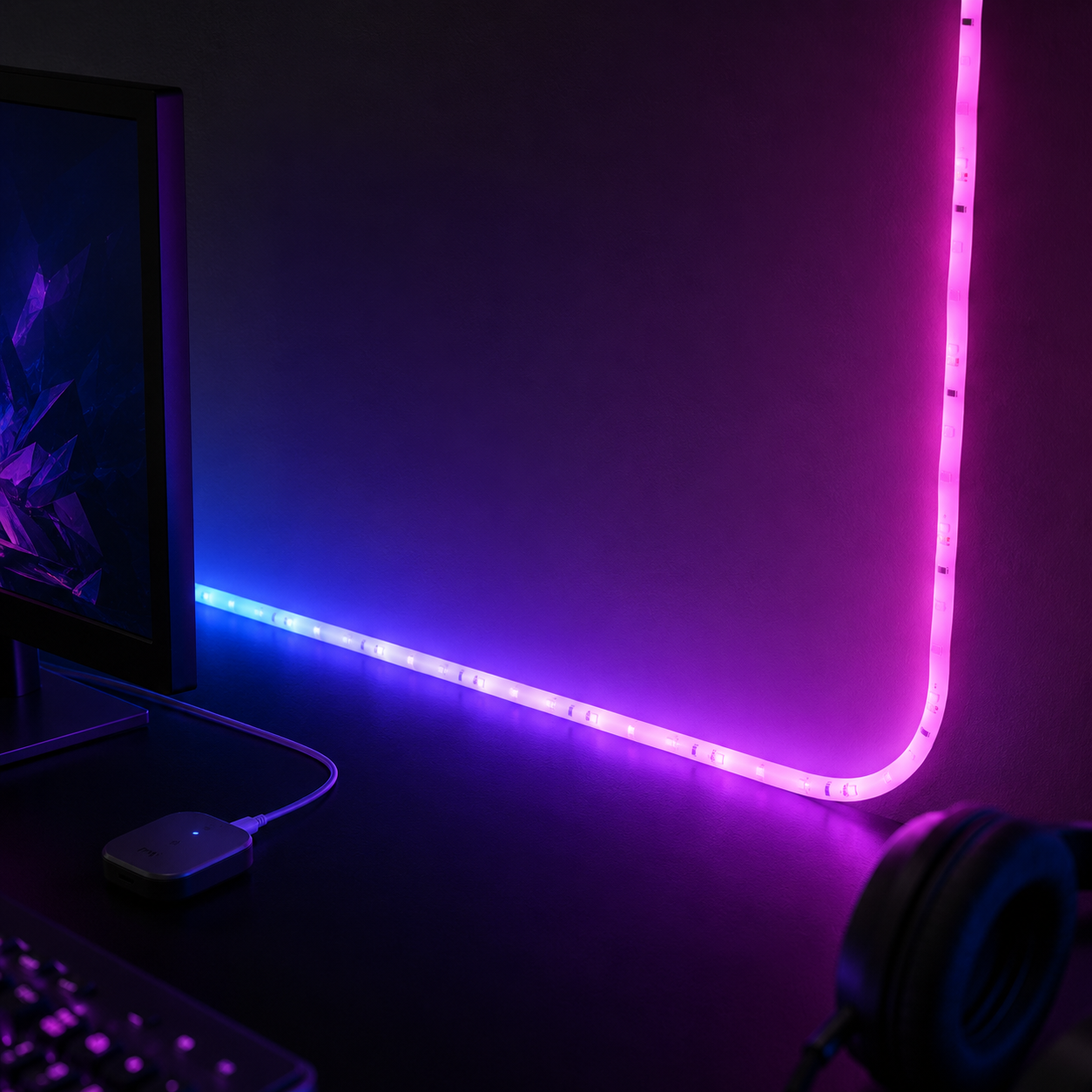
Philips Hue 10 Ft Smart RGBWW Lightstrip
The bias-lighting and under-glow workhorse, from the most reliable smart-lighting ecosystem available. Hue's RGBWW strips deliver true warm white for work plus the full color range for gaming, and the Hue platform syncs cleanly with everything else in this list. At 10 feet, one strip covers both the rear desk edge and an under-desk run. The Hue ecosystem is the gold standard for stability — if you want lights that simply work every time and integrate with voice assistants and scenes, this is the foundation to build on.
- 10 ft of RGBWW for bias and under-desk zones
- True warm white plus full color range
- Rock-solid Hue ecosystem and app control
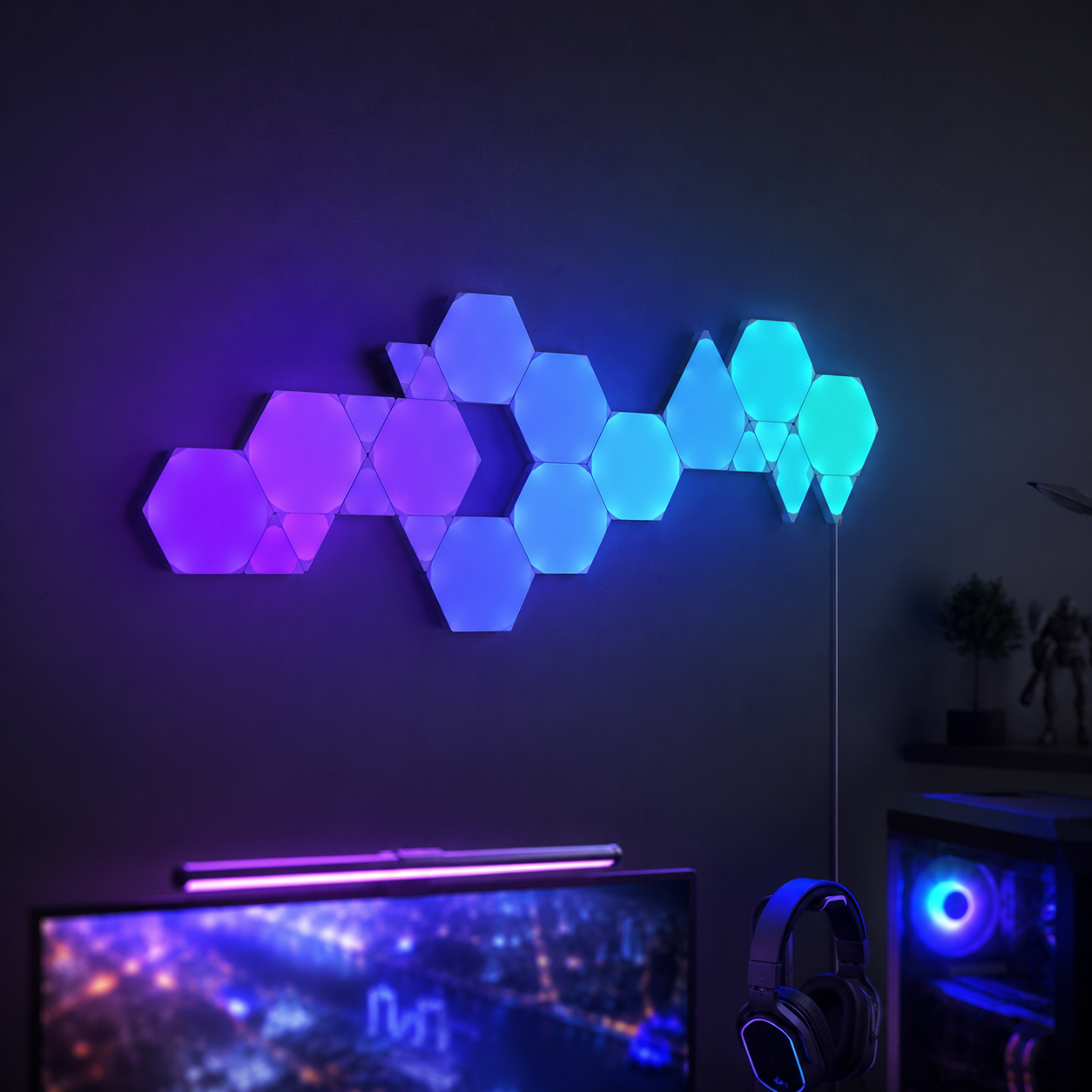
Nanoleaf Shapes Hexagons (7-Panel Kit)
The wall feature that makes a setup. Seven modular hexagon panels mount in any arrangement you design and glow in coordinated gradients that fill the room with color. Nanoleaf panels produce soft, diffuse area light rather than harsh points, and they're fully smart-controllable — group them into scenes alongside your strips. Expandable with more panels later, so you can start with seven and grow the feature wall over time. This is the single piece that most transforms a desk from “lit” to “designed.”
- 7 modular hexagon panels, fully arrangeable
- Soft diffuse area light, expandable later
- Scene and gradient control via app
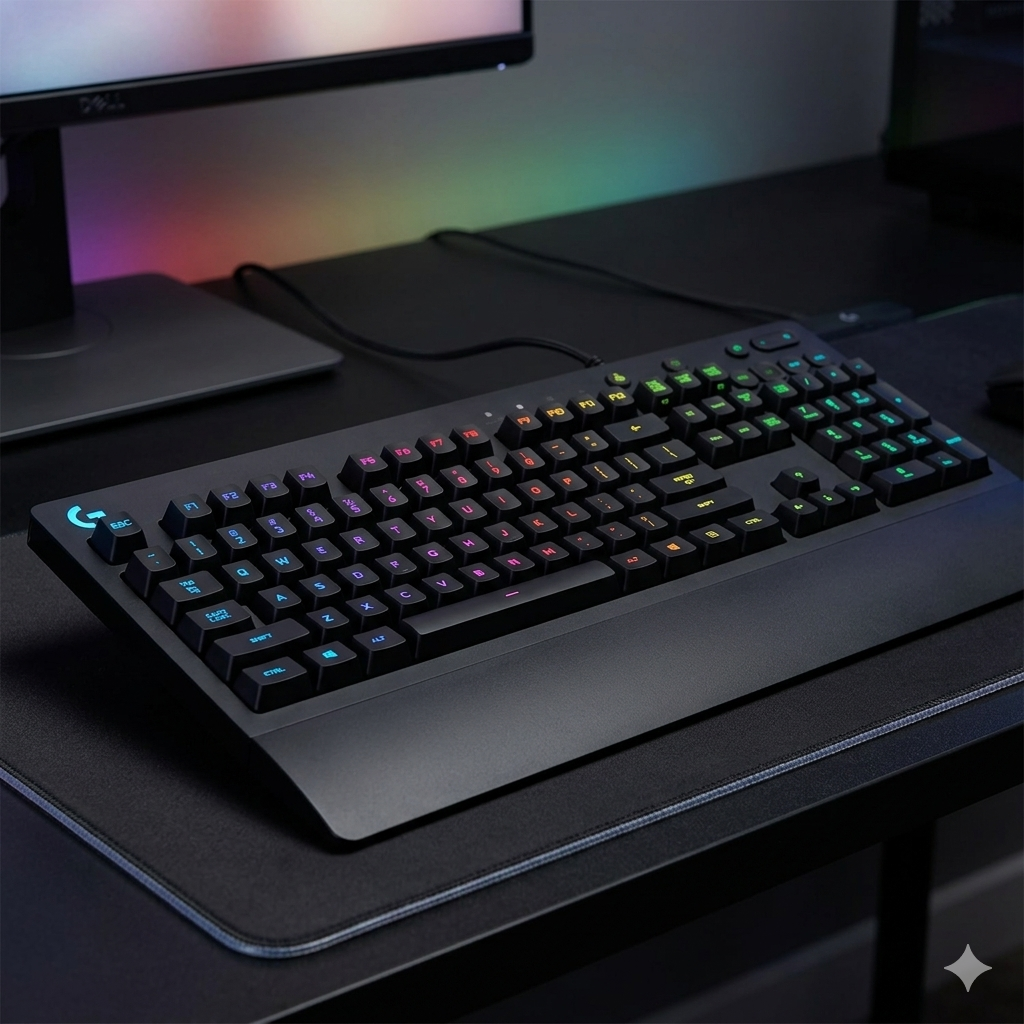
Logitech G213 Prodigy RGB Keyboard
A reliable RGB keyboard that ties into Logitech's G HUB ecosystem, so its lighting syncs with the same app controlling your mouse and other Logitech gear. Five independent lighting zones give you the coordinated-scheme control this whole approach depends on, with spill-resistance and a comfortable feel for long sessions. It's not the flashiest board on the market, but it's dependable, integrates cleanly into a synced setup, and keeps the desk surface glowing in your chosen palette without fuss.
- Five-zone RGB synced through Logitech G HUB
- Spill-resistant, comfortable for long sessions
- Integrates with other Logitech peripherals
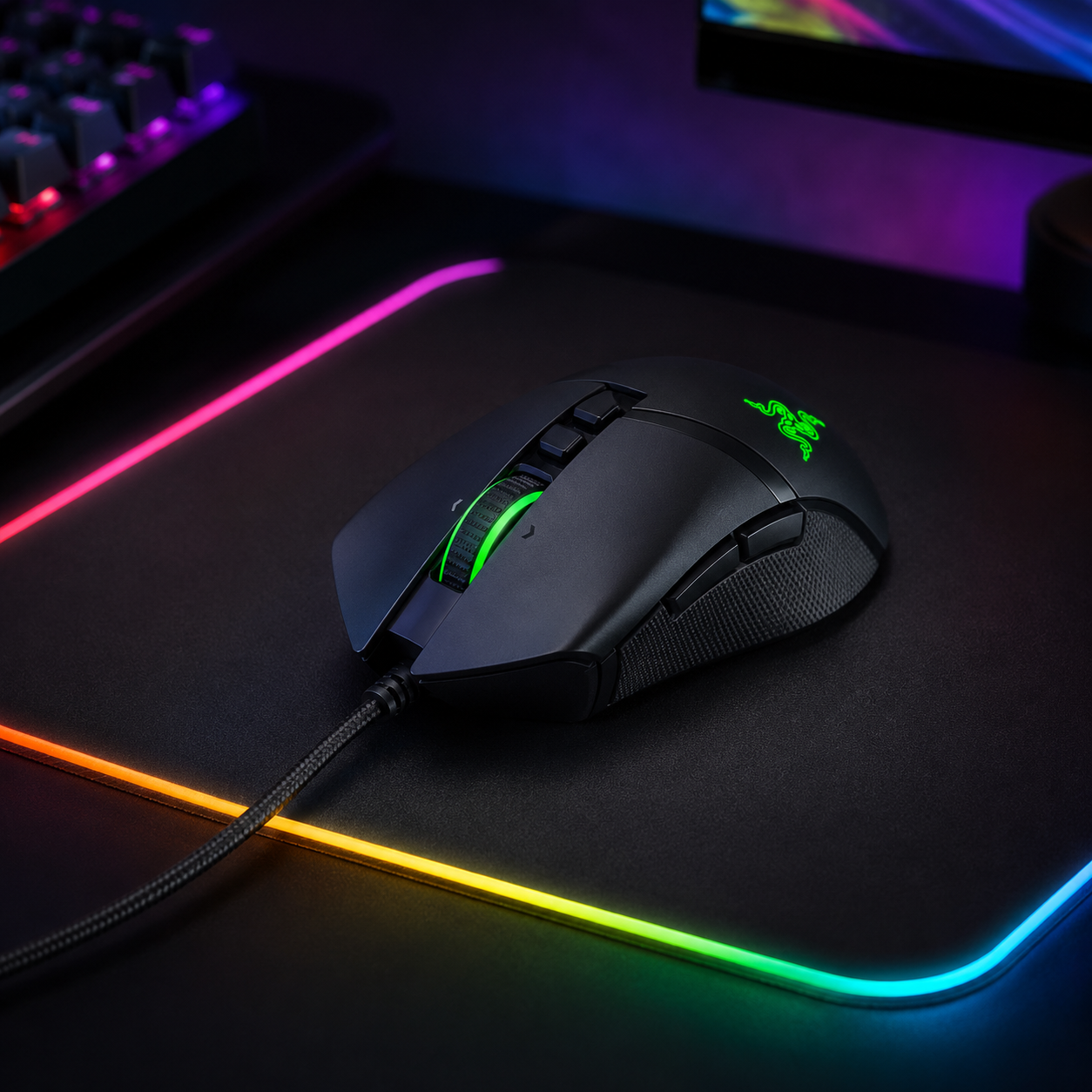
Razer Basilisk V3 RGB Gaming Mouse
An ergonomic gaming mouse with Razer Chroma RGB, one of the most widely-supported lighting ecosystems for game and app sync. The Basilisk V3 pairs a precise sensor and customizable buttons with underglow and scroll-wheel lighting that ties into the same coordinated scheme as the rest of your desk. Chroma's broad game integration means this mouse can react in real time alongside your other lights — glowing to match on-screen action when you enable game sync.
- Razer Chroma RGB with broad game sync support
- Precise sensor and customizable buttons
- Underglow and scroll-wheel lighting
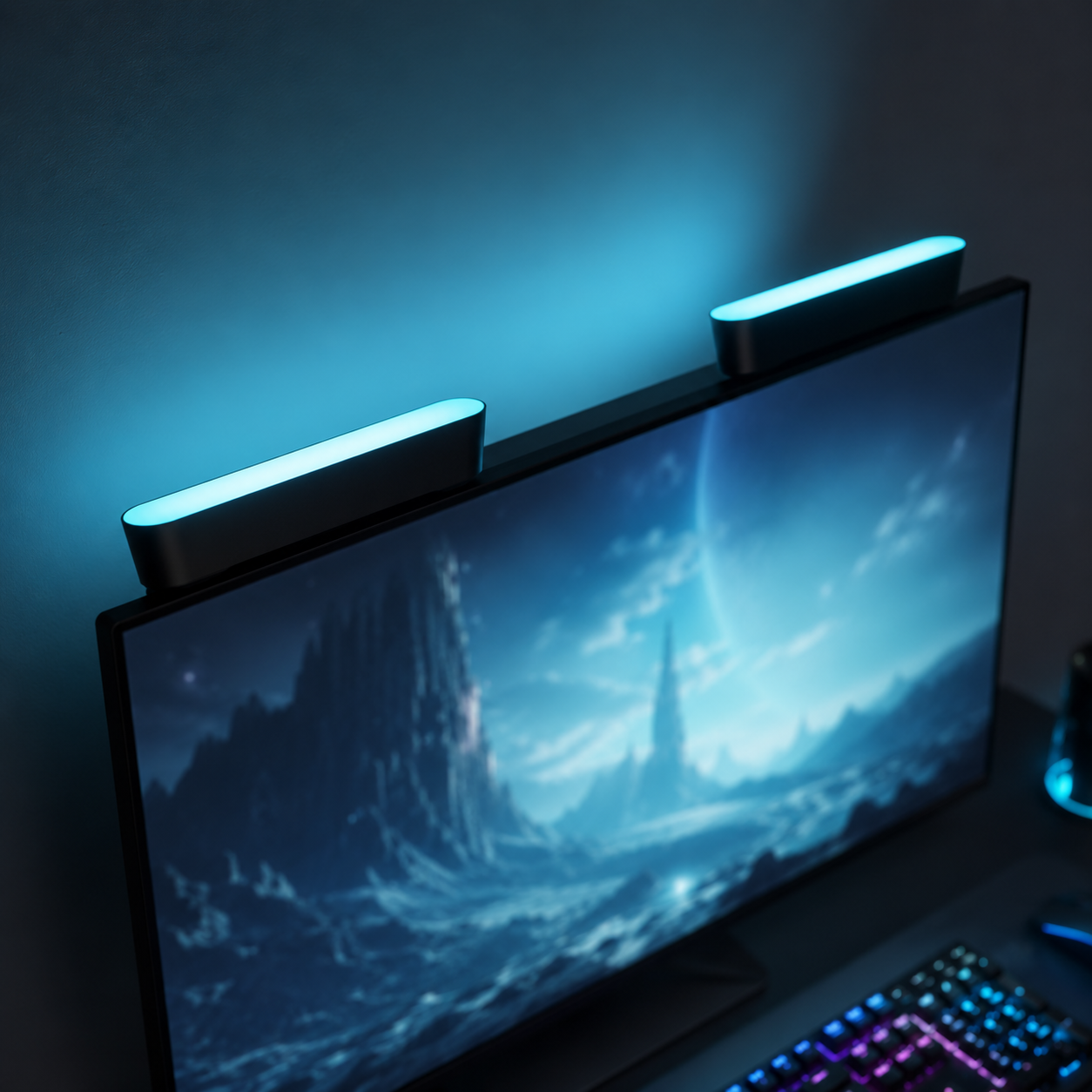
Philips Hue Play Light Bar Base Kit
Purpose-built bias-lighting bars that sit behind the monitor and wash the wall in coordinated color. Because they're part of the Hue ecosystem, they sync seamlessly with the lightstrip and any other Hue gear into unified scenes. The Play bars can stand behind the screen, lie flat, or mount to the monitor back, and they pair with Hue's screen-sync options to mirror on-screen color in real time. A clean, premium way to nail the bias-lighting zone without a DIY strip install.
- Purpose-built bias-lighting bars
- Multiple mounting positions behind the monitor
- Syncs into Hue scenes and screen mirroring
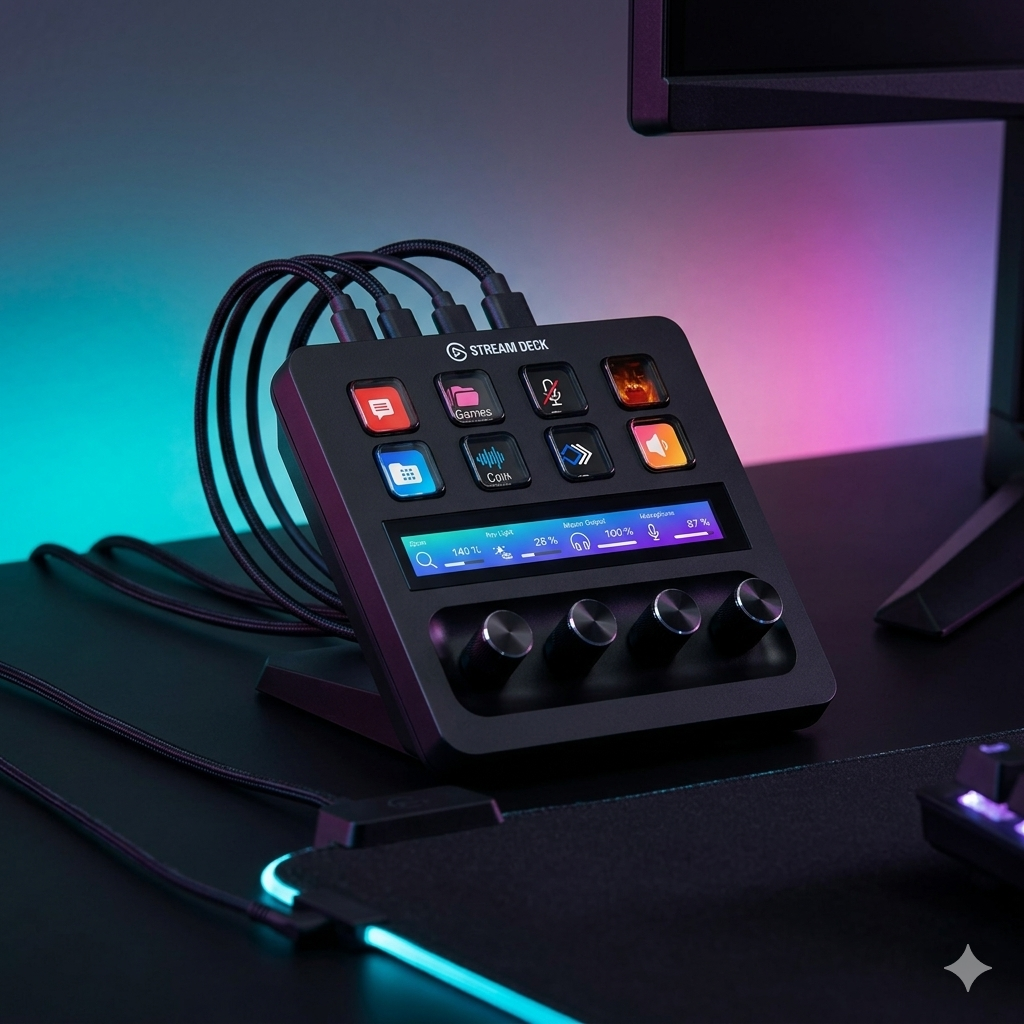
Elgato Stream Deck Scene Controller
The physical command center that ties a synced setup together. Each customizable LCD key can trigger a complete lighting scene — one tap for “Ranked Night,” another for “Workday,” another for “Movie Mode” — alongside stream, audio, and app controls. Instead of digging through phone apps to change your lighting, you reconfigure the entire desk from one button. It integrates with Hue, Nanoleaf, and most major lighting ecosystems, making it the single best way to manage a multi-brand synced setup from one place.
- Customizable LCD keys trigger full lighting scenes
- Integrates with Hue, Nanoleaf, and more
- Doubles as a stream and app control hub
Four ways RGB setups go wrong
Almost every chaotic-looking RGB setup is failing on one of these four. Fix them and the whole desk snaps into looking intentional.
- 01
Mixing too many ecosystems
Buying lights from five different brands guarantees nothing will sync — each needs its own app, and they can't coordinate colors or react together. The classic mistake is also buying non-Wi-Fi strips that only use IR remotes, which can't connect to any ecosystem at all. Standardize around one or two compatible brands and one control app. A synced two-brand setup looks vastly more intentional than a six-brand pile that each glows independently and can never be brought into one scheme.
- 02
Over-lighting the room
Maximum brightness on every strip makes games look washed out and causes genuine headaches — the opposite of immersive. The fix costs nothing: dial brightness to 30-60%, run warm white for work, create a low-brightness night profile, and disable flashing or chasing effects for daily use. A calm, well-tuned setup at moderate brightness reads as far more premium than a room blasting full-saturation color in every direction. Restraint is what makes RGB look expensive.
- 03
Showing the bare LEDs
Visible individual LED dots and harsh hot spots are the instant tell of an amateur install. Light should be diffused and the source hidden — mount strips behind the monitor and under the desk lip so only the smooth glow shows. Exposed strips stuck visibly to the front of a desk, with every diode showing, look cheap no matter how nice the colors are. Use COB strips or diffusion channels, and keep the bright sources above or behind your line of sight, never glaring in front of you.
- 04
Ignoring heat and cables
Stuffing LED power bricks and controllers where the PC exhausts hot air degrades the strips' adhesive within weeks — keep controllers in ventilated space, off the floor and away from the case exhaust. And RGB multiplies cables fast: every strip, panel, and hub adds power runs. Mount a central power zone under the desk, bundle and label by device, and route lighting cables separately from HDMI and console power to avoid interference. Check under your desk before adding a single new light — the cable chaos compounds quickly.
RGB gaming desk questions, answered
How do I make RGB lighting look good instead of chaotic?
Cohesion over quantity. Run one coordinated color scheme — a smooth gradient or a deliberate two-color pairing — across every light rather than letting each device glow a different random color. Map light to three zones (behind the monitor, under the desk, on the wall), keep brightness at 30-60%, and sync everything through one app. A calm, well-tuned setup at moderate brightness looks far more premium than a room blasting maximum-saturation color in every direction.
How do RGB lights sync with games?
RGB gaming setups sync with games and PC hardware using software like SignalRGB or OpenRGB, or vendor suites like Razer Chroma and Philips Hue's sync tools. Once connected, your lights react in real time — desk edge lights pulsing red when your health drops in an FPS, flashing on pickups, or shifting hues to match on-screen color in an open-world game. Screen-mirroring kits analyze your display's color output and extend it onto wall panels and bias lights. Game integrations often require borderless fullscreen and HDR disabled to function properly.
Do all my RGB devices need to be the same brand?
Not the same brand, but the same ecosystem or a common control protocol. Mixing too many separate ecosystems is the main reason setups never sync — each needs its own app and they can't coordinate. Standardize around one or two compatible brands and one unifying app (or a controller like a stream deck that bridges several). Avoid cheap non-Wi-Fi strips with IR remotes entirely; they can't connect to any ecosystem and will always glow independently of everything else.
What are the best RGB lighting zones for a gaming desk?
Three zones do the most work: bias lighting behind the monitor (reduces eye strain and creates an immersive halo), under-desk glow (a floating effect along the front lip), and wall or panel accent lighting (fills the room). Together they build depth no single strip can. Start with bias lighting if building gradually — it's the highest-impact zone and the easiest to get right. Add under-glow and wall panels as you expand, keeping every zone on the same coordinated color scheme.
How much does an RGB gaming desk setup cost?
A starter RGB setup runs under $200: a desk with built-in LEDs plus a single bias-lighting strip and a smart bulb. A mid-range build of $400-700 adds a monitor arm, multiple RGBIC strips, and a set of wall panels — enough zones for real immersion. A premium battlestation past $1,000 brings a height-adjustable RGB desk, multiple smart panels, fully synced PC hardware, and a dedicated control hub. For any tier, prioritize a stable desk and monitor first, then add lighting zone by zone.
Does RGB lighting cause eye strain?
Done wrong it can — maximum brightness and harsh flashing effects cause real headaches and washed-out screens. Done right, RGB actually reduces eye strain: bias lighting behind the monitor lowers the harsh contrast between a bright screen and a dark wall, and ambient indirect lighting reduces fatigue during long sessions. The keys are moderate brightness (30-60%), warm tones for work, a low-brightness night profile, and keeping bright sources behind or above your line of sight rather than glaring in front of you.
The best new setups, in your inbox
One thoughtful email. No spam, no fluff.