
Minimalist gaming desk setup ideas
Six elements that build a clean, focused gaming setup — full performance, zero clutter, looking like considered furniture rather than a gaming rig. Restraint as the upgrade.
The best upgrade to a gaming setup is often removing things, not adding them. A minimalist gaming desk setup keeps only what you use almost every session, arranged with intent — a single clean monitor, restrained peripherals, hidden cables, and breathing room on the surface instead of every square inch filled. The payoff isn't only aesthetic: a clean desk helps maintain focus during gaming sessions more than any RGB strip ever will.
Here's the key thing minimalist gaming is not: it isn't cheap, boring, or underpowered. A minimalist setup maximizes performance without clutter — you can run a high-end GPU at max settings in a quiet, closed case and never show a single cable. The discipline is restraint and cohesion, not sacrifice. It's the setup that looks at home in a tasteful living room, trading some “gaming theater” for being genuinely livable, day in and day out.
Minimalism is about choices, not price tags. A focused single monitor, a monochrome palette, and an immaculately clean surface read as more intentional — and more calming — than any amount of RGB.
This guide breaks a minimalist gaming setup into six elements, from the monochrome palette to the negative space that makes it look designed. It covers the gear worth buying, the mistakes that quietly break the clean look, and an FAQ on desk size, single vs. multi-monitor, and keeping the simplicity alive over time. For a louder, lit-up take, see our RGB gaming guide — this one is the opposite philosophy.
What minimalist gaming really means
Minimalist gaming is a discipline of subtraction and cohesion, not a style you buy. These five principles separate a clean, intentional setup from a sparse or cluttered one.
- 01
Keep only what you use every session
The core rule: only what earns its place on the surface stays on it. A minimalist setup values spaciousness and ergonomic design over cramming the maximum amount of gear onto a desk. Give every other item a home — a drawer, a shelf, a box — and if it doesn't have one, it doesn't live on the desk. A useful personal rule is no more than about five objects on the surface besides the monitor, keyboard, and mouse. That single point of discipline is what keeps the simplicity alive as new gear arrives.
- 02
Commit to a restrained palette
Pick two or three colors and hold the line. A dominant neutral, a secondary neutral, and one small accent — a white desk with black peripherals and a walnut accent, say — keeps cognitive load low and the space visually calm. Monochrome setups create a clean, cohesive look, and color matching across the monitor frame, keyboard, and mouse contributes to that cohesion more than any single piece of gear. The fastest way to break the minimalist vibe is mixing too many styles: one neon mouse beside a beige keyboard and a random colored headset undoes everything.
- 03
One monitor, not a wall of them
A single high-performance monitor is preferred over multi-monitor setups for minimalists. One quality 27-32" display keeps the visual field clean, cuts cable clutter, and eliminates the constant eye-shifting of a multi-screen wall. Mounted on an arm with thin bezels, it floats off the surface and reads as calm rather than busy. This is the cleanest dividing line between a minimalist setup and a battlestation: where a battlestation chases screen real estate, a minimalist build chooses focus. Performance lives in the single panel's quality, not the screen count.
- 04
Hide the tech completely
In a minimalist setup, cable management isn't a nice-to-have — it's the whole difference between “minimal” and “messy.” From a normal seated angle, no cable should be visible at all. An under-desk tray holds the power strip and excess length, sleeves and clips guide the rest, and the PC sits on a side stand rather than the surface. A single hidden USB hub behind the monitor replaces a fistful of dongles. White desks especially highlight dark cables, so the concealment has to be total. Hidden tech is the immaculate foundation everything else rests on.
- 05
Light with restraint, not RGB
Swap rainbow reactive RGB for a single warm, dimmable light source — a soft bias strip behind the monitor and maybe a clean desk lamp. The change in mood is enormous: warm, indirect light reads calm and architectural where saturated RGB reads busy. If you keep any RGB, lock it to a single static color that harmonizes with the room rather than cycling through patterns. Functional, restrained lighting enhances a minimalist setup; colored light shows fighting for attention break it. Atmosphere through warmth, not saturation.
Six elements that build a minimalist gaming desk
Each element is about restraint applied well — from the palette to the negative space. Get all six right and you've got a clean, focused setup that performs fully and looks like considered design.
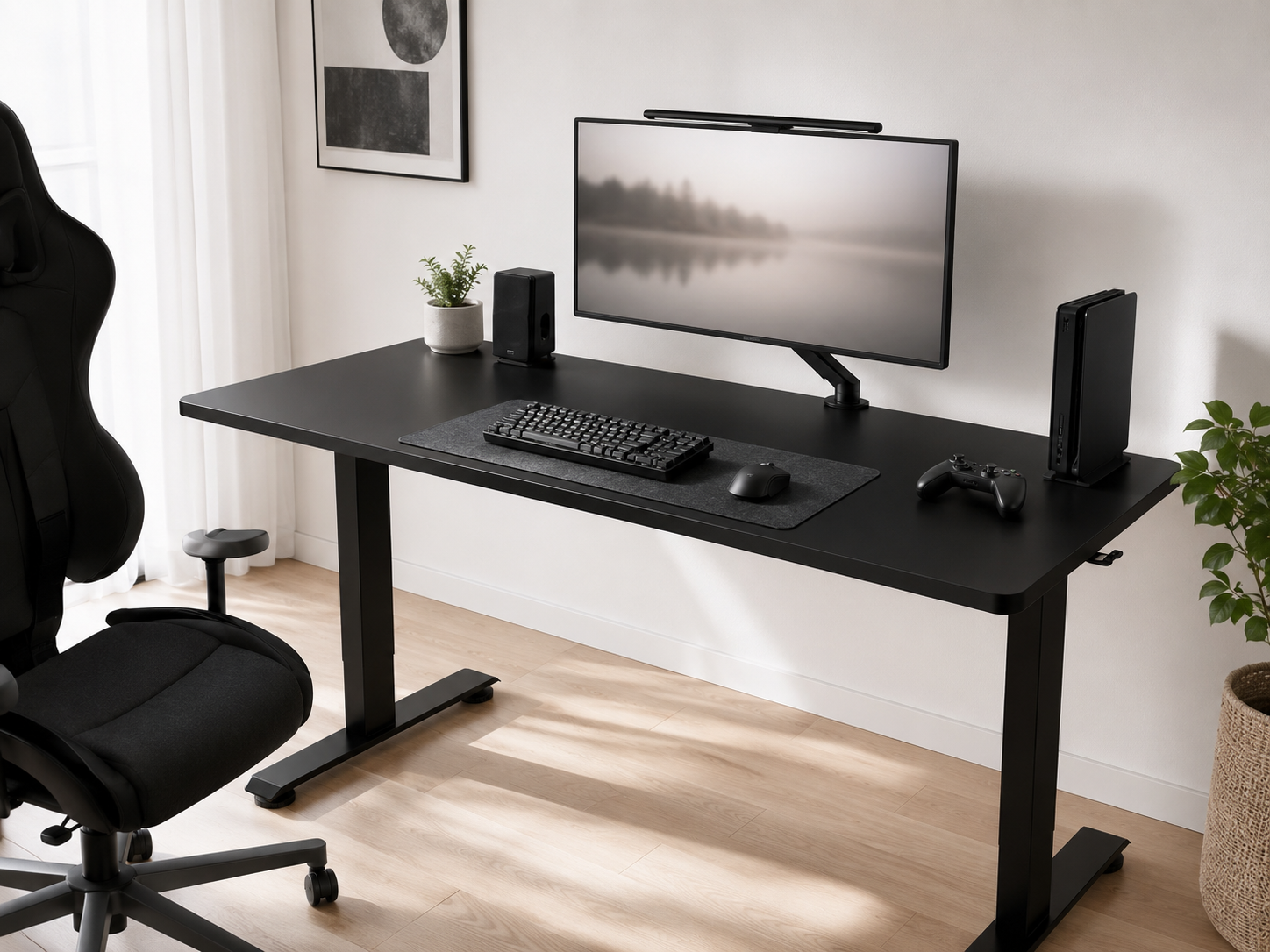
The Monochrome Palette
Everything starts with a restrained palette: a dominant neutral, a secondary neutral, and one small accent. A white desk with black peripherals and a walnut accent is a classic that stays calm day-to-day; an all-black build reads sleek and modern. The point is consistency — matching the monitor frame, keyboard, and mouse to the scheme creates cohesion that no single premium piece can. Monochrome setups look clean and intentional precisely because nothing competes for attention. Choose your two or three tones up front and every later decision gets easier.
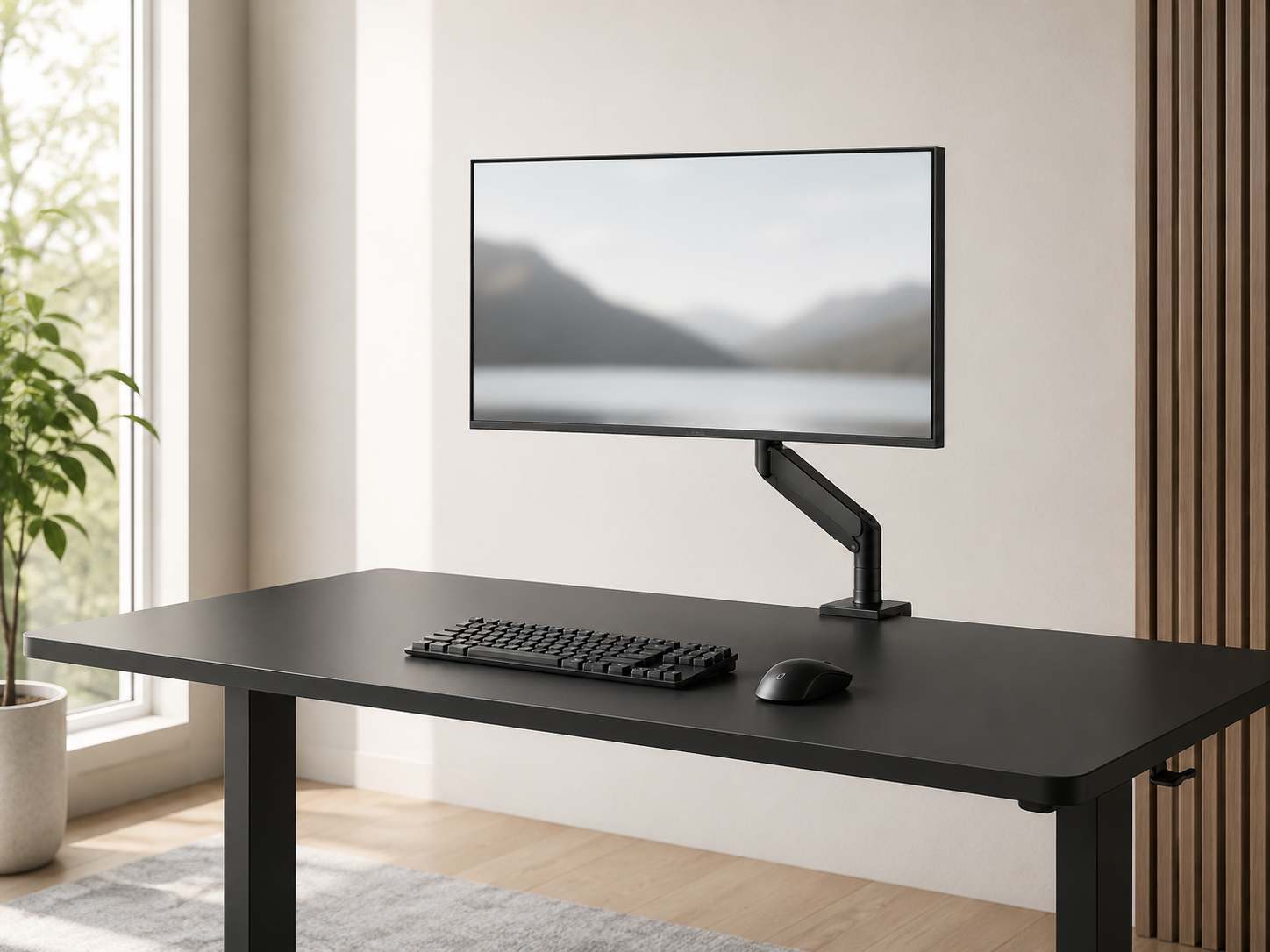
The Single-Monitor Core
A single quality monitor is the calm heart of a minimalist setup. One 27-32" high-refresh panel with thin bezels keeps the visual field clean and cuts the cable clutter and eye-shifting that come with a multi-screen wall. Mount it on a slim arm and it floats off the surface, freeing roughly 15cm of depth a stock stand would eat and keeping the cabling hidden. Center it in front of the chair at eye level, an arm's length away. The deliberate choice of one screen over many is what separates a focused minimalist build from a busy one.
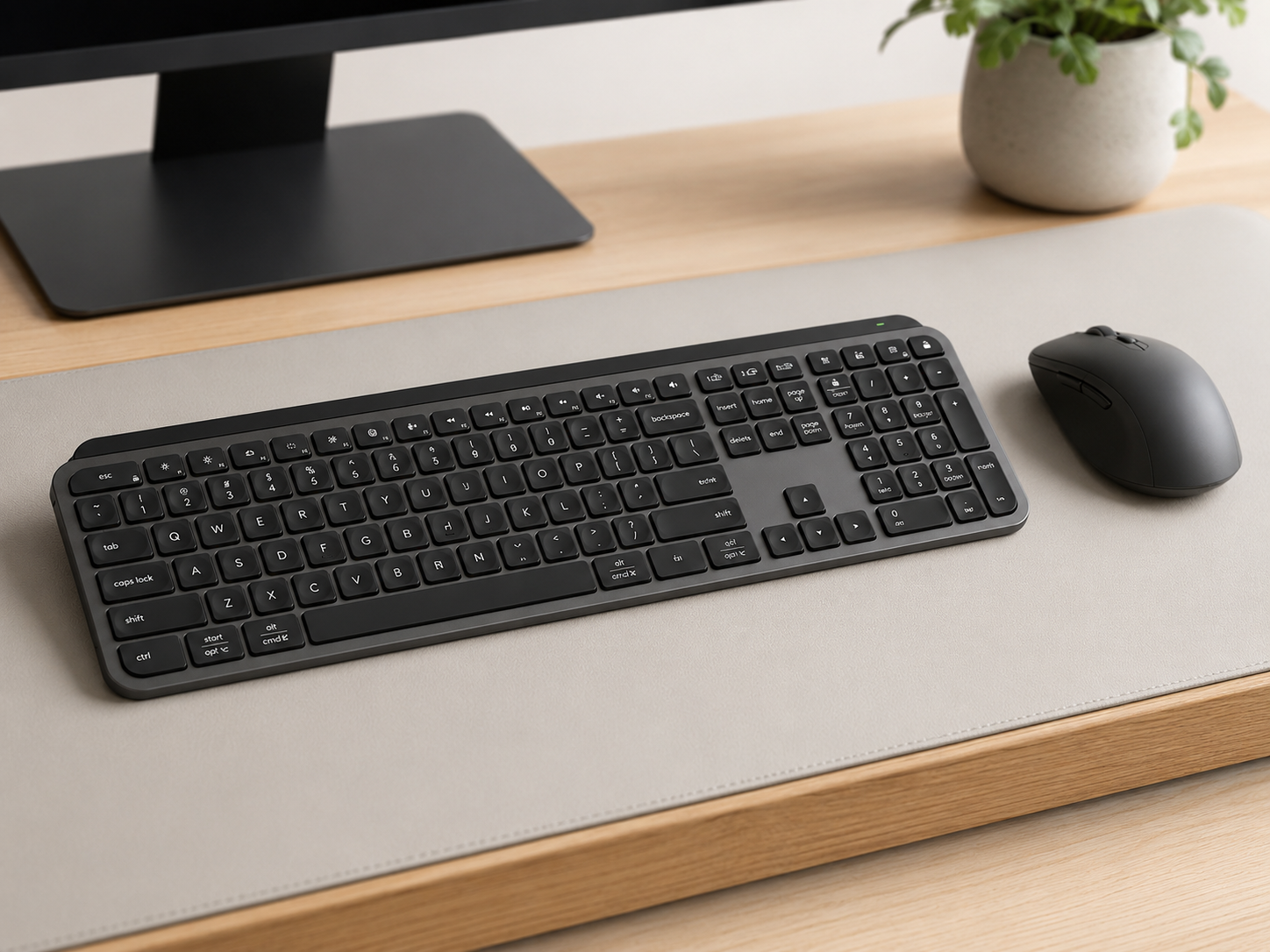
Minimalist Peripherals
The peripherals should look like clean design objects, not gamer plastic. A low-profile or compact keyboard with a clean case and low-contrast legends, paired with a simple wireless mouse in a neutral finish, keeps the desk calm while still performing. Compact layouts earn their place twice over: a 75% or 65% board drops the numpad and reclaims 15-20cm of mouse-sweep space. The discipline is choosing gear for clean lines and feel over aggressive gamer styling — understated hardware that disappears into the room rather than shouting at it.
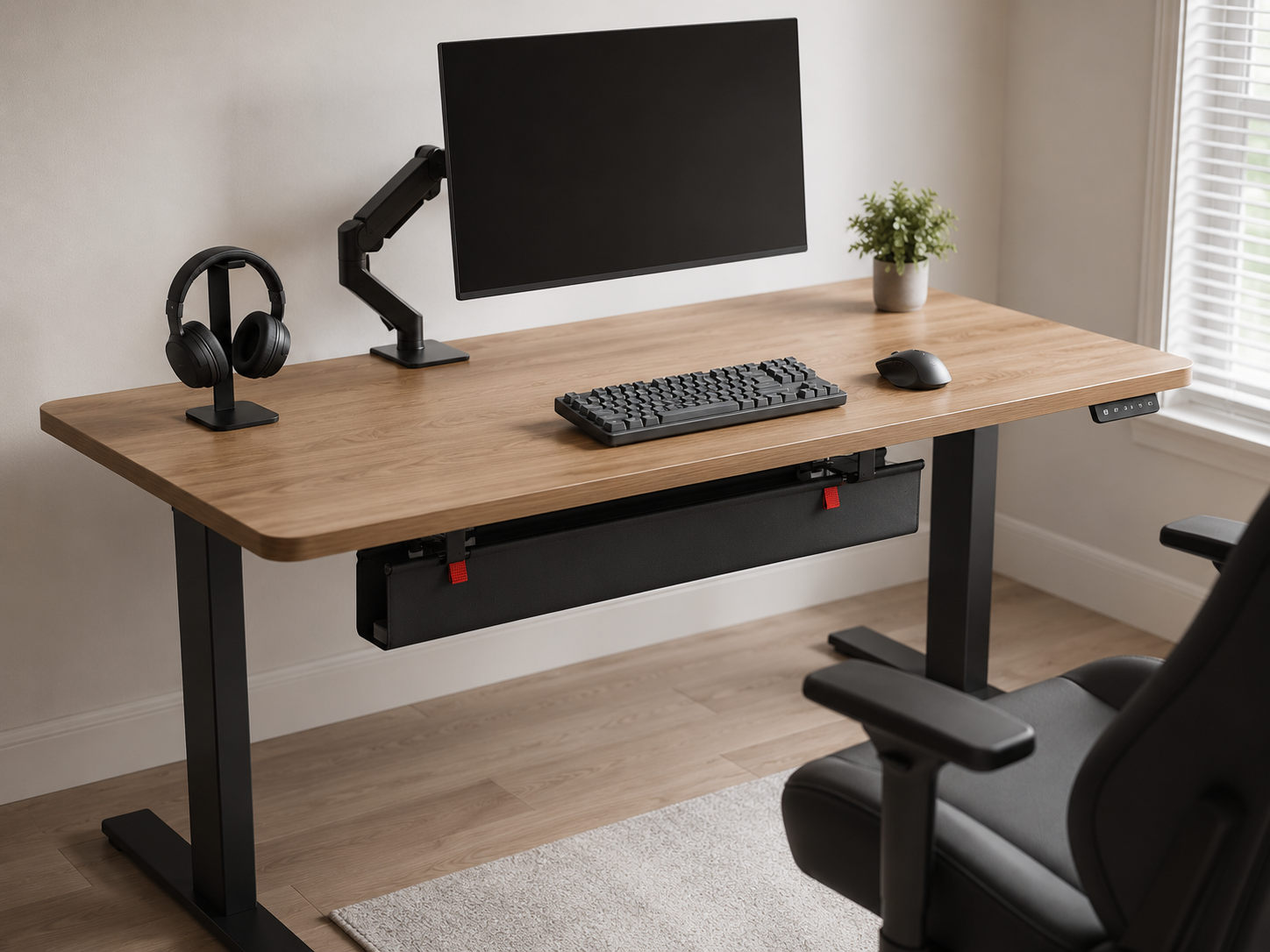
Cable Discipline & Hidden Tech
This is the element that makes or breaks the look — the literal difference between “minimal” and “messy.” The goal is that no cable is visible from a normal seated angle. An under-desk tray holds the power strip and excess length, adhesive clips guide cables along the back edge, and Velcro straps bundle them by device group. The PC moves to a side stand off the surface, and a single hidden USB hub behind the monitor replaces a tangle of dongles. Selectively going wireless on the keyboard, mouse, and headphones removes three more cables overnight. Total concealment is the foundation.
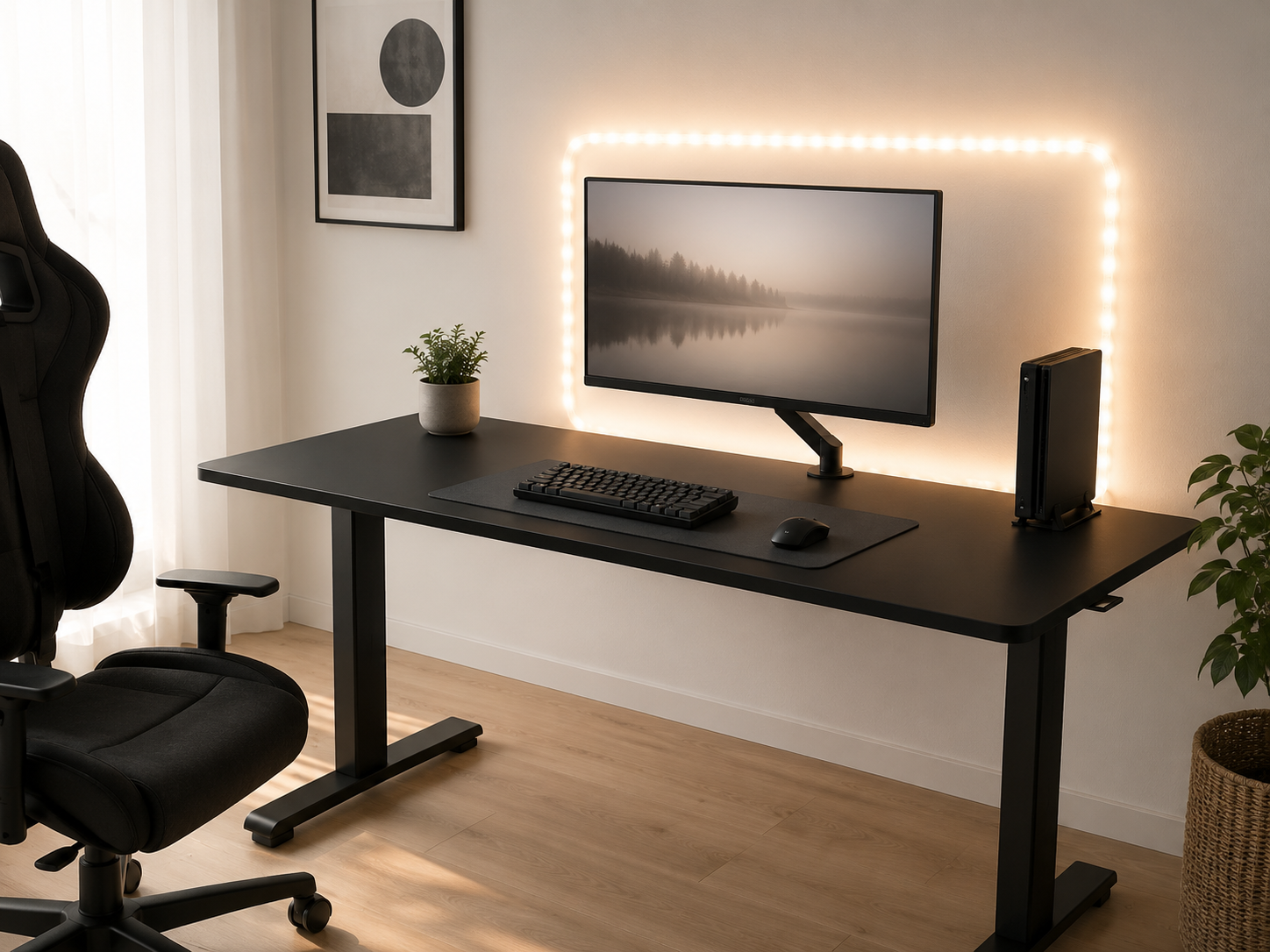
Restrained Lighting
Lighting in a minimalist setup is about warmth, not color. A single warm, dimmable light source — a soft bias strip behind the monitor and perhaps a clean desk lamp — transforms the mood while keeping everything calm and monochrome. Warm-white bias lighting behind the screen also reduces eye strain over long sessions. If you keep any RGB at all, lock it to one static color that harmonizes with the room rather than cycling. The aim is gentle, indirect ambiance that adds depth without breaking the restraint — the opposite of a saturated, reactive light show.
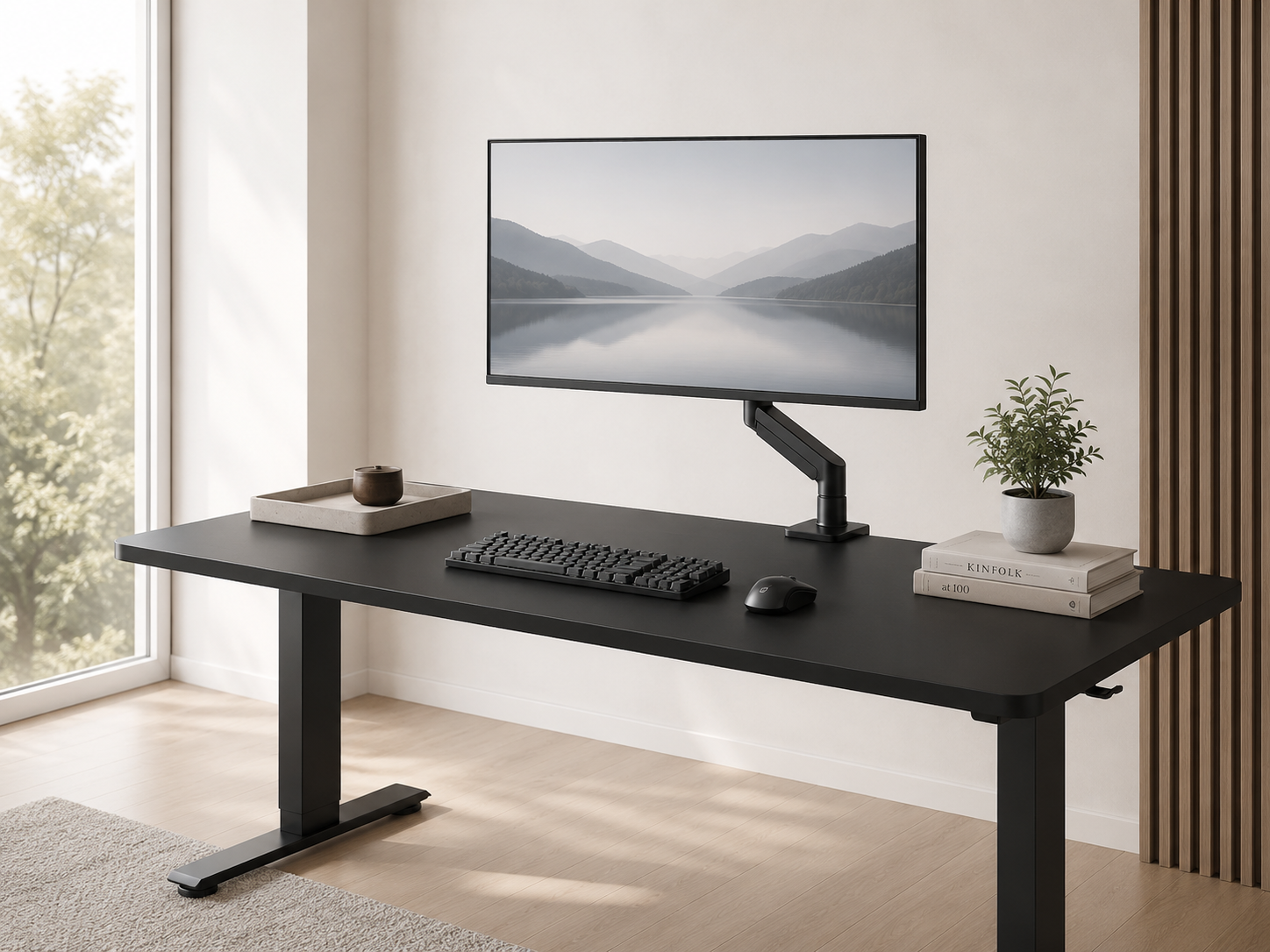
Negative Space & Styling
The finishing discipline: treat empty space as a feature, not a void. A minimalist desk holds the monitor, peripherals, and just one or two deliberate styling objects — a single real plant in a matte pot, one framed piece on the wall, a small catch-all tray — with generous clean surface around them. Keep wall decor to one to three pieces rather than covering it. A warm rug or textured mat keeps the space from feeling clinical without adding visual mess. The restraint is what makes it read as designed and intentional rather than sparse or empty.
Six pieces that build a minimalist battlestation
Each piece is chosen for clean lines and restraint as much as performance — gear that looks like considered design and disappears into the room rather than shouting at it.
Some links in this section are affiliate links. If you buy through one of them, we may earn a small commission at no extra cost to you. We only recommend gear we'd use ourselves.
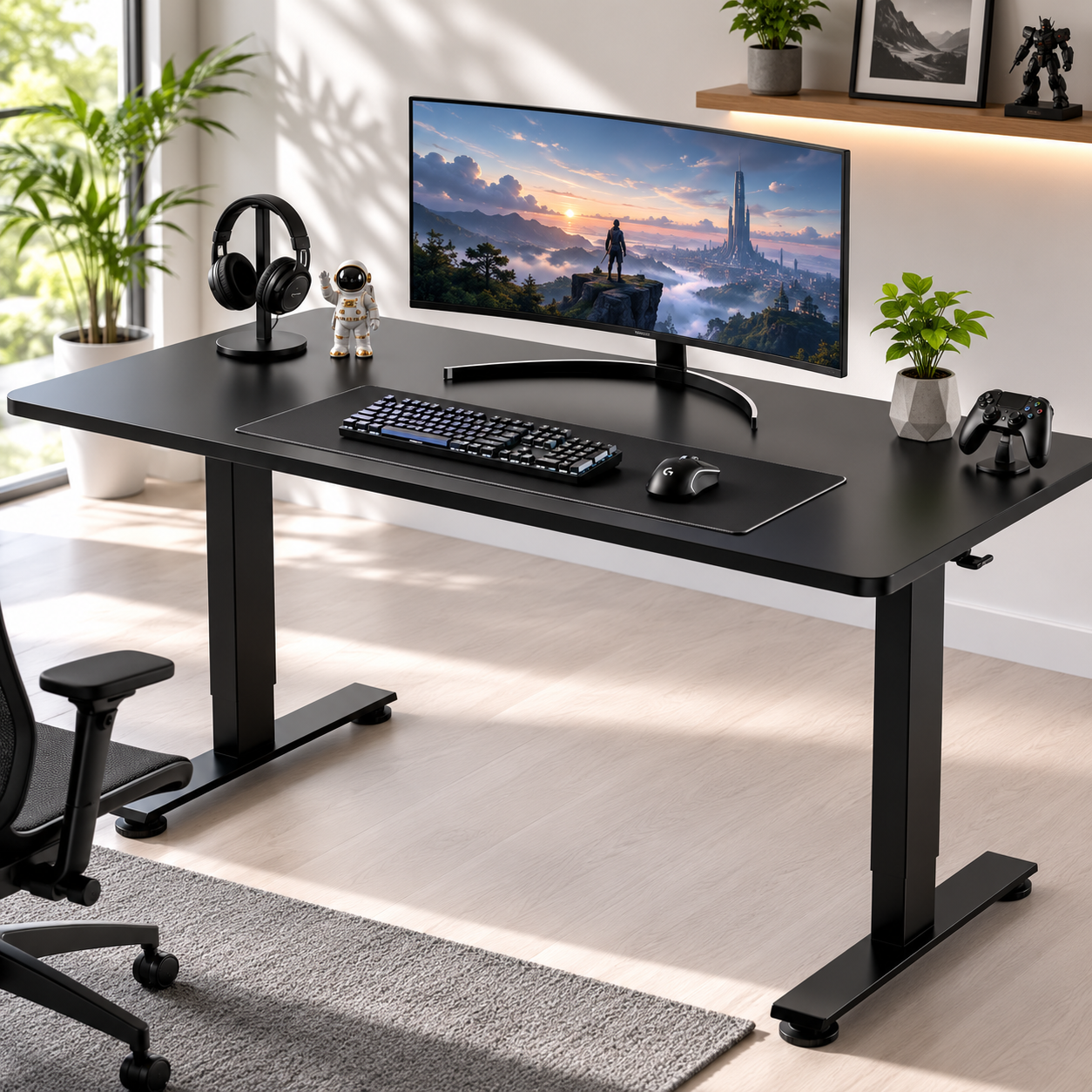
Veken 55" Electric Standing Desk
A clean, flat 55" surface with no built-in shelves or gamer angles — exactly what a minimalist setup wants. Shelves above a screen collect dust and add visual mass; a simple rectangular profile is easier to keep calm and far easier to cable-manage. The electric sit-stand frame adds ergonomic flexibility without compromising the clean look, and at 55" wide it gives a single monitor and peripherals generous breathing room. The understated finish reads as considered furniture, not a gaming rig — the foundation the whole monochrome palette sits on.
- Clean flat 55" surface, no shelves or gamer angles
- Electric sit-stand for ergonomic flexibility
- Simple profile, easy to cable-manage
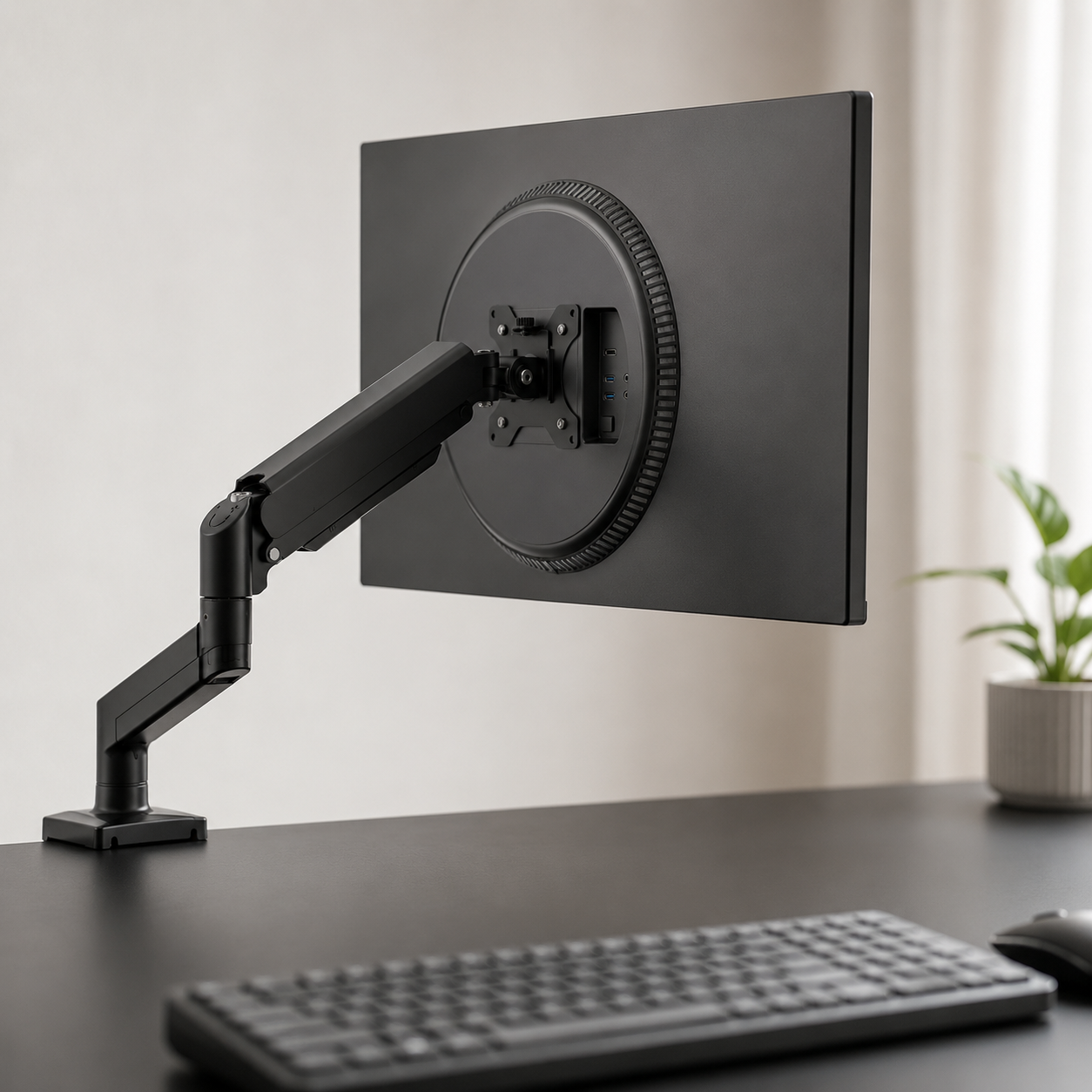
WALI Single Monitor Arm (13-34")
The piece that floats the monitor off the desk and reclaims the surface. This clamp-on arm fits screens from 13 to 34 inches, lets you set proper eye-level height, and hides the cabling along its channel — reclaiming roughly 15cm of depth a stock stand eats. For a minimalist build, mounting the single monitor is non-negotiable: it clears the surface, keeps the cabling out of sight, and makes the whole setup read as calm and deliberate. Clean install, no drilling, and a slim profile that suits a restrained desk.
- Fits 13-34" monitors, clamp-on install
- Frees ~15cm of desk depth, hides cabling
- Slim profile suited to a clean desk
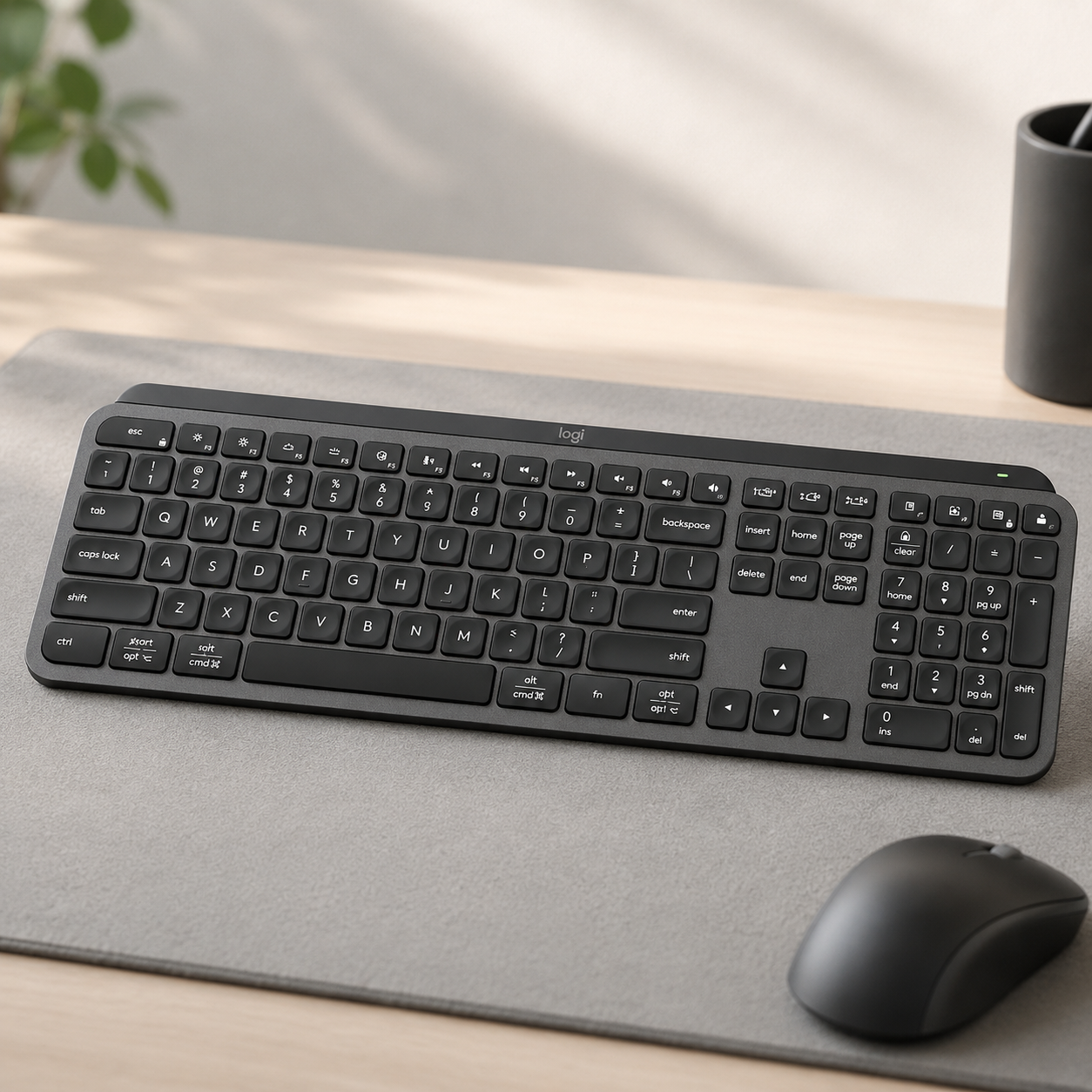
Logitech MX Keys S Wireless Keyboard
A low-profile wireless board that looks like a design object — clean lines, low-contrast legends, no gamer styling. The MX Keys S brings a quiet, premium typing feel, soft adaptive backlighting (warm and subtle, not colored RGB), and wireless connectivity that removes a cable from the desk. It's a productivity-grade keyboard chosen here precisely for the minimalist thesis: clean gear that handles gaming and work alike without shouting. If you want a more clack-forward feel, a compact 75% or 65% mechanical board in a plain case fits the aesthetic just as well — the principle is clean and understated over aggressive.
- Low-profile, clean lines, low-contrast legends
- Subtle warm backlight, wireless (one less cable)
- Premium feel for gaming and work alike

Logitech M510 Wireless Mouse
A simple, ergonomic wireless mouse with a neutral finish and zero RGB — the clean, unobtrusive shape a minimalist desk calls for. Worth being clear: the M510 is a comfortable everyday mouse, not a high-DPI esports model, chosen here for its understated look and wireless tidiness, which suit casual and mixed gaming-and-work use. For competitive FPS, pair the clean aesthetic with a dedicated lightweight gaming mouse in a plain black finish. But for most minimalist setups, where the look and feel matter as much as raw spec, this disappears into the desk exactly as intended.
- Clean neutral finish, no RGB
- Comfortable ergonomic shape, wireless
- Best for casual and mixed gaming-and-work use
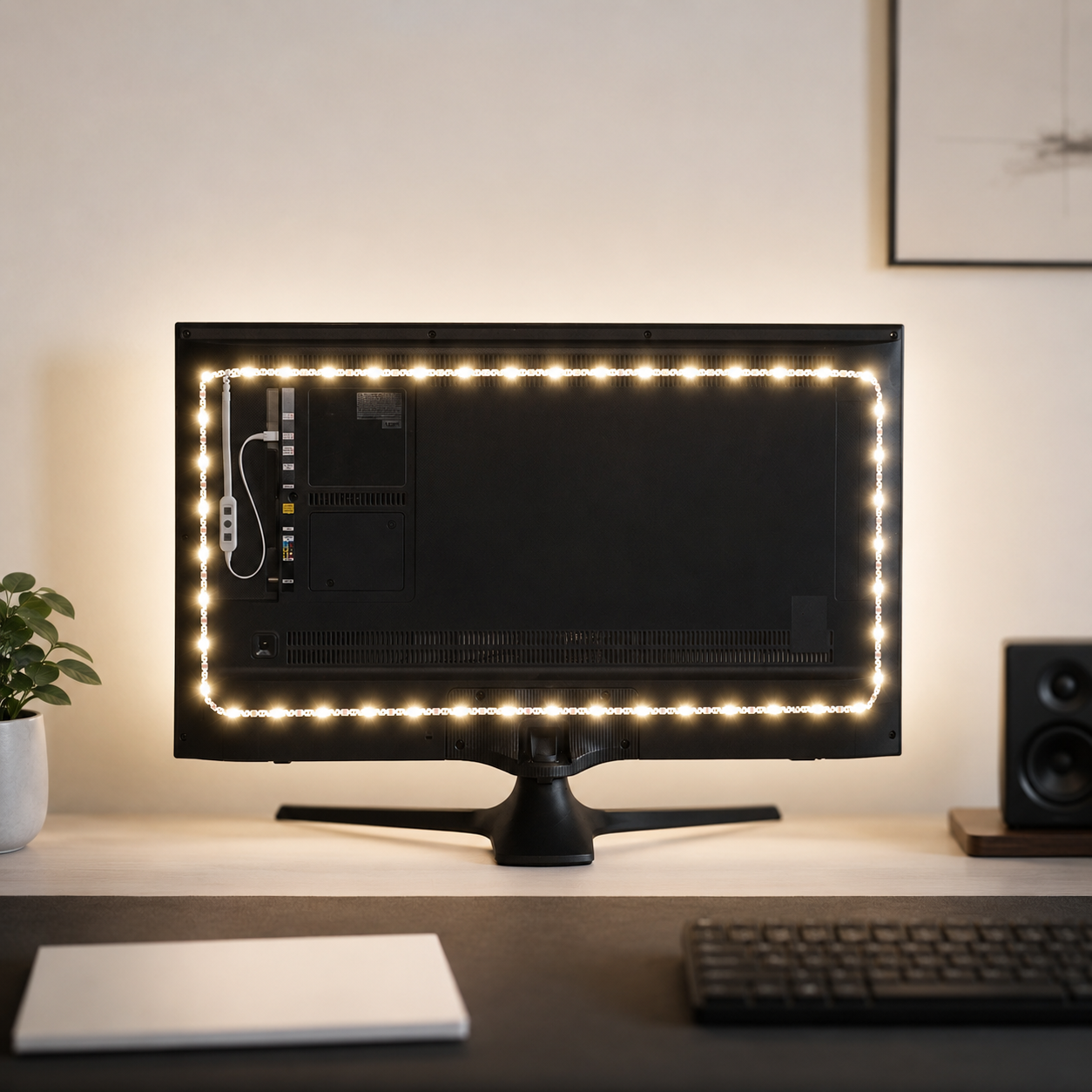
Luminoodle USB Bias Lighting
The restrained lighting that suits a minimalist setup — a simple USB-powered bias strip that mounts behind the monitor and casts a soft glow on the wall. Run it at a warm white and it adds gentle depth and reduces eye strain over long sessions without the saturated, attention-grabbing color of standard RGB. It draws power straight from the monitor's USB, so there's no extra brick or cable to hide. This is lighting as quiet ambiance rather than a light show — exactly the restraint the aesthetic is built on.
- USB-powered bias light, no extra brick
- Warm-white glow reduces eye strain
- Subtle ambiance, not a saturated light show
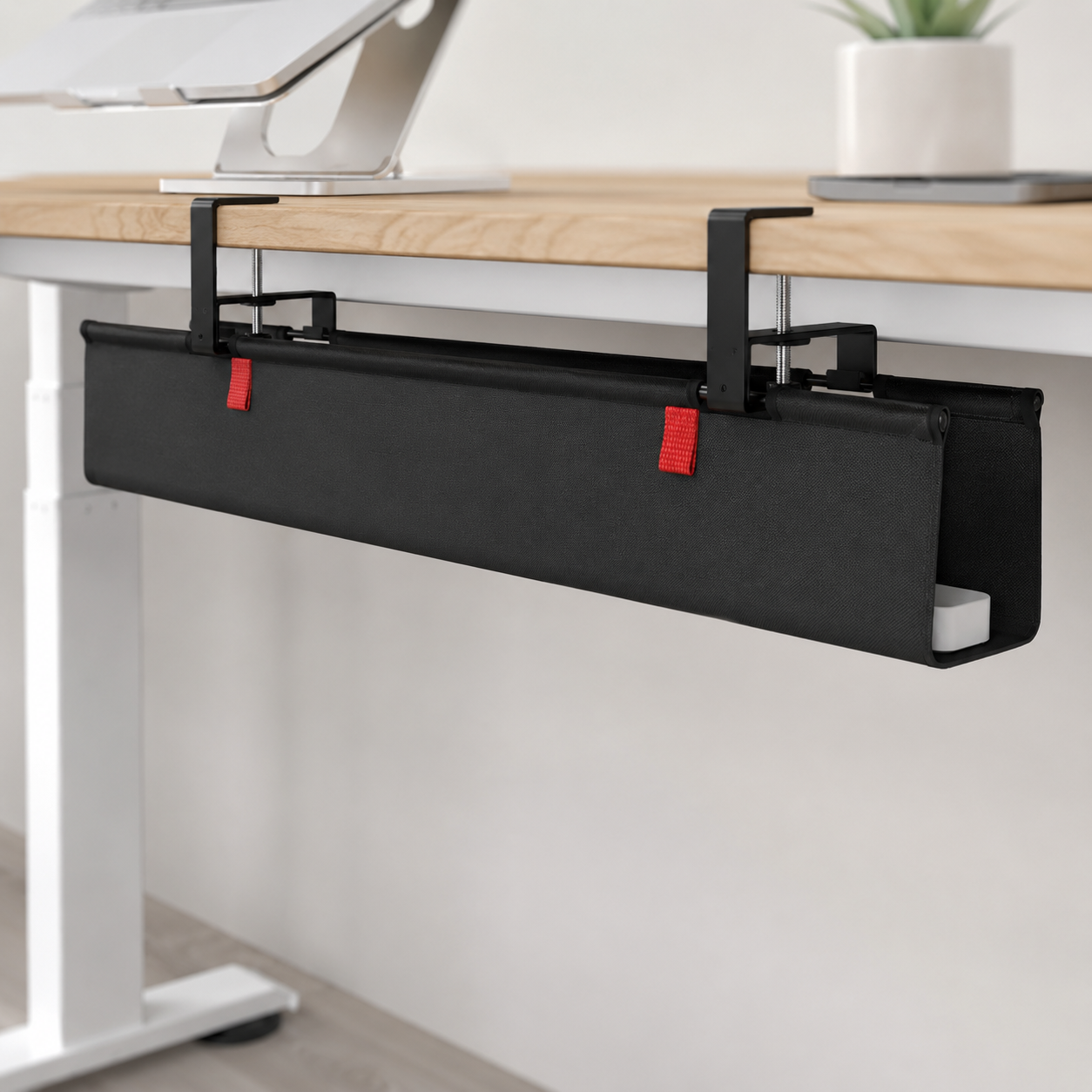
Univivi No-Drill Under-Desk Cable Tray
The single piece that turns “messy” into “minimal.” This under-desk tray mounts with no drilling and holds the power strip and all the excess cable length out of sight, so only thin vertical runs remain — and those get hidden behind a desk leg. In a minimalist build, total cable concealment is the foundation everything else rests on, and a good tray does the heavy lifting in about twenty minutes. The before-and-after is dramatic: a tangle of dark cables vanishes from your line of sight and the setup instantly reads as intentional.
- No-drill mounting, hides the power strip and slack
- Leaves only thin vertical runs to conceal
- Transforms the look in about twenty minutes
Four ways minimalist setups go wrong
Most minimalist setups that drift back toward clutter fail on one of these. Avoid them and the clean look holds over time.
- 01
Mistaking sparse for minimal
Minimalism isn't an empty desk — it's a considered one. Stripping everything away until the space feels cold and clinical misses the point as badly as cluttering it. The fix is intentional negative space plus a few deliberate objects: one plant, one art piece, a warm rug or textured mat to add life. Treat the empty surface as a feature you're showcasing, not a void to apologize for. A setup that breathes and has a couple of meaningful touches reads as designed; a barren one reads as unfinished.
- 02
Breaking the palette
One neon RGB mouse beside a beige keyboard and a random colored headset shatters the minimalist vibe instantly — cohesion is fragile. The fix is discipline: commit to two or three colors and make every item, down to the mouse pad and headphone stand, follow the theme. Match the monitor frame, keyboard, and mouse. If a piece doesn't fit the palette, it doesn't belong on the desk, however good it is on its own. A single off-scheme object undoes the calm the rest of the setup works to create.
- 03
Treating cables as an afterthought
Nothing breaks a minimalist look faster than visible cables, and a white desk highlights every dark wire. A setup that looks clean from the front but hides a tangle behind it isn't minimal — it's a photo trick. The fix is total concealment: an under-desk tray for the power strip, clips and sleeves for the runs, the PC off the surface, and selective wireless to remove cables entirely. From a normal seated angle, you should see no cable at all. This is the unglamorous work that the whole aesthetic depends on.
- 04
Letting it slowly fill back up
The hardest part isn't building a minimalist setup once — it's keeping it that way as new games, controllers, and devices arrive. Without a rule, the desk quietly refills. The fix is a simple discipline: give every item a home, and for each new thing that lands on the desk, something gets stored or removed. A two-minute nightly reset (clear cups, controllers to the drawer) and a deeper declutter every few months keeps it alive. Keep a photo of the desk at its cleanest as the standard to tidy back to.
Minimalist gaming questions, answered
Can a minimalist gaming setup still perform like a top-tier one?
Absolutely — high performance and minimalism are independent. You can run modern games at high settings with a near cable-free desk, because the power lives inside a quiet, closed case, not in visible RGB or open frames. As long as cooling and airflow are handled inside the case, you give up nothing. Spending on a good monitor, CPU, GPU, and an ergonomic chair matters far more for the actual gaming experience than flashy accessories. A minimalist setup maximizes performance without the clutter.
Is a single monitor or dual monitors better for a minimalist setup?
A single high-performance monitor is preferred for minimalists. One quality 27-32" thin-bezel display keeps the visual field clean, cuts cable clutter, and removes the constant eye-shifting of a multi-screen wall. It's the deliberate choice that separates a focused minimalist build from a busy one. If you genuinely need a second screen for chat or work, a carefully managed dual setup can still be minimal — but for most people, one good monitor on a slim arm is calmer and cleaner.
What size desk is best for a minimalist gaming setup?
A width of 140-180cm and a depth of 70-80cm is the comfortable range, giving room for a keyboard, mouse, and a 27-32" display with breathing space on either side. Around 180cm wide and 70cm deep is ideal for a long-term setup. You can game comfortably on a 120cm desk with a compact keyboard and single monitor if you keep accessories off the surface, but prioritize at least 60-70cm of depth for a healthy viewing distance. Choose a simple rectangular profile over bulky corner or gamer-shaped desks.
Is a white desk a good idea, or does it get dirty too fast?
A white desk shows dust and fingerprints faster than a dark one, but a quick weekly wipe keeps it sharp, and a neutral desk mat under the keyboard and mouse protects the main surface. The trade-off is worth it for many: white desks reflect light, make a space feel larger, and create a cleaner, more minimal feel than darker furniture. If low maintenance matters more to you, an oak or matte-black surface delivers the same restraint with less visible dust.
Do I need a mechanical keyboard for a minimalist setup?
Not strictly, but a compact mechanical keyboard often delivers a better feel in less space, and many minimalist-friendly models offer wireless, clean legends, and simple cases that suit the aesthetic. A 75% or 65% layout drops the numpad and reclaims real mouse-sweep room. A low-profile wireless board or even a clean membrane keyboard with a compact layout works too — what matters for the look is a plain case and low-contrast legends, not the switch type. Choose clean and understated over aggressive gamer styling.
How do I stop a minimalist setup from filling up with clutter again?
Give every item a home — a drawer, a shelf, a box — and if it doesn't have one, it doesn't stay on the desk. A useful rule is no more than about five objects on the surface besides the monitor, keyboard, and mouse. Do a two-minute nightly reset (clear cups, return controllers to the drawer) and a deeper declutter every few months to sort cables and sell unused gear. Keeping a photo of the desk at its cleanest gives you a clear standard to tidy back to.
The best new setups, in your inbox
One thoughtful email. No spam, no fluff.