
RGB battlestation setup ideas
Six elements that build a powerful, multi-monitor command center — serious screen real estate and performance gear, unified by one cohesive RGB scheme rather than a chaotic glow.
An RGB battlestation isn't a PC with some colored fans — it's a fully coordinated command center where the tower, the monitors, the walls, and the peripherals all breathe the same color. The goal is a synchronized lighting aesthetic across a serious performance rig, where nothing feels random or out of place. It's the maximalist end of gaming setups: big screen real estate, a powerful tower shown off through glass, premium peripherals, and a cohesive glow tying it all together.
But the thing that separates a real battlestation from a glowing mess is intention. The most powerful rigs balance aesthetics with performance and comfort — airflow, ergonomics, and cable management matter just as much as the lighting, because a beautiful setup that overheats or wrecks your neck isn't worth showing off. And the lighting itself has to be coordinated: a cohesive color palette improves the look of a battlestation far more than raw brightness or sheer number of LEDs ever could.
A battlestation is a performance machine first and a light show second. The RGB is the finish on a serious rig — cohesive, controlled, and unified — not the reason the setup exists.
This guide breaks a battlestation into six elements, from the multi-monitor core to taming cables at scale. It covers the gear worth buying, the mistakes that turn a powerful rig into a chaotic one, and an FAQ on monitors, sync, and building the setup in phases. For the lighting system specifically — zones, sync ecosystems, and color theory — see our RGB gaming desk guide; this one is about the rig the lighting lives on.
What actually makes a battlestation
A battlestation is defined by intention, not by how much it glows. These five principles separate a powerful, coordinated command center from an expensive pile of mismatched lights.
- 01
Performance first, lighting second
The rig is the point. Invest in the things that actually drive the experience — a capable GPU and CPU, real screen real estate, a high-refresh display — before going heavy on decorative light bars and animated panels. A cheaper GPU paired with beautiful wall panels will frustrate you every time the frames drop. Build the performance core first, then let the RGB be the finish on a machine that already delivers. The most impressive battlestations are powerful rigs that happen to look incredible, not light shows with a weak PC inside.
- 02
Screen real estate is the core upgrade
More than any single component, the displays define a battlestation. Going from one panel to a multi-monitor array — dual matching monitors, or one main plus a vertical side screen — transforms how both gaming and work feel. A 34" ultrawide suits immersive single-player and racing; dual or triple 27" panels suit sim racing, streaming, and competitive play with a dedicated chat or OBS screen. Curved monitors are popular here because the wrap-around shape naturally matches the arc of strips and wall panels behind them. The screens are both the performance heart and the visual centerpiece.
- 03
Cohesion over quantity — sync everything
An RGB battlestation features customizable, synchronized lighting across components and peripherals — the operative word being synchronized. A cohesive color palette improves the look far more than raw brightness, and the fastest way to ruin it is the “Christmas tree” effect where every device runs its own pattern. ARGB lets individual LEDs display different colors, and an ARGB controller or a single software ecosystem keeps it all coordinated. Standardize your control layer, pick one deliberate scheme, and run it across the tower internals, peripherals, strips, and ambient glow.
- 04
Airflow beats fan count
On a rig powerful enough to be a centerpiece, thermals matter — and running lots of LEDs barely affects temps compared to poor case airflow. Prioritize the airflow path (front intake, top and rear exhaust) over cramming in extra RGB fans just for looks. A high-airflow mesh case with a sensible fan layout keeps a serious CPU and GPU cool and quiet; if temps climb past 80-85°C, the problem is airflow or cooler choice, not the lighting. Show the build off through glass, but make sure it breathes first.
- 05
Comfort is the thing LEDs can't fix
A battlestation gets used for hours, so ergonomics carry the whole experience. Mount the monitors on arms to set proper eye-level height and free the surface, keep the top of the screen at or slightly below eye level at roughly arm's length, and set the chair so wrists stay straight. Plan monitor placement against window glare — perpendicular to a window, never facing it. The comfort tweaks (monitor height, lumbar support, a footrest) are the upgrades you feel every session and the one thing no amount of RGB can compensate for.
Six elements that build an RGB battlestation
Each element adds to a powerful, coordinated command center — from the multi-monitor core to taming the cables a serious rig generates. Build all six and you've got a battlestation that performs as hard as it looks.
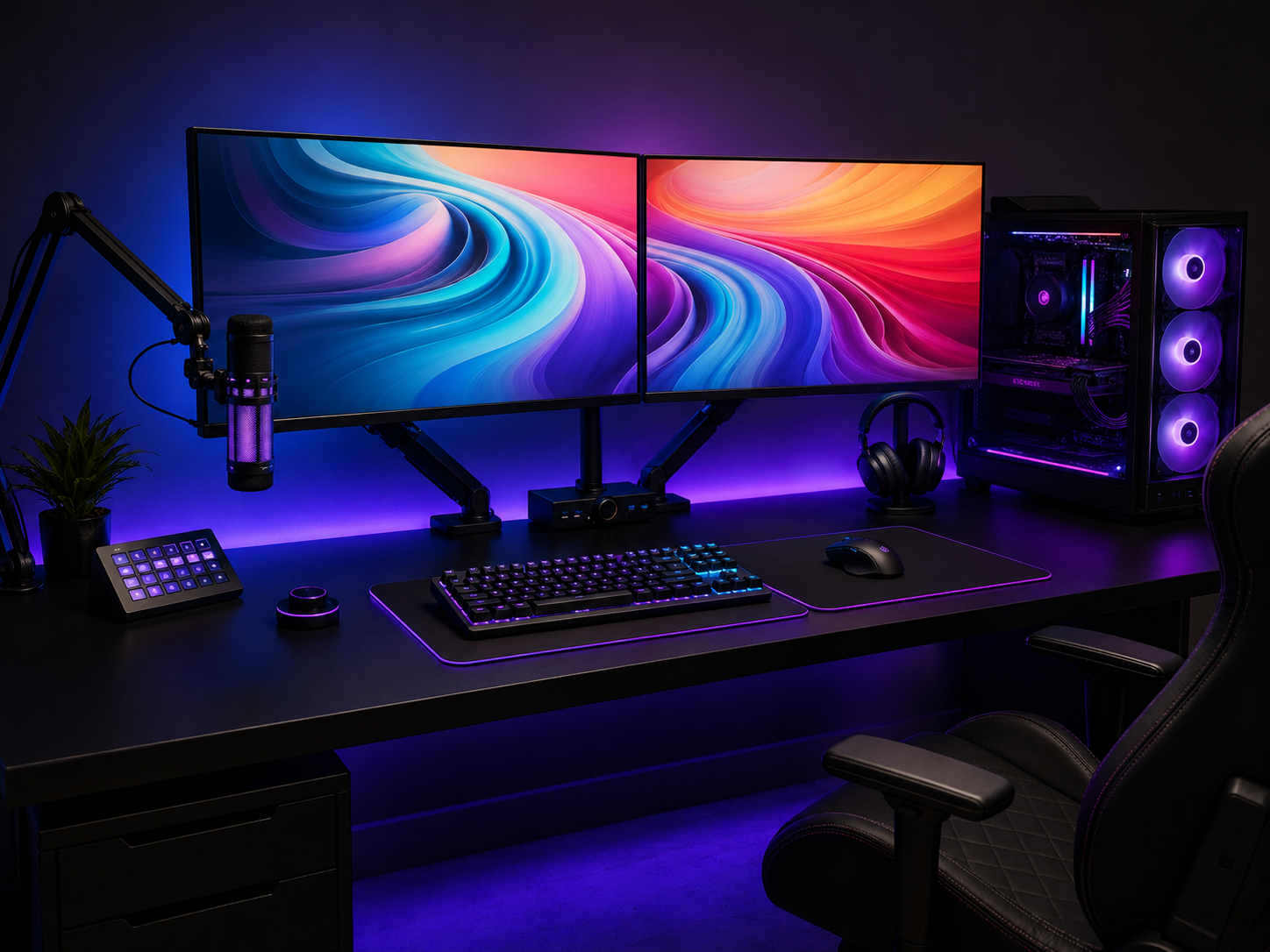
The Multi-Monitor Core
The screens are the heart of a battlestation, both for performance and presence. A multi-monitor array — dual matching panels angled inward, or a main display plus a vertical side screen — gives you the screen real estate that defines the tier. Match the configuration to how you play: a single ultrawide for immersive and racing games, dual or triple 27" panels for sim racing and streaming, or one main plus a vertical for gaming alongside Discord and chat. Mounted on arms at eye level, the array becomes both the command center and the visual anchor the rest of the build coordinates around.
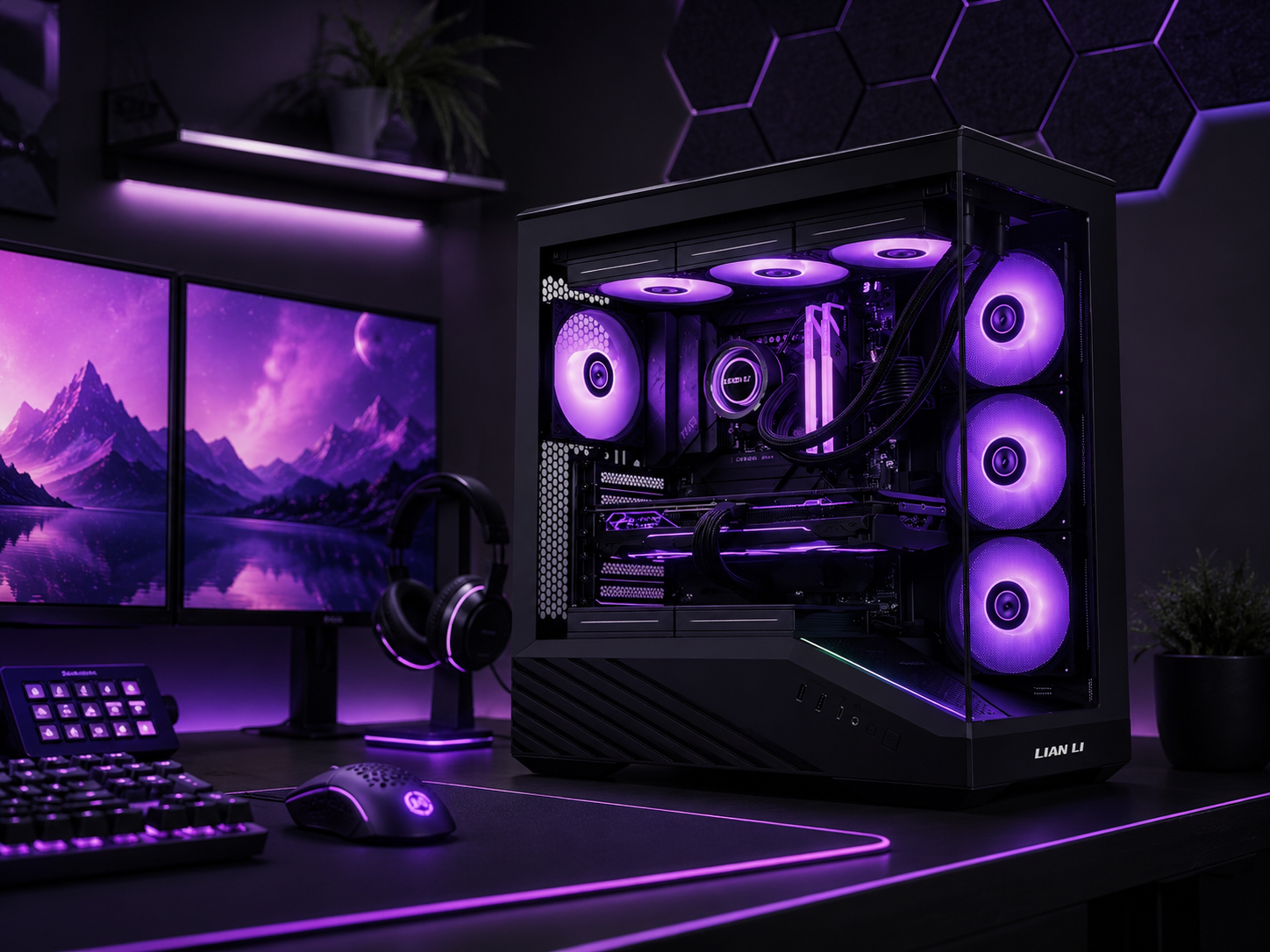
The Performance Rig & Tower
The tower is the engine and, on a battlestation, a centerpiece in its own right. A high-airflow case with a glass side panel shows off cohesively-lit internals — RGB fans, lit RAM, and an AIO pump head — all coordinated in one scheme. The discipline is that this is a real performance machine first: prioritize the airflow path over cramming in fans, and let the glass reveal a build that's as cool-running as it is good-looking. Positioned on the desk or a side wing rather than the floor, the tower stays dust-free, eye-level, and on display as the heart of the rig.
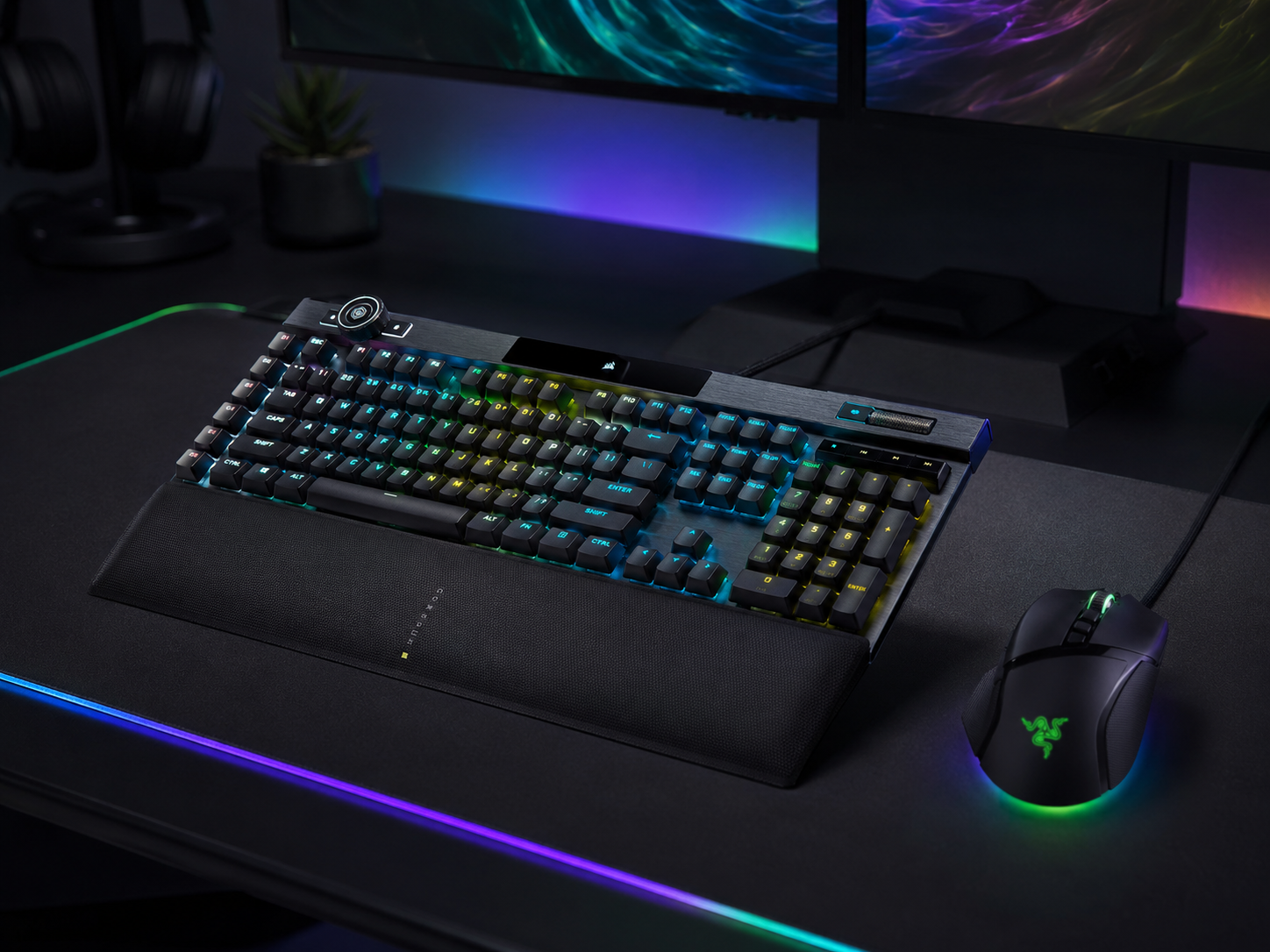
Battlestation Peripherals
The peripherals are the gear you actually touch, and on a battlestation they're premium and precise. A flagship mechanical keyboard and a high-performance gaming mouse anchor the desk, both with per-key RGB tied into the same coordinated scheme as the rest of the rig. The move that keeps it cohesive: choose neutral black or white hardware and let the per-key RGB add the color, rather than buying loud neon plastics. Limit the RGB accessory types — keyboard and mouse pad, say — so the desk reads as deliberate rather than cluttered. Premium gear, coordinated lighting, restrained placement.
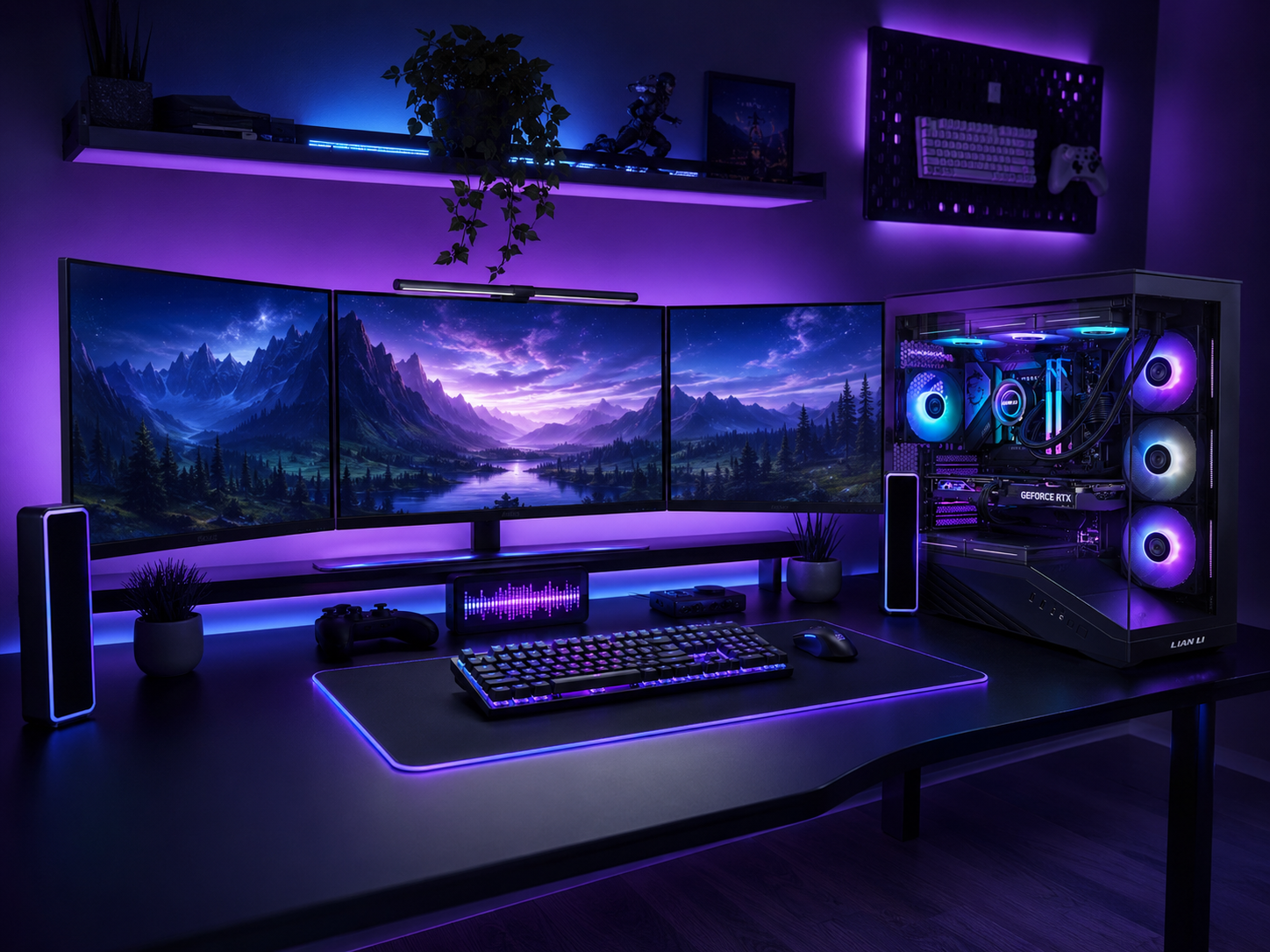
Cohesive RGB Integration
This is what turns a collection of lit components into a battlestation. The tower internals, the peripheral lighting, a strip behind the monitors, and the ambient wall glow all need to belong to one deliberate scheme. Sync them through a single ecosystem or an ARGB controller so they move together instead of each running its own pattern — the difference between a coordinated rig and a Christmas tree. Pick a palette (a static deep blue or purple on the case, matching gradients on the panels) and run named profiles for different moods. Cohesion, not quantity, is what reads as premium. For the full lighting system — zones, ecosystems, and color theory — see our dedicated RGB gaming guide.
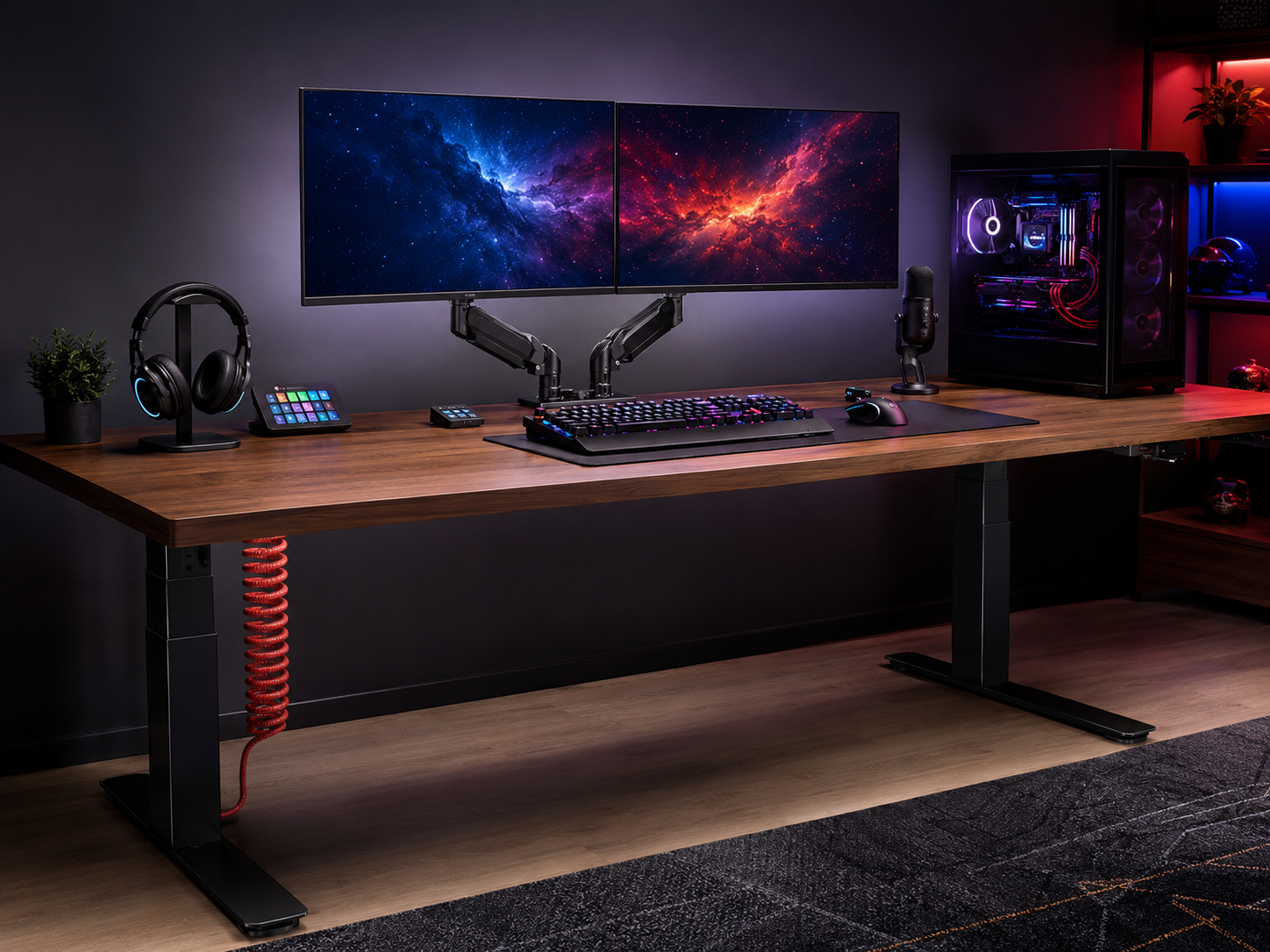
The Command Desk & Mounting
A battlestation needs a desk with the space to be one. A large surface — or an L-shaped desk that puts the monitors on the main run and the tower and console on a side wing — gives a multi-monitor rig room to breathe. L-shaped desks are common in serious setups for exactly this reason. Mount the monitors on a dual arm rather than stock stands: it frees the surface, makes height and tilt effortless, and looks dramatically cleaner. Aim for at least 70-80cm of depth for an ultrawide so the screen sits at proper arm's-length distance. The desk and its mounting are the stage the whole rig performs on.
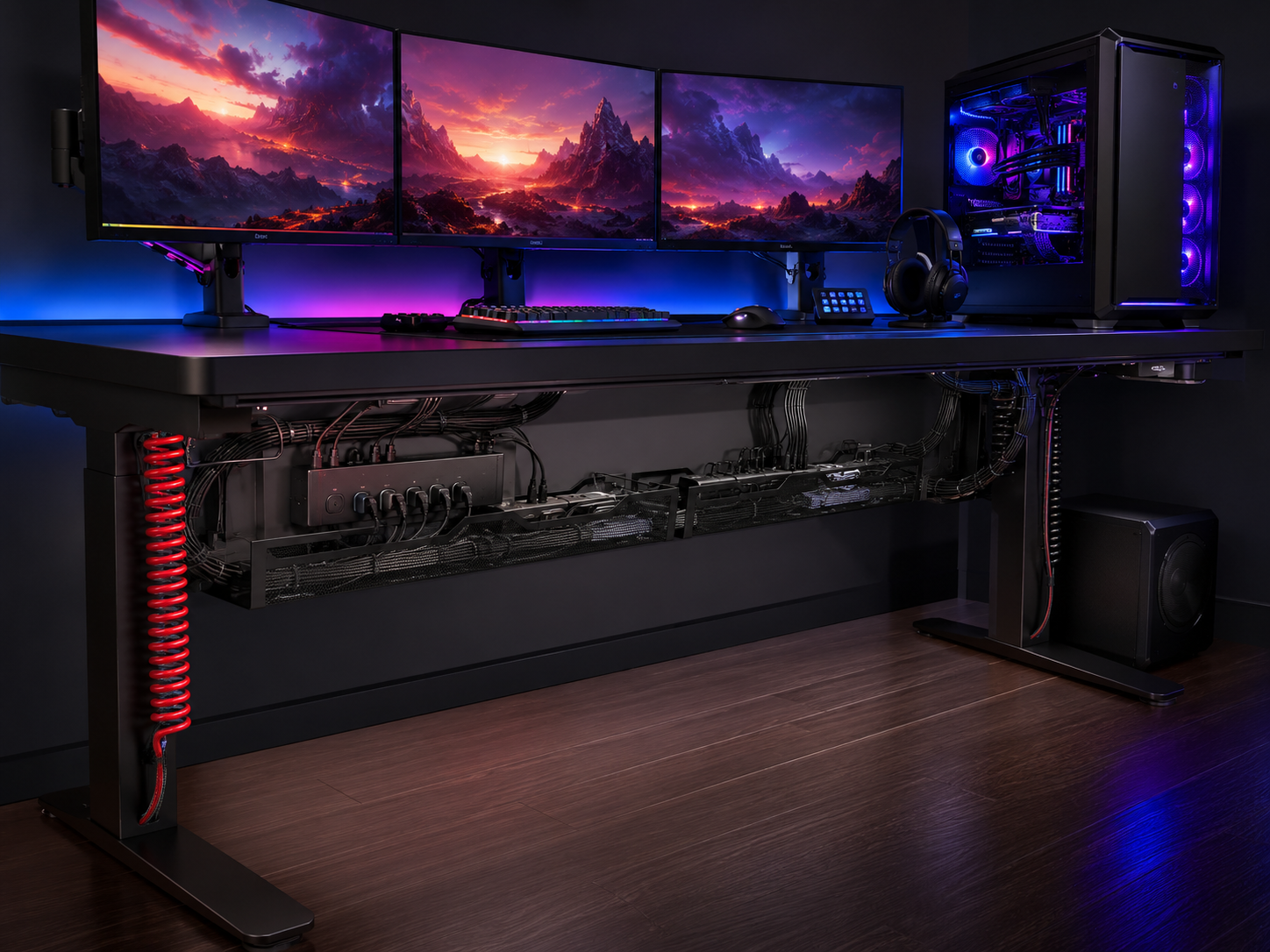
Cable Management at Scale
A multi-monitor, full-tower battlestation generates more cables than any other setup — power, multiple video runs, peripheral, audio, and lighting — so cable management is essential, not optional. The process: route everything straight down under the desk so nothing hangs in the open, bundle by device group (monitors together, PC together, audio together) for easy troubleshooting, then hide the vertical runs in a raceway or behind a desk leg since those are the most visible. Mount the power strips under the desk in a tray. The before-and-after on cable management changes how the entire rig feels — tight, hidden cabling is more impressive than any single component.
Six pieces that build a battlestation
Each piece anchors a part of the rig — the screens, the mounting, the premium peripherals, the tower, and the desk that holds it all. Chosen for performance and presence, then tied together by one cohesive scheme.
Some links in this section are affiliate links. If you buy through one of them, we may earn a small commission at no extra cost to you. We only recommend gear we'd use ourselves.
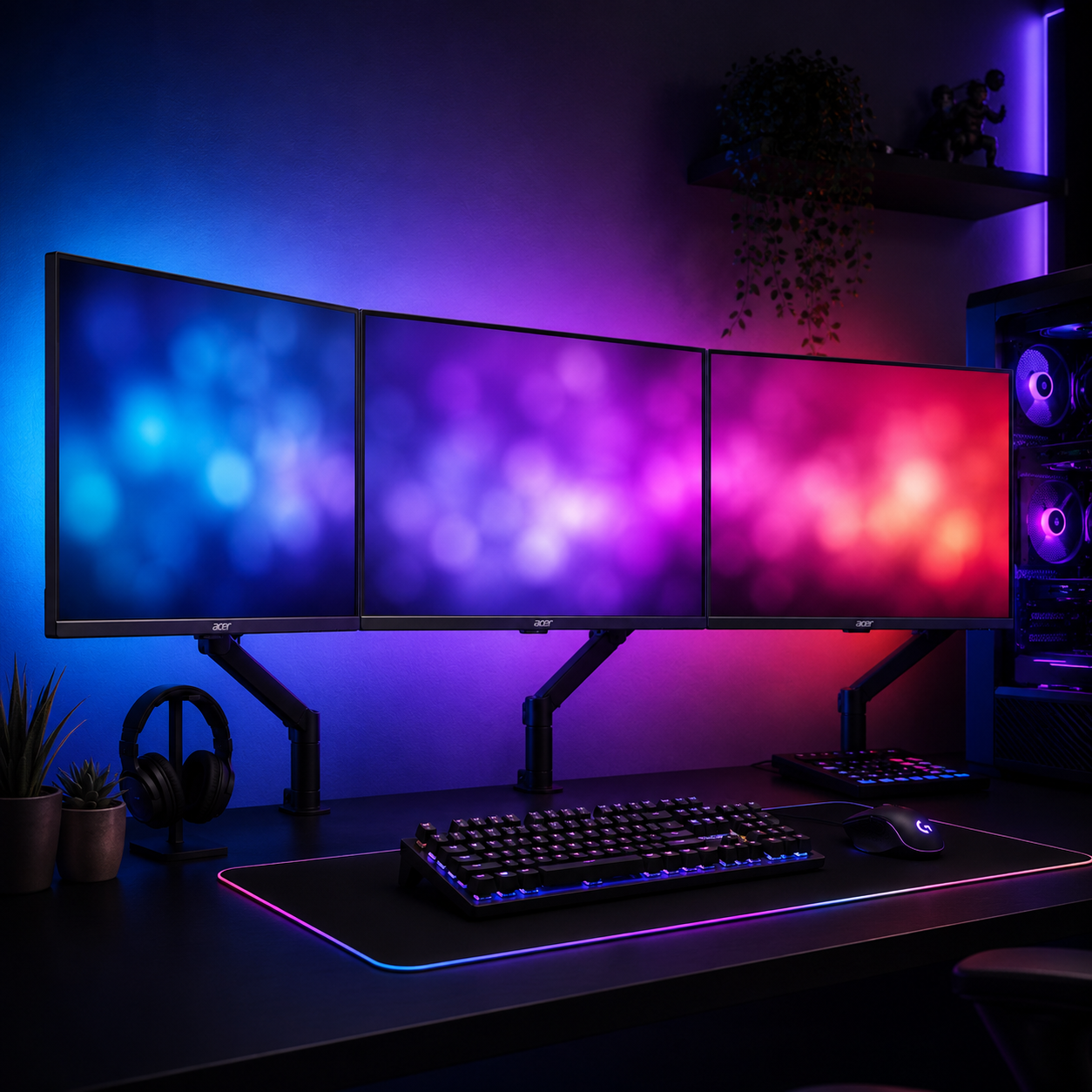
Acer 27" FHD IPS Monitor (run a matching pair)
The screen real estate that defines a battlestation — and the smart move here is buying two. A pair of matching 27" IPS panels with adaptive sync gives you the dual-monitor array that powers serious gaming and multitasking: one screen for the game, one for Discord, chat, or OBS. Matching panels keep bezels and color consistent across the array, which looks far cleaner than mismatched screens. IPS delivers wide viewing angles for an angled-inward setup, and FreeSync keeps motion smooth. Affordable enough that doubling up is realistic.
- 27" FHD IPS with adaptive sync (FreeSync)
- Buy two for a matched dual-monitor array
- Wide viewing angles for an angled-in setup
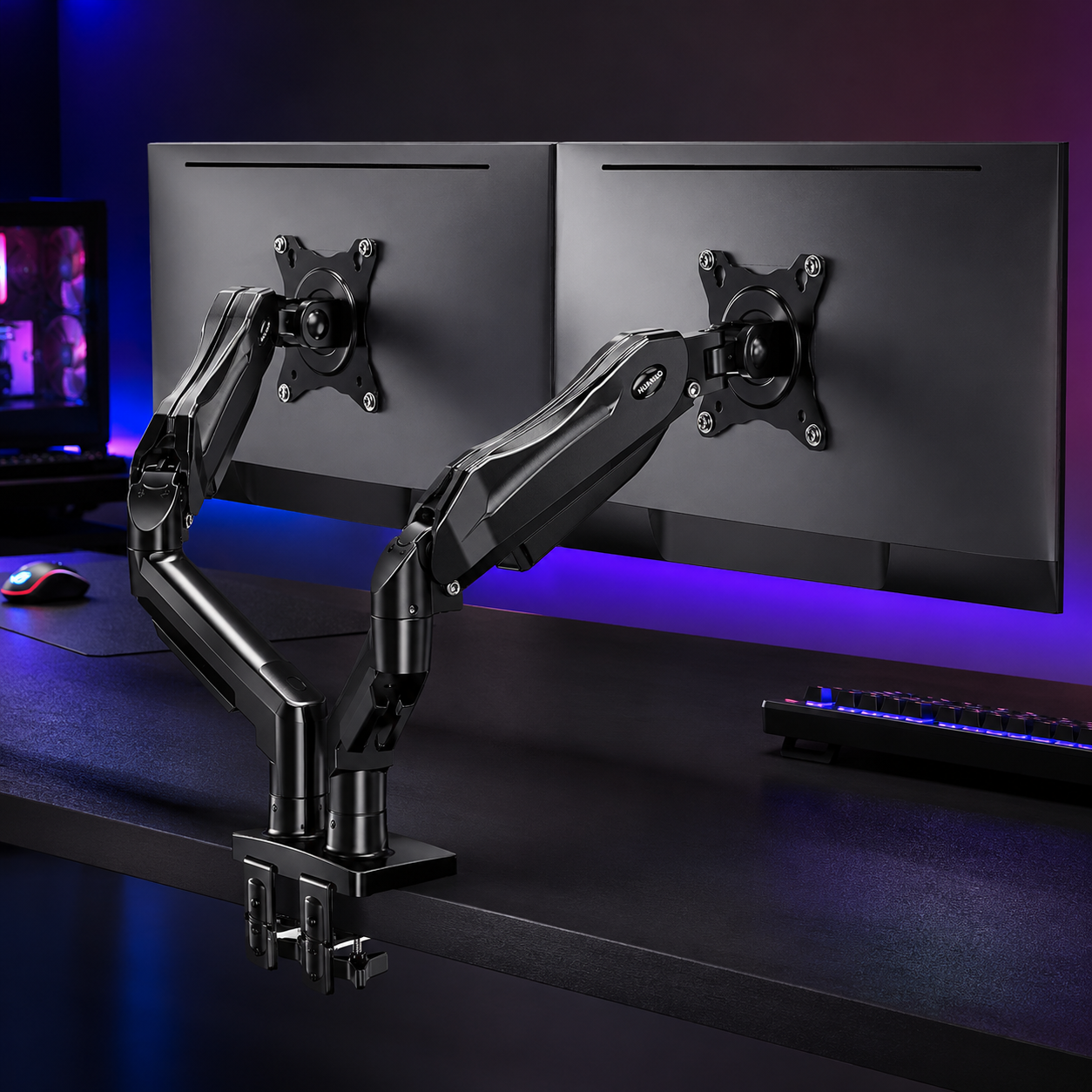
HUANUO FlowLift Dual Monitor Arm
The mount that makes a dual-monitor array look intentional instead of crowded. This gas-spring dual arm floats both screens off the desk, freeing the surface beneath and making height, tilt, and angle adjustments effortless — essential for angling two monitors inward toward the chair at matched eye level. It clamps to the desk edge with no drilling and routes cables along the arm for a cleaner look. Mounting the screens is one of the highest-impact moves in any battlestation: it reclaims surface and instantly elevates the whole rig.
- Gas-spring dual arm, floats both screens
- Effortless height, tilt, and angle adjustment
- Clamp-on install with cable routing
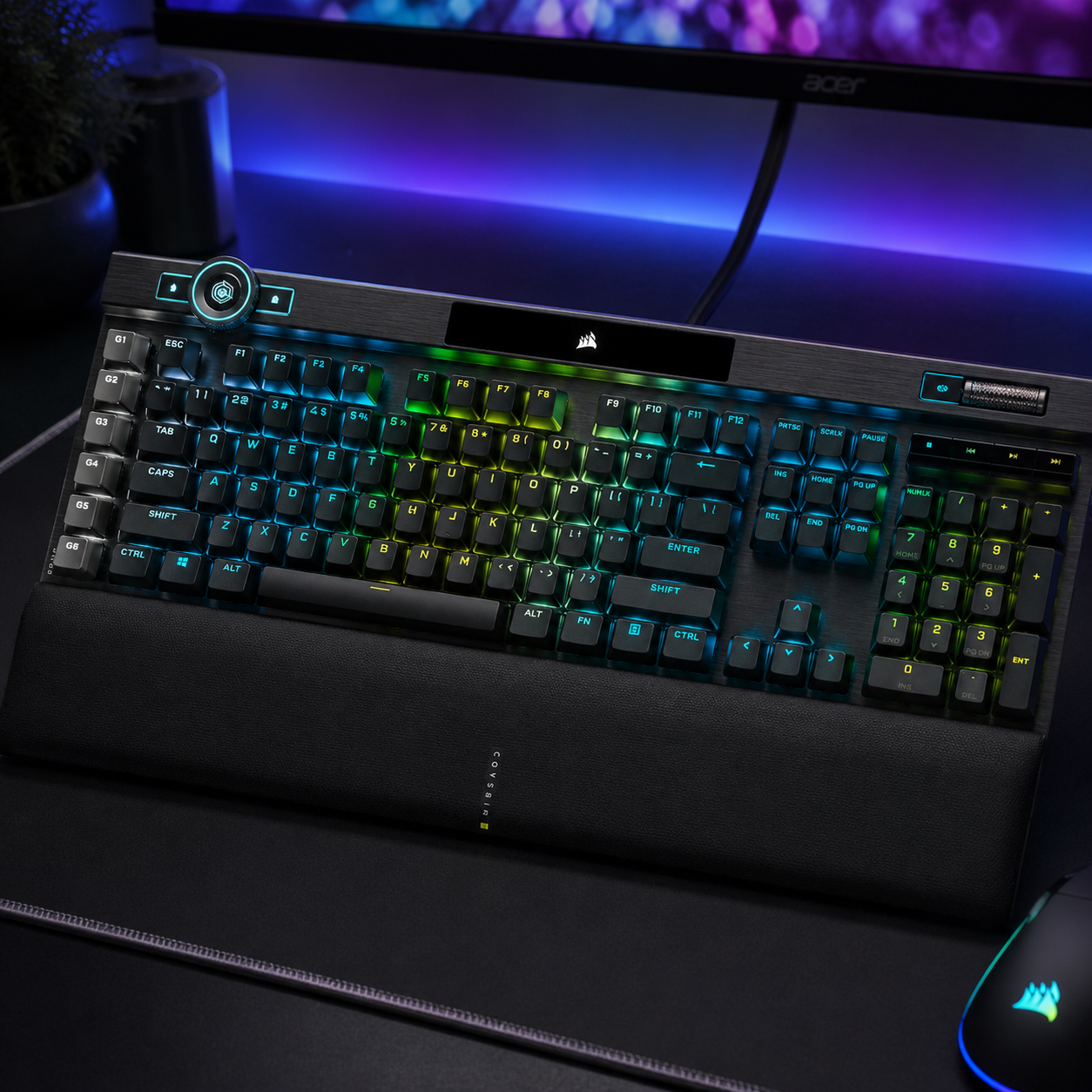
Corsair K100 RGB Optical-Mechanical Keyboard
A flagship board that belongs on a battlestation. The K100 pairs fast optical-mechanical switches with per-key RGB and a control wheel, and crucially it runs on Corsair iCUE — the same ecosystem that can sync your case fans, RAM, and cooler into one coordinated scheme. That ecosystem cohesion is exactly what a battlestation needs: the keyboard's lighting matches the tower's instead of fighting it. Premium build, fast response, and the iCUE integration that ties the whole rig's lighting together from a single app.
- Fast optical-mechanical switches, per-key RGB
- Syncs with case and components via iCUE
- Premium build with a control wheel
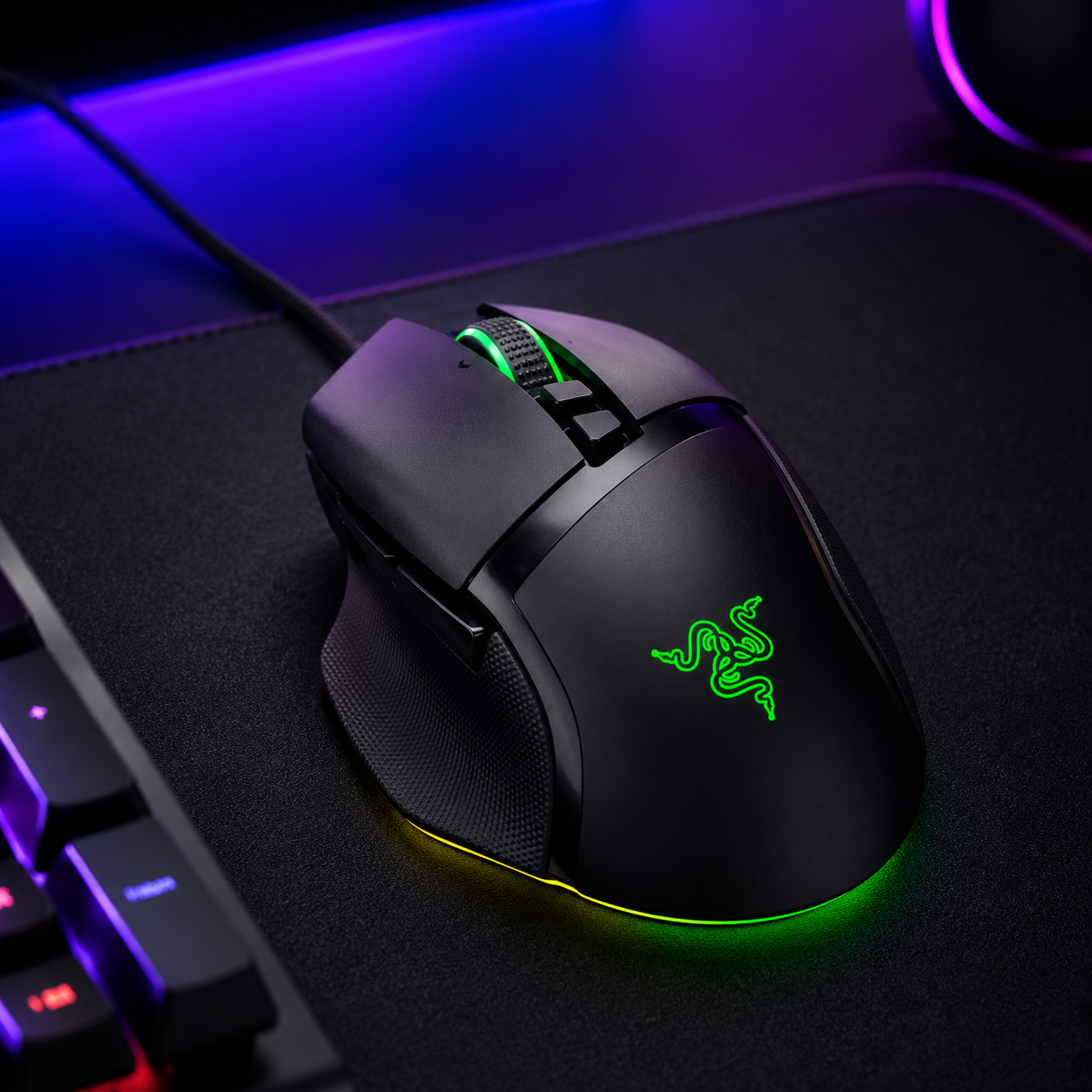
Razer Basilisk V3 Gaming Mouse
A high-performance ergonomic mouse with the precision a serious rig deserves and Razer Chroma RGB for cohesion. The Basilisk V3 pairs a precise sensor and customizable buttons with underglow and scroll-wheel lighting that ties into a coordinated scheme. Chroma is one of the most widely-supported lighting ecosystems, so the mouse can sync with games and other Chroma gear, glowing to match on-screen action or your chosen battlestation palette. Precise, comfortable for long sessions, and visually part of the unified whole.
- Precise sensor, customizable buttons
- Chroma RGB underglow and scroll wheel
- Broad ecosystem and game-sync support
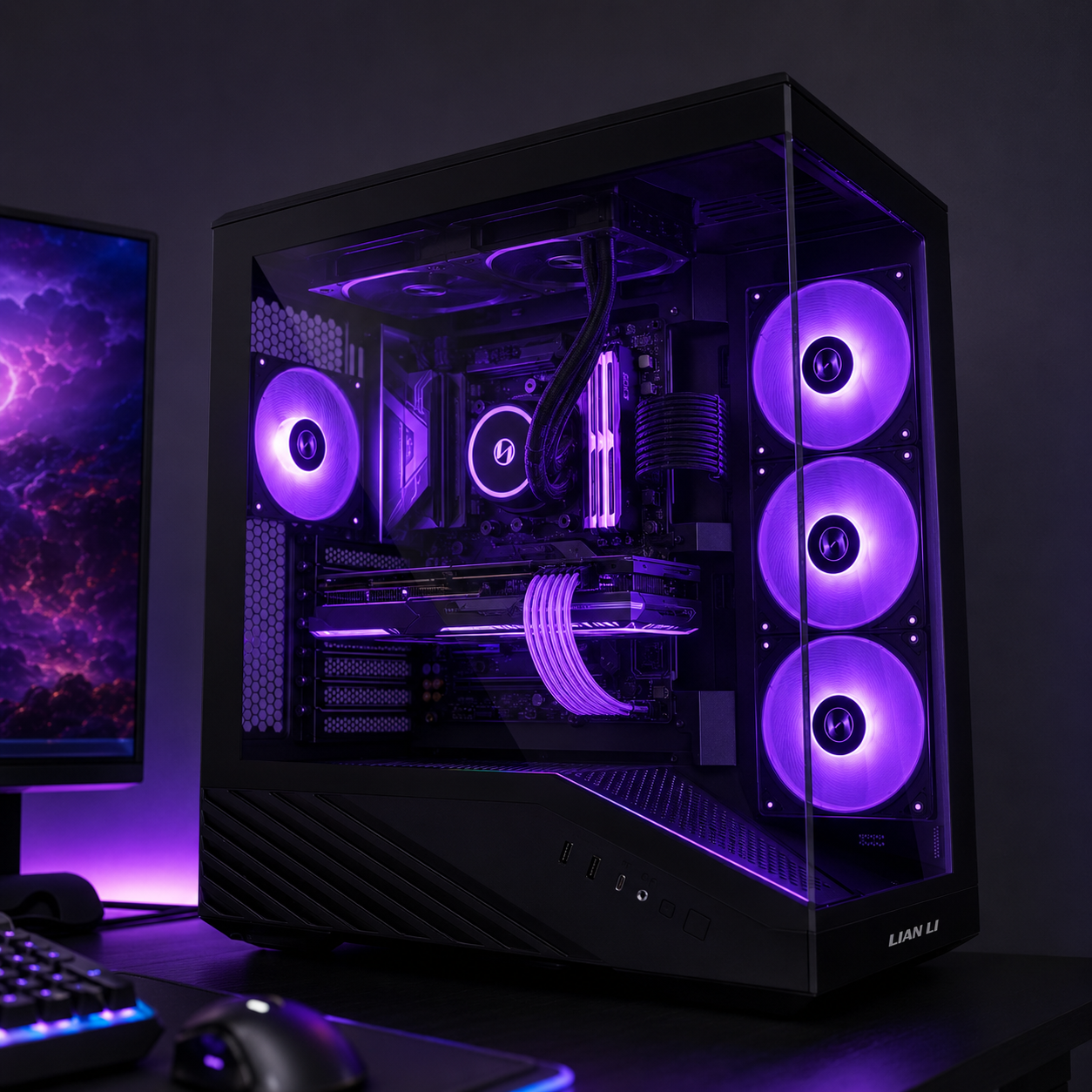
Lian Li V100 ATX Mid-Tower Case
The centerpiece tower, from a brand synonymous with showcase battlestation builds. The V100 pairs a glass panel with pre-installed, airflow-optimized RGB fans — so the build runs cool and looks coordinated out of the box. Lian Li cases are a battlestation staple precisely because they balance the airflow path that keeps a serious CPU and GPU in check with the glass-panel presentation that shows off cohesively-lit internals. Position it on the desk or a side wing at eye level and it becomes the glowing heart of the rig, not an afterthought under the desk.
- Glass panel with pre-installed RGB fans
- Airflow-optimized layout for cool running
- Showcase design built to be displayed
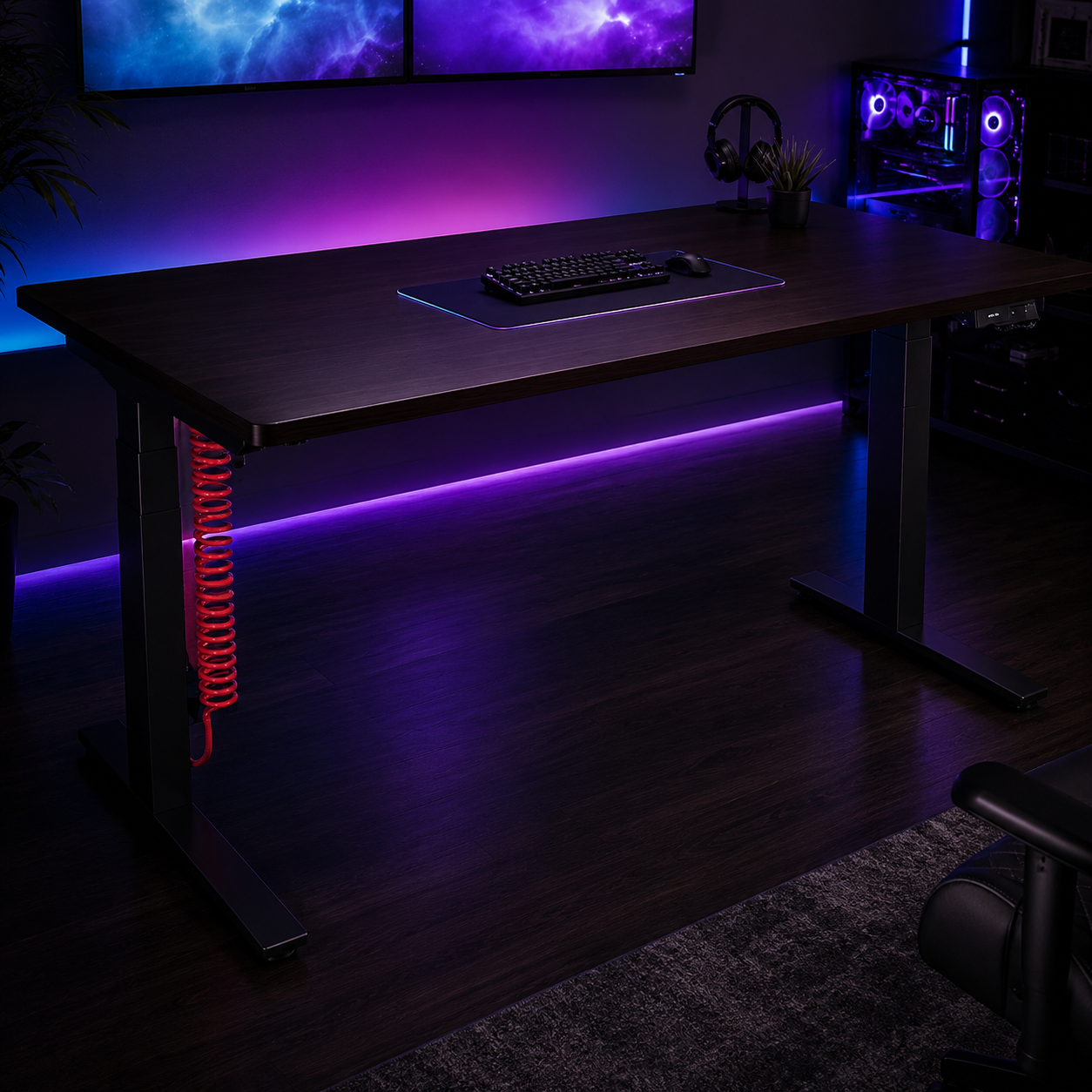
Herman Miller Coyl Gaming Desk
The command desk for a serious battlestation. The Coyl is Herman Miller's take on a gaming desk — a large, genuinely well-built surface with cable management designed in and the depth a multi-monitor array needs to sit at a proper viewing distance. It's a premium investment, no question, but on a battlestation the desk is the foundation everything sits on, and Herman Miller's build quality and ergonomics back it up. If you're building a rig meant to last and look the part, this is the surface that anchors it with room to breathe.
- Large premium surface with built-in cable management
- Depth for a multi-monitor array at proper distance
- Herman Miller build quality and ergonomics
Four ways battlestations go wrong
Even expensive rigs fall down on these. Avoid them and the setup reads as a powerful, intentional command center rather than a chaotic one.
- 01
Spending on RGB before performance
The classic battlestation mistake is pouring budget into wall panels, light bars, and animated everything while the GPU can't hold framerate. Decorative RGB at the expense of performance frustrates you every session the frames drop. Invest first in the things that drive the experience — GPU, CPU, a high-refresh display, screen real estate — and treat the lighting as the finish you add once the core delivers. A powerful rig with restrained lighting beats a weak one buried in animated panels every time.
- 02
The “Christmas tree” effect
When every device runs its own lighting pattern in its own colors, the result is chaos — your eye bounces everywhere instead of focusing on the screen, and the rig reads as cluttered rather than coordinated. RGB components compete for attention when you go overboard. The fix is sync and restraint: standardize the control layer (one ecosystem or an ARGB controller), pick one deliberate palette, and run it across everything. A cohesive scheme at moderate intensity looks far more premium than a maximalist clash of colors and effects.
- 03
Chasing fan count over airflow
Cramming a case full of RGB fans for the look, while ignoring the airflow path, is a thermal mistake dressed up as an aesthetic one. Running lots of LEDs barely affects temps — poor airflow does. A powerful CPU and GPU need a sensible front-intake, top-and-rear-exhaust path more than they need a tenth glowing fan. If temps climb past 80-85°C, the cause is airflow or cooler choice, not the lighting. Build the cooling right first, then add RGB fans only where they don't disrupt the path.
- 04
Ignoring cables and comfort
A battlestation generates the most cables of any setup, and skipping management leaves a rig that looks great in dark photos and a disaster in daylight. Equally, going all-in on looks while ignoring ergonomics — monitors too low, no lumbar support, wrists bent — produces a setup that hurts to use for the long sessions it's built for. Manage the cables (route down, bundle by group, hide vertical runs), mount the monitors at eye level, and dial in the chair. These are the unglamorous moves that separate a real battlestation from a photo prop.
RGB battlestation questions, answered
What is an RGB battlestation?
An RGB battlestation is a fully coordinated gaming setup where the PC tower, monitors, peripherals, and ambient lighting all share one synchronized color scheme — not just a PC with colored fans. It features customizable, synchronized lighting across components and peripherals, built on a serious performance rig. The defining quality is intention: a multi-monitor core, a powerful tower shown off through glass, premium peripherals, and a cohesive glow tying it together, with airflow, ergonomics, and cable management handled as carefully as the lighting.
How do I keep RGB from looking chaotic across all my gear?
Sync everything and pick one palette. Standardize your control layer — a single software ecosystem (Corsair iCUE, Razer Chroma, Philips Hue) or an ARGB controller — so every device coordinates instead of running its own pattern, which causes the “Christmas tree” effect. Choose a deliberate scheme (a static blue or purple on the case, matching gradients on the panels), keep bias lighting behind the monitors a warm neutral white, and run named profiles for different moods. A cohesive palette matters far more than brightness or LED count.
How many monitors should a battlestation have?
It depends on how you play. A single 34" ultrawide suits immersive single-player, racing, and FPS — one wide, seamless view. Dual matching monitors (often 27") suit competitive play and multitasking, with one screen for the game and one for Discord, chat, or OBS. Triple 27" panels suit sim racing and streaming. A popular hybrid is one main monitor plus a vertical side screen for chat and code. Match the configuration to your use rather than adding screens for their own sake.
Do RGB lights make my PC run hotter?
Barely. LED strips and RGB fans draw only a few watts — a fraction of what a GPU pulls under load — so lighting has almost no effect on system temperatures. What actually drives temps is case airflow. If your CPU is climbing past 80-85°C, the cause is the airflow path or cooler choice, not the lights. Prioritize a high-airflow case with a sensible front-intake, top-and-rear-exhaust layout, and don't cram in extra RGB fans where they disrupt that path just for the look.
How much does an RGB battlestation cost?
A serious build lands around $2,500-$3,000 all in: roughly $1,700 for the PC, $600 for monitors, $350 for desk and chair, and $250 for lighting and accessories. The smart approach is three phases — first the performance core (PC, one solid monitor, minimal RGB), then the workspace (better desk, monitor arm, bias lighting, a second screen), then full atmosphere (wall panels, ambient lighting, premium chair, the complete lighting ecosystem). Put most of the budget into performance first; aesthetic items like cases and strips also discount heavily on Black Friday.
Should the PC tower go on the desk or the floor?
On the desk or a side wing, for a battlestation. Keeping the tower at desk height shows off the cohesively-lit internals through the glass panel, keeps it away from carpet dust that clogs filters, and shortens cable runs to the monitors. An L-shaped desk is ideal — the side wing holds the tower and a console dock while the main run stays clear for the monitors and peripherals. If desk space is tight, a small shelf at desk height works too, and lets you add an under-glow strip beneath the case.
The best new setups, in your inbox
One thoughtful email. No spam, no fluff.