
Console gaming desk setup ideas
Six elements that turn a console into a clean, comfortable desk station — the display, ventilated console placement, tidy cabling, and real ergonomics. The grown-up alternative to the coffee table.
Most console gaming happens in the worst possible ergonomic setup: hunched over a coffee table, or craning up at a wall-mounted TV from a sofa that wrecks your back over a long session. Moving a console to a dedicated desk fixes all of it at once — you sit at the right height, the screen's at eye level, the console finally has room to breathe instead of cooking inside a cramped TV unit, and the cables stop being a hazard. A console desk setup is the grown-up version of console gaming.
And the console setup has one quiet advantage over every PC build in this hub: it's the easiest to keep clean. No tower, no GPU, far fewer cables — just a display, a compact console or two, a controller, and a comfortable chair. That simplicity is the whole appeal. The trade-off is that it doesn't integrate with productive work as naturally as a PC desk, though a hybrid console-and-PC build on one desk solves that neatly. This guide is desk-first — a console gaming station you sit at, not a living-room TV wall — because that's where the comfort and the clean look actually come from.
A console setup done right is the cleanest, most livable gaming desk of all — fewer cables, a compact footprint, and a display at eye level. The win isn't more gear; it's the right height, real ventilation, and tidy cabling.
This guide breaks a console desk setup into six elements, from the display to the ambient lighting. It covers the gear worth buying, the mistakes that cook your console or wreck your posture, and an FAQ on TV versus monitor, desk depth, and fitting multiple consoles. For a console that also streams, see our streaming setup guide, and for the full hub, the gaming desk setup guide.
What actually makes a console desk work
A console desk lives or dies on a few things a PC build doesn't worry about — ventilation, the TV-or-monitor call, and desk-based comfort. These five principles get it right.
- 01
Sit at a desk, not on the sofa
This is the whole premise, and the difference is immediate. A desk at the right height (28-30" for most adults) with a supportive chair keeps your spine neutral, where a sofa and coffee table force a slouch or a neck craned up at a wall-mounted screen. Sitting at a desk also signals focus the same way a work desk does. The comfort payoff shows up fast — the nagging neck and back strain of long couch sessions tends to fade within a week of moving to a proper desk. Console gaming deserves real ergonomics, not a hunch over the coffee table.
- 02
Give the console room to breathe
Consoles generate significant heat and need real airflow — the fastest way to cause thermal throttling and jet-engine fan noise is stuffing one into a cramped cabinet or tucking it directly behind the screen. Stand modern consoles upright toward the edges of the desk, with a few inches of clearance on every side (Sony advises around 4 inches / 10cm around a PS5). Keep ports reachable so you're not blindly fishing for cables. A console with space around it runs cooler, quieter, and lasts longer — ventilation matters more than any aesthetic choice on a console desk.
- 03
Pick the display for desk distance
The TV-or-monitor call is the defining choice of a console desk. At desk distance, a 27-32" monitor is often the sweet spot — UI text turns razor-sharp and input lag drops noticeably versus a large TV viewed up close. A 48-55" TV works if the desk is deep enough to sit back from it. Either way, prioritize 4K with a high refresh rate, and for current-gen consoles look for HDMI 2.1, VRR, and low input lag to actually use the hardware. Mount it so eye level meets the center of the screen, facing you straight on — no twisting to one side.
- 04
Fewer cables — so hide them completely
A console setup generates a fraction of the cabling of a PC battlestation, which means there's no excuse for a visible tangle. Group cables by function (power, HDMI, Ethernet, USB), route them along the back of the desk in a rear tray, and secure with Velcro ties every foot or so. Mount the power strip to the rear underside of the desk or the wall — never sitting on the floor. A wired Ethernet run beats Wi-Fi for stable online play. Done once over an afternoon, the whole setup stays clean, and the console desk becomes the tidiest-looking build in the house.
- 05
Give every accessory a home
Controllers roll off surfaces, headsets pile up, charging cables breed — a console desk turns into a junk drawer fast without dedicated zones. A controller charging stand, a headset hook, and a small drawer or under-desk unit for spare cables and games clear the surface almost entirely. Define a “drop zone” where the controller and headset go after every session; it sounds minor but it's what keeps the desk usable day to day. The gear that touches you most often needs a deliberate home, or the clean setup slowly disappears under clutter.
Six elements that build a console desk setup
Each element handles a piece of the console station — the display, the console's home, storage, seating, cabling, and lighting. Get all six right and you've got a clean, comfortable setup you actually want to sit at.
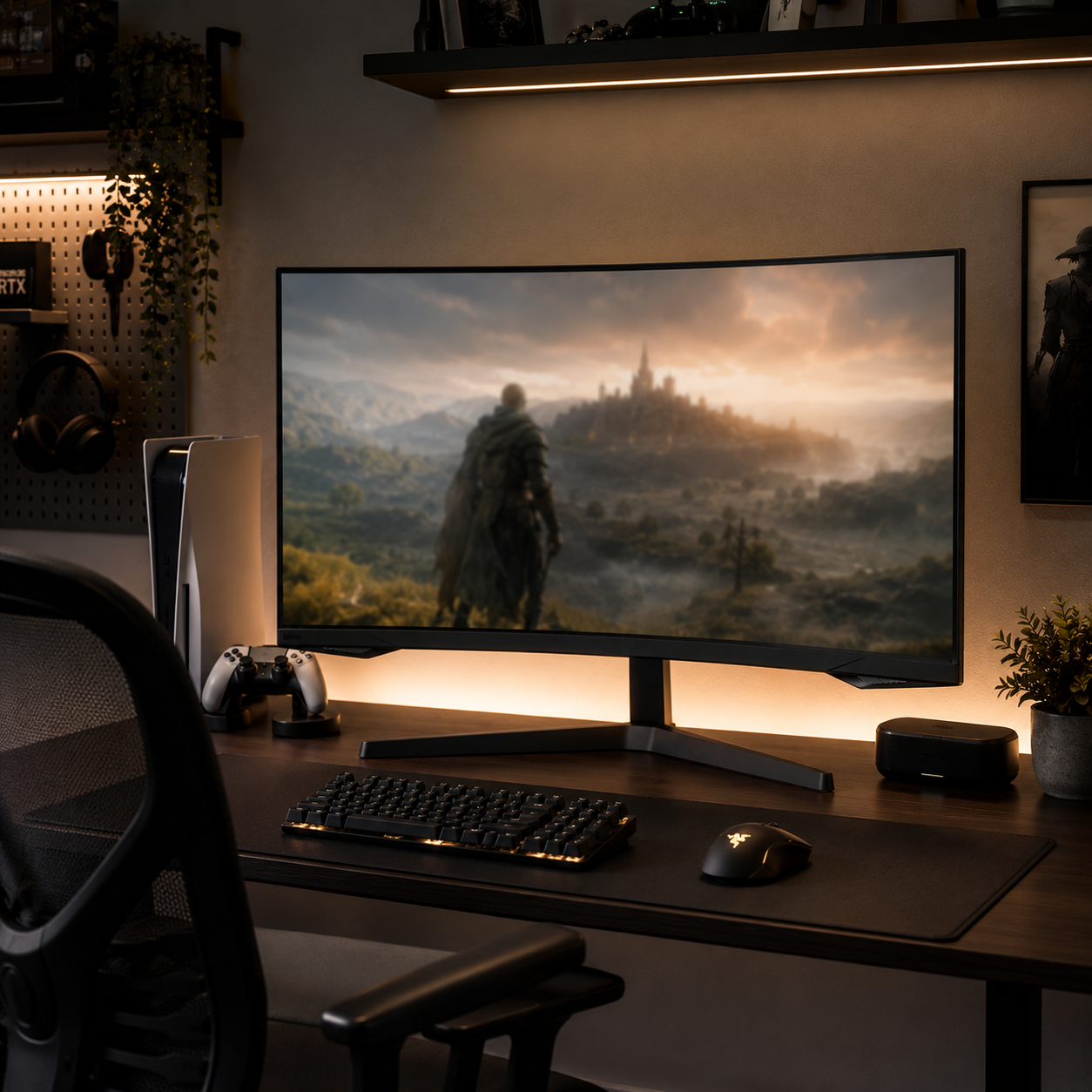
The Display — TV or Monitor
The display is the biggest decision on a console desk. At desk distance a 27-32" monitor is often ideal — sharper text, lower input lag, and it fits the surface without forcing you to sit too far back. A 48-55" TV works if the desk is deep enough. Whichever you choose, prioritize 4K and a high refresh rate, with HDMI 2.1, VRR, and low input lag to make the most of a current-gen console. Mount it at eye level, center-of-screen, facing you straight on. A screen arm reclaims surface space and lets you push it back to a healthy viewing distance.
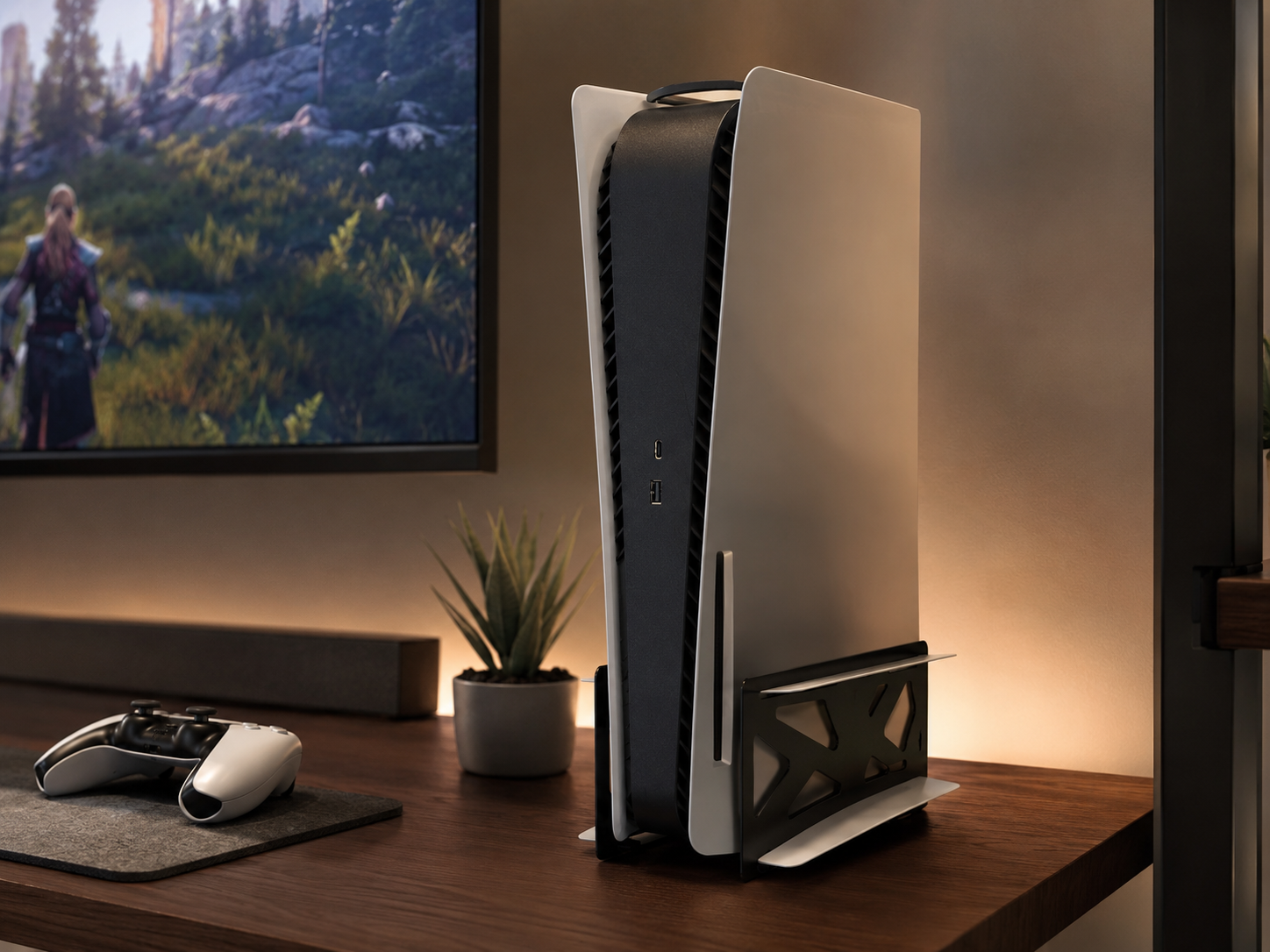
The Console on Display
The console is compact enough to be a clean centerpiece rather than something to hide — and displaying it upright on a stand serves both looks and airflow. Stand modern consoles vertically toward the edges of the desk, where the vents stay clear and the ports stay reachable, rather than laying them flat in a dead zone behind the screen. A vertical stand keeps the footprint small and the clearance generous. Whether you run one console or a couple side by side, treating each as a displayed object — seen, ventilated, and reachable — is what keeps a console desk looking deliberate.
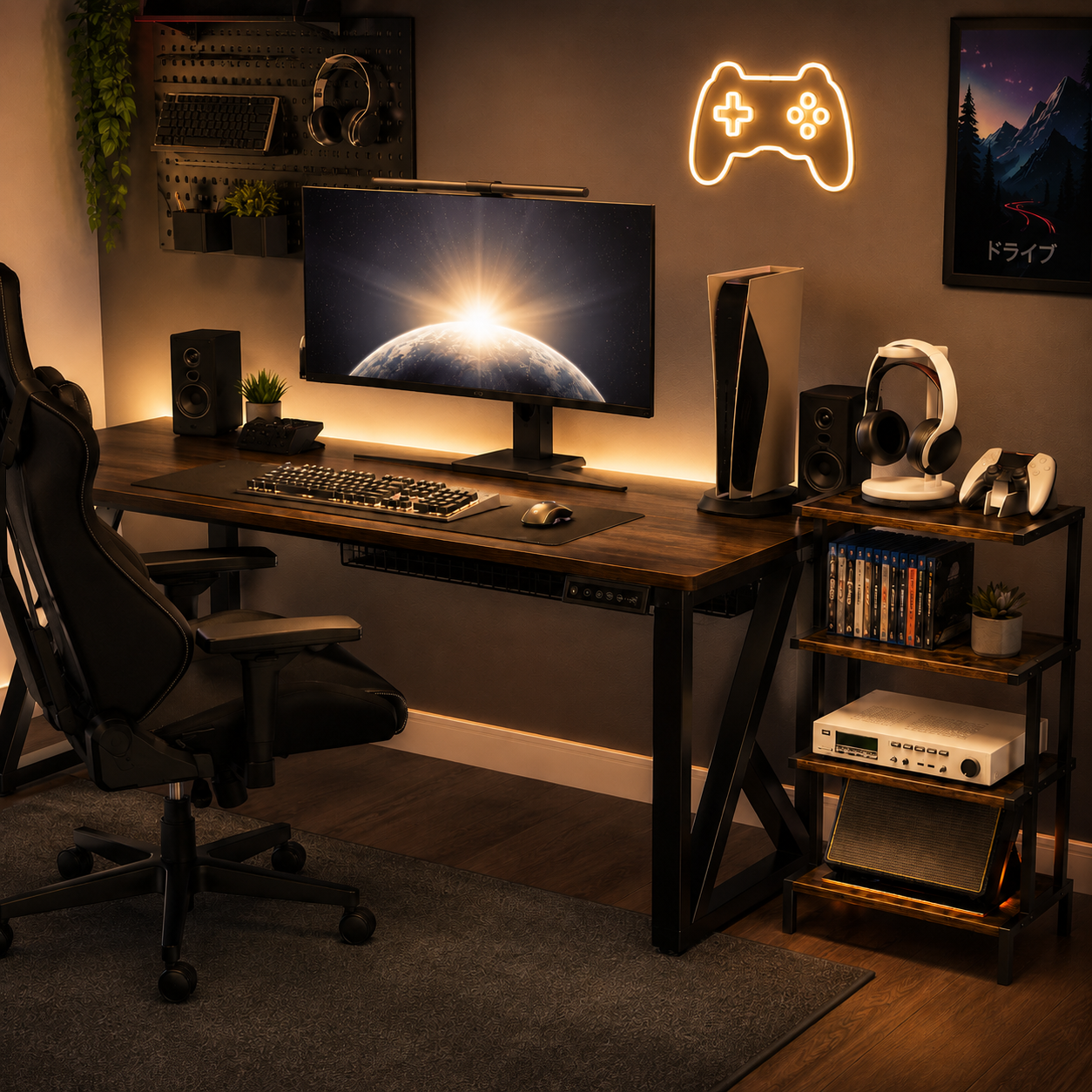
Media & Accessory Storage
A console setup accumulates stuff — controllers, headsets, physical games, charging cables — and storage is what keeps it from swallowing the desk. Give the surface breathing room by moving the overflow off it: a small drawer unit or under-desk shelf for spare cables, batteries, and game cases, plus wall mounts or under-desk brackets for older consoles you rotate in and out. The main surface stays for the display, the active console, and the controller. Tidy storage is the difference between a console desk that reads as considered furniture and one that reads as a cluttered gaming pile.
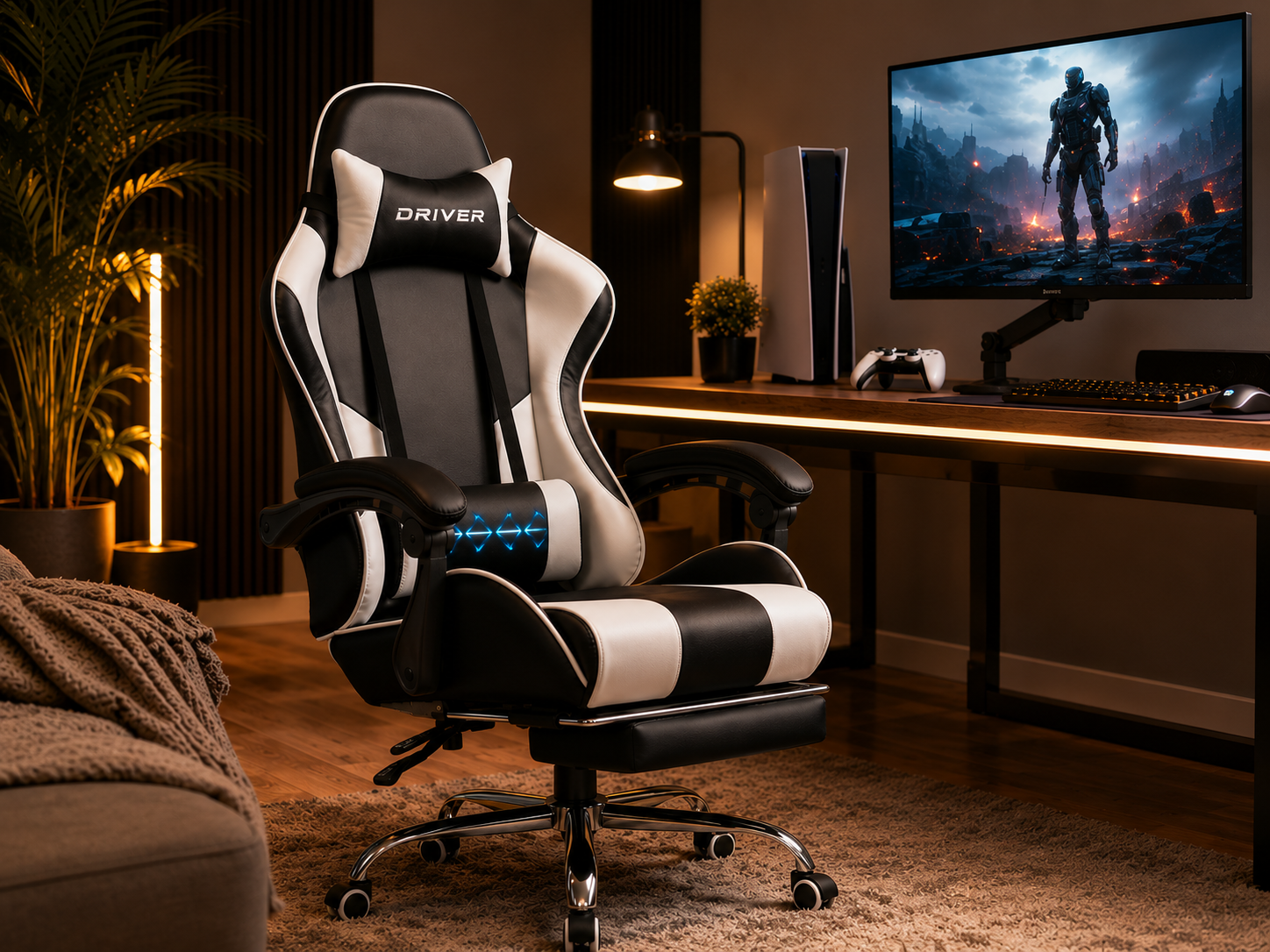
Comfortable Seating
Even for controller-based play, the chair carries the whole experience. A soft living-room chair or kitchen seat pulled up to a desk causes back discomfort within a month of long sessions; a proper gaming chair or quality task chair with lumbar support keeps you comfortable for the long haul. Aim for the basics: screen center at eye level, controller elbows around 90 degrees with relaxed shoulders, feet flat on the floor, back supported by the chair's lumbar curve. Set the chair height to the desk (28-30"), or fine-tune with a footrest. The chair is where the desk setup earns its comfort.
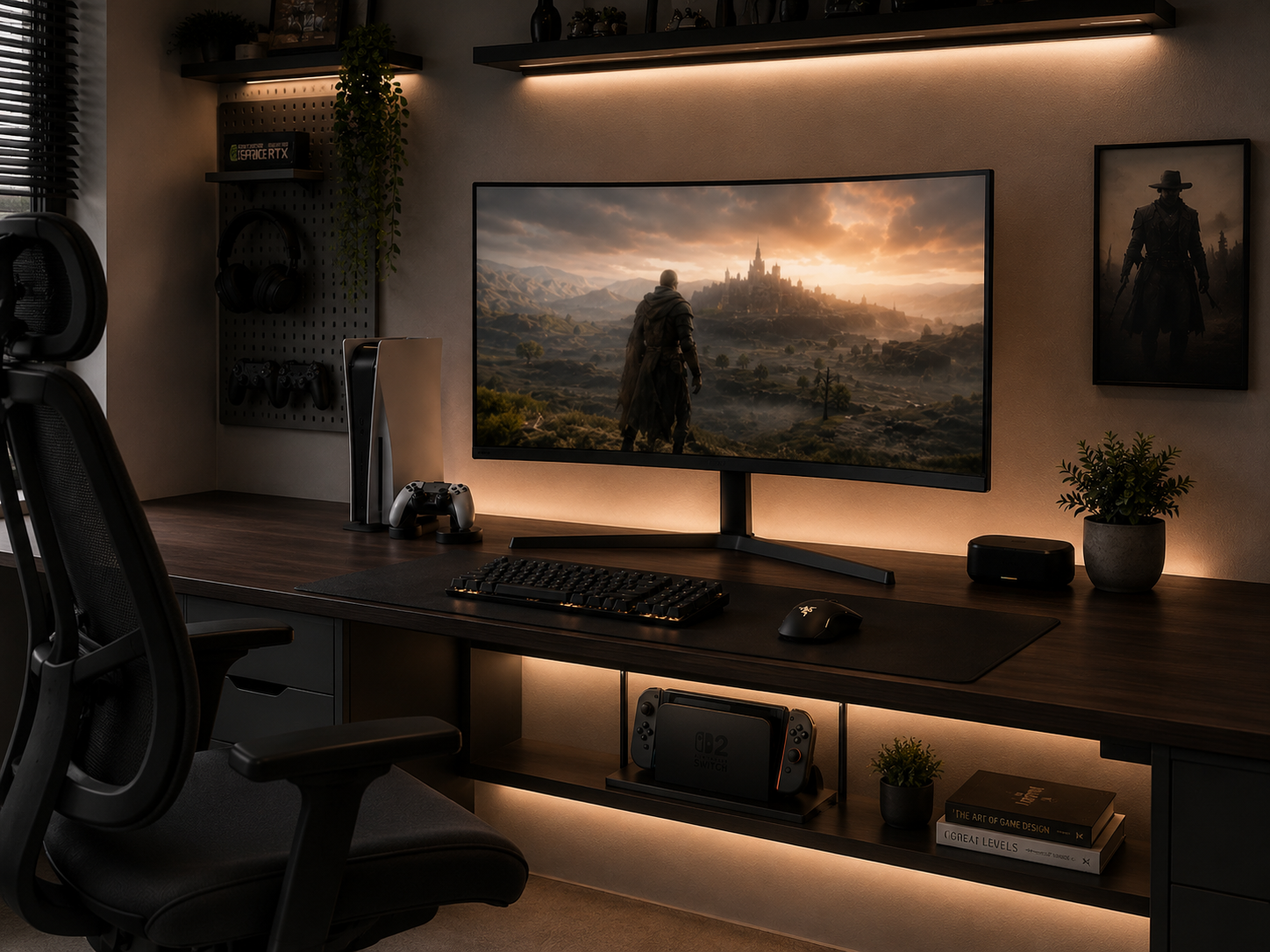
Clean Cable Management
The console setup's superpower is having few cables — so hiding them completely is easy and worth doing right. Group by function (power, HDMI, Ethernet, USB), label both ends, route along the back of the desk in a rear tray, and secure with Velcro ties every foot. Mount the power strip to the underside of the desk or the wall, never on the floor, and run wired Ethernet under a rug for stable online play. Keep spare labeled cables in a drawer so swapping a console doesn't mean tearing apart your routing. A couple of hours once, and the desk stays clean for months.
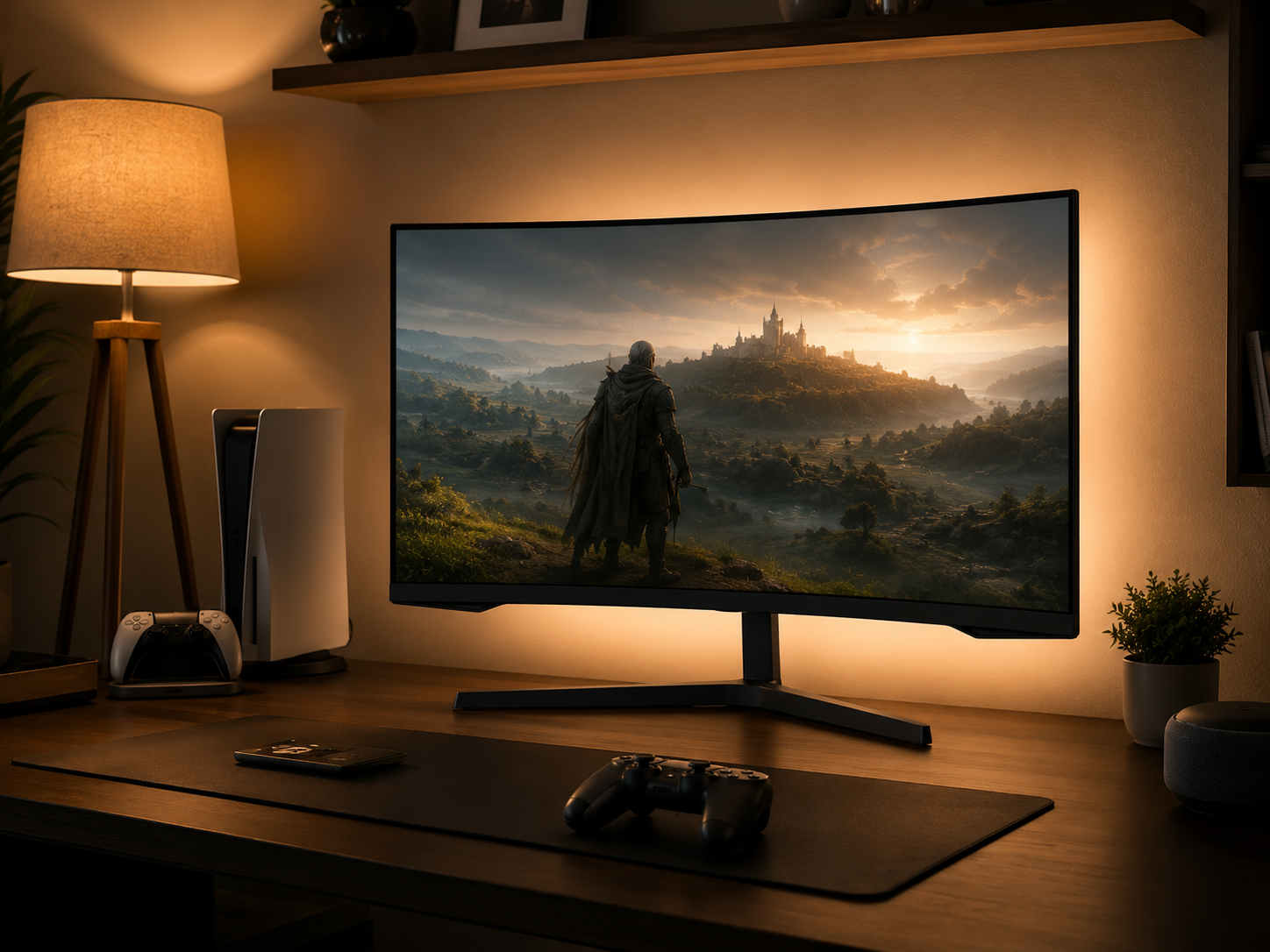
Ambient & Bias Lighting
Lighting a console desk is about comfort, not spectacle. The single highest-impact move is bias lighting — an LED strip along the back edge of the display that reduces eye strain during dark sessions and makes the screen itself look better in low light. Start with a neutral white so it doesn't shift on-screen colors. Add a small desk lamp to one side for ambient light on breaks, and avoid overhead lights that throw glare on a glossy screen. If you want RGB accent lighting, keep it subtle and on a separate switch, since heavy color distracts during story-driven games. Warm, layered, easy on the eyes.
Six pieces that build a console desk setup
Each piece handles a part of the station — the display, the console, its stand, the accessory storage, the chair, and the lighting. Chosen for a clean, comfortable desk build, not a battlestation.
Some links in this section are affiliate links. If you buy through one of them, we may earn a small commission at no extra cost to you. We only recommend gear we'd use ourselves.
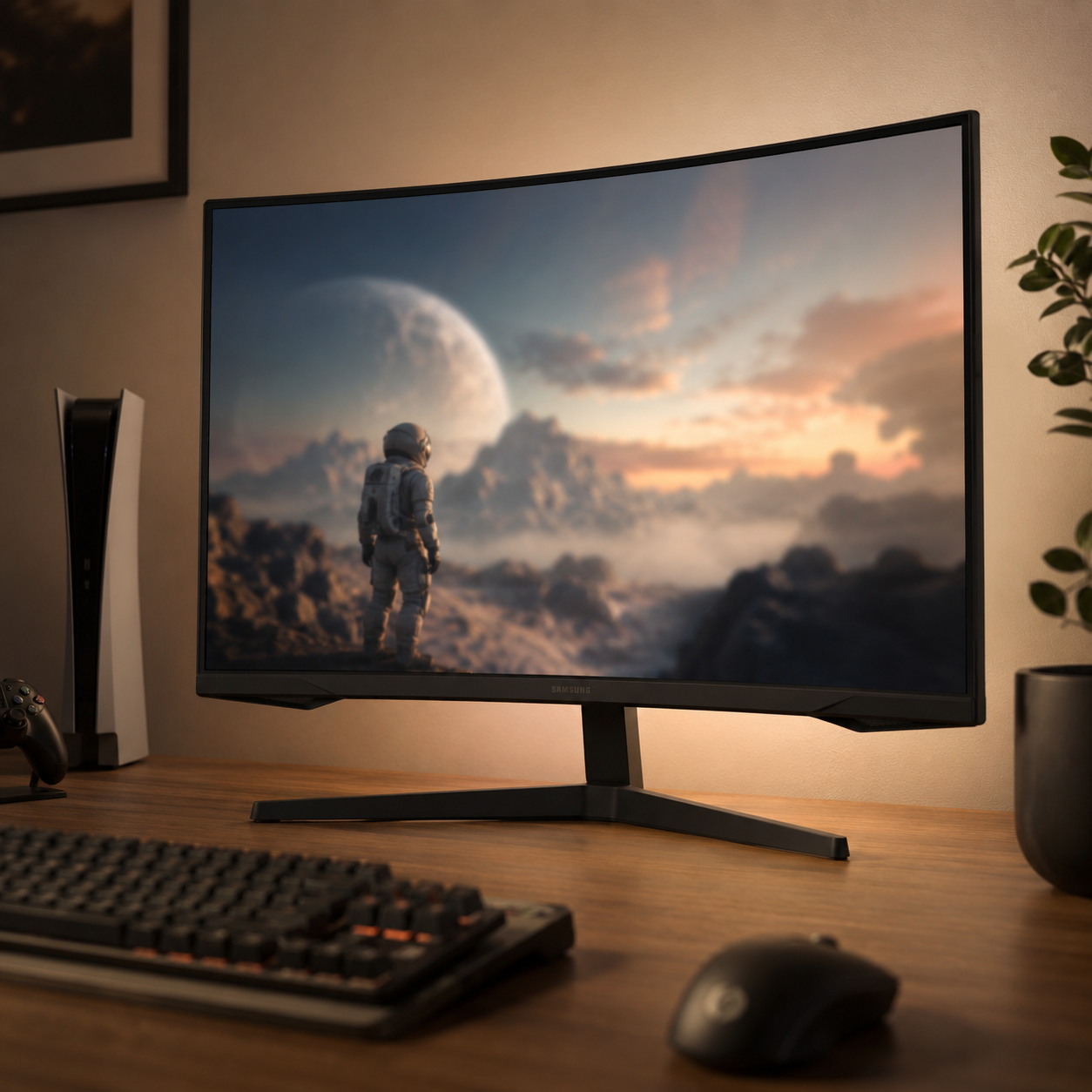
Samsung 32" Odyssey G55C Curved Monitor
The ideal display for a console desk. At 32" and QHD, it's the sweet spot for desk distance — big enough to feel immersive, sharp enough that UI text stays crisp, without the input lag or oversized footprint of a TV viewed up close. The 1000R curve wraps gently toward you, and high refresh with FreeSync keeps current-gen console motion smooth. A monitor like this is the console-at-a-desk move: better clarity and lower lag than a living-room TV, in a size that fits the surface and puts eye level right at the center of the screen. Mount it on an arm to reclaim depth.
- 32" QHD, ideal size for desk distance
- 1000R curve, high refresh, FreeSync
- Sharper text and lower lag than a close-up TV
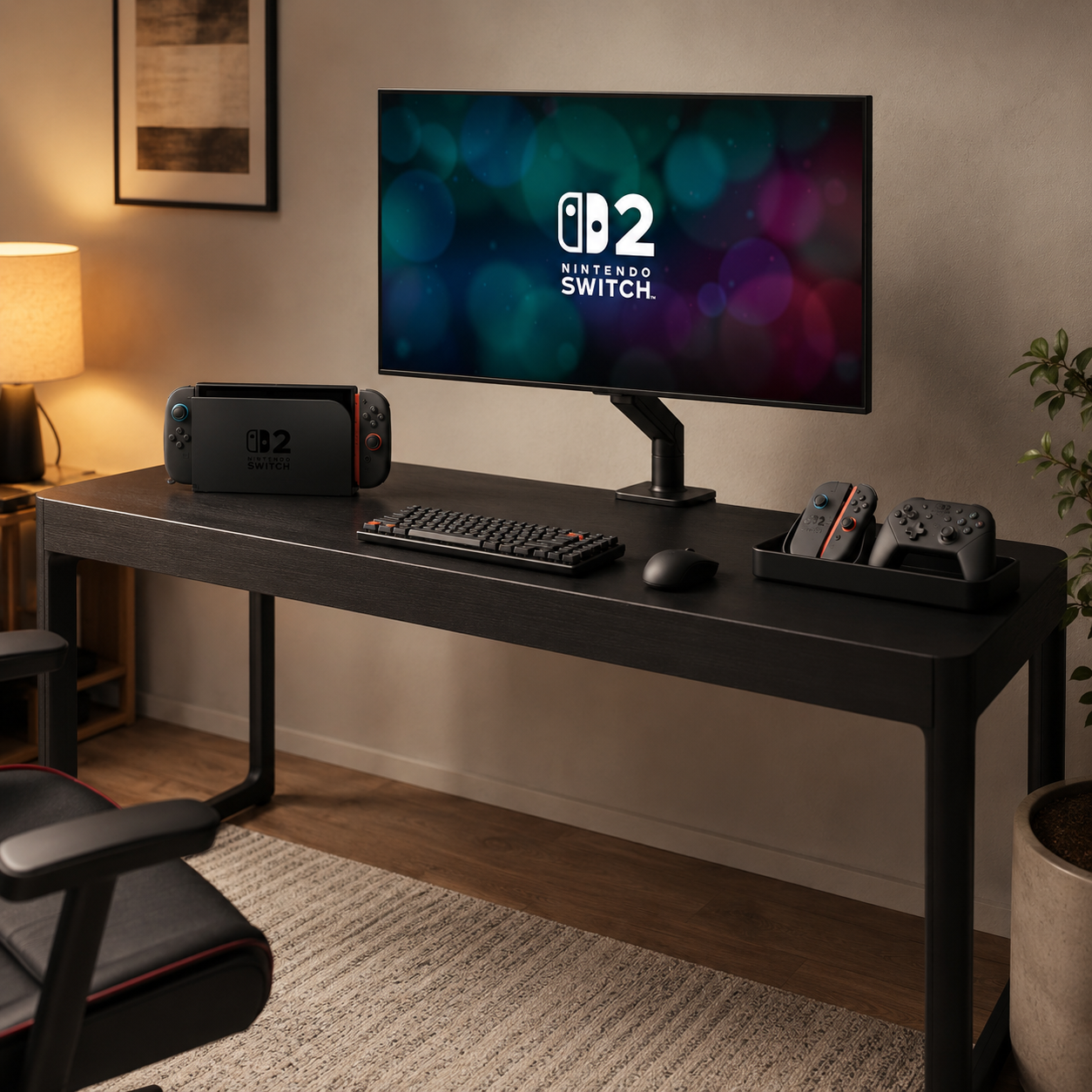
Nintendo Switch 2
The heart of the setup. The Switch 2 is a natural fit for a console desk — it docks neatly to your monitor or TV for big-screen play, then lifts out for handheld sessions, so one console covers both the desk and the couch. Its compact dock takes almost no surface space, keeping the desk clean, and it plays beautifully alongside a current-gen PlayStation or Xbox in a multi-console setup. Whether it's your main system or the third console on the desk beside a PS5 and Series X, its small footprint and dock-and-go flexibility make it one of the easiest consoles to build a tidy desk around.
- Docks to your display, lifts out for handheld
- Compact dock, minimal desk footprint
- Pairs well in a multi-console setup
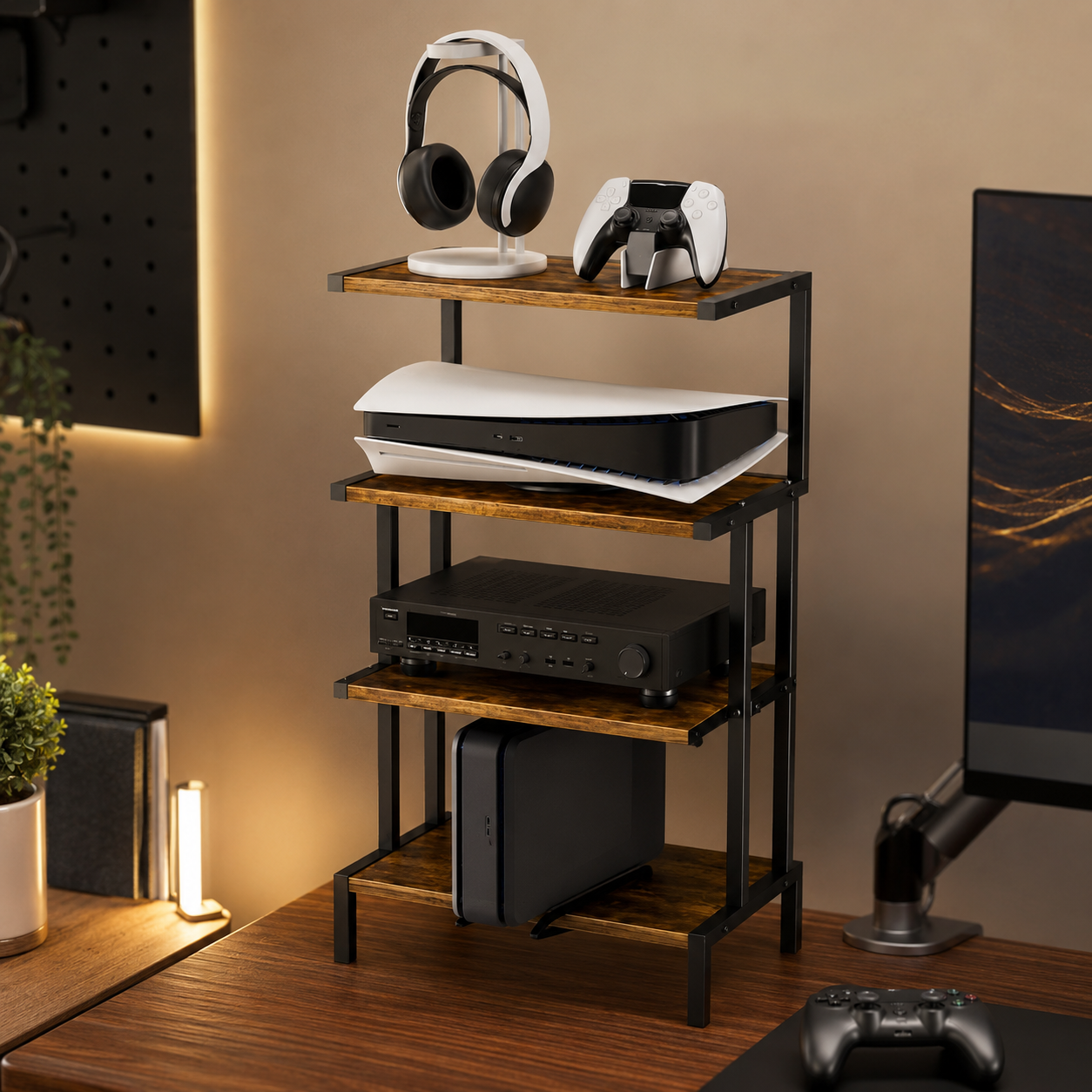
Aquzee Game Console Stand
The stand that keeps a console cool and displayed. Standing a console upright on a dedicated stand is the move that solves the two biggest console-desk problems at once — it keeps the vents clear for the airflow consoles need to avoid thermal throttling, and it shrinks the footprint so the console reads as a clean centerpiece rather than a flat slab eating desk space. With storage built in for games and accessories, it doubles as tidy organization. Place it toward the edge of the desk with a few inches of clearance and the console runs cooler, quieter, and looks deliberate.
- Holds the console upright for clear vents
- Small footprint, clean centerpiece look
- Built-in storage for games and accessories
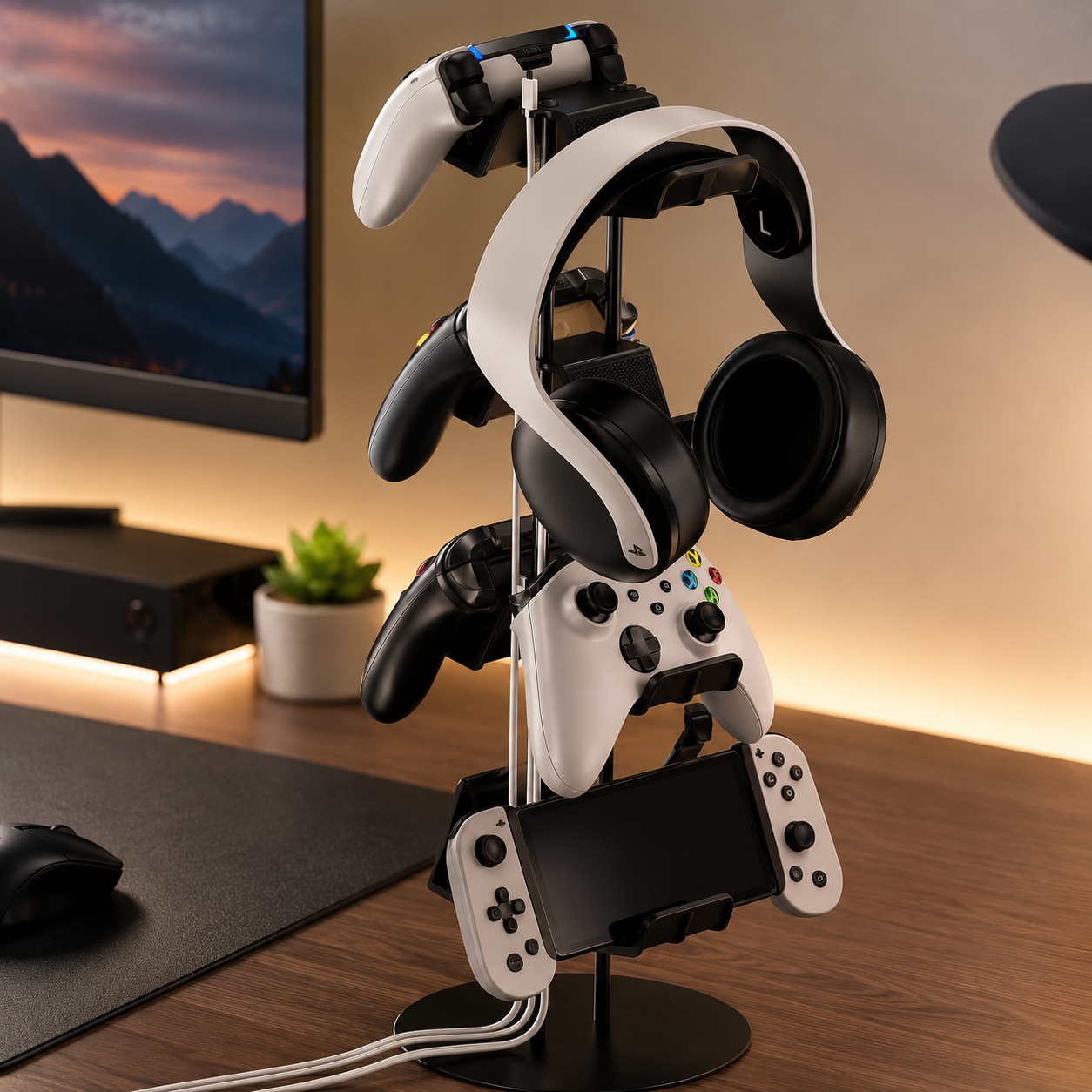
Kytok 4-Tier Controller Stand
The piece that clears the desktop. This four-tier stand gives every controller a home — essential once you've got two, three, or four of them plus a headset migrating across the surface — and its built-in cable organizer tames the charging cables that otherwise breed on a console desk. It's the “drop zone” principle made physical: a specific spot the controllers return to after every session, so the desk never becomes a junk pile. Universal fit means it works across PlayStation, Xbox, and Switch controllers alike, keeping a mixed-console desk tidy with one deliberate object.
- Holds up to four controllers, clears the desk
- Built-in cable organizer for charging cords
- Universal fit across console controllers
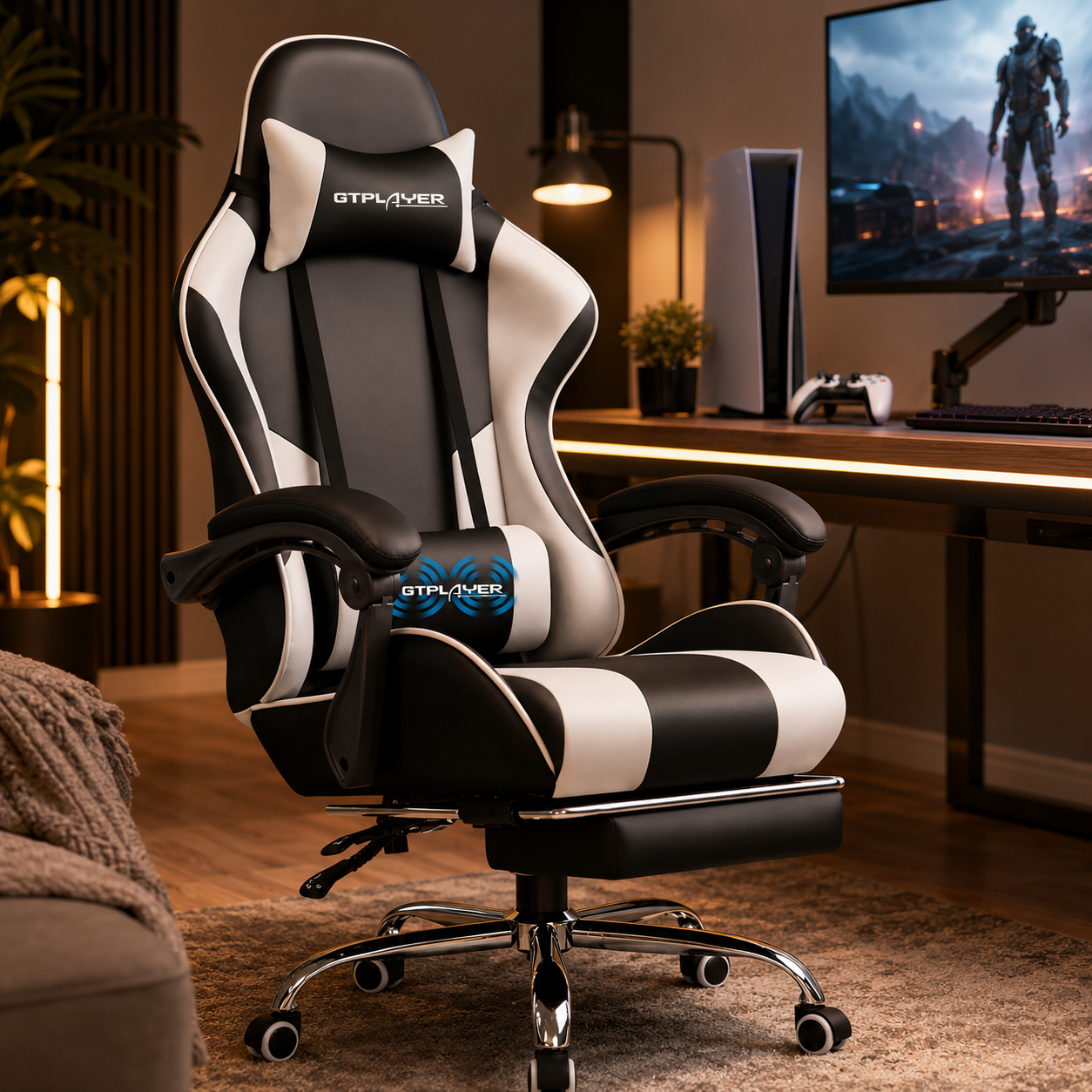
GTPLAYER Gaming Chair with Footrest
The comfort that makes long console sessions sustainable. Even for controller play, a supportive chair with real lumbar support beats a sofa or kitchen chair that leaves your back aching within a month — and this one adds a footrest for the lean-back, controller-in-hand posture console gaming invites. Adjustable height lets you match it to a 28-30" desk so your elbows sit near 90 degrees and your feet stay flat. It's the piece people skip and regret: the chair is where a console desk setup either earns its comfort over a three-hour session or quietly costs you your posture.
- Lumbar support for long controller sessions
- Footrest for a relaxed lean-back posture
- Height-adjustable to match a 28-30" desk
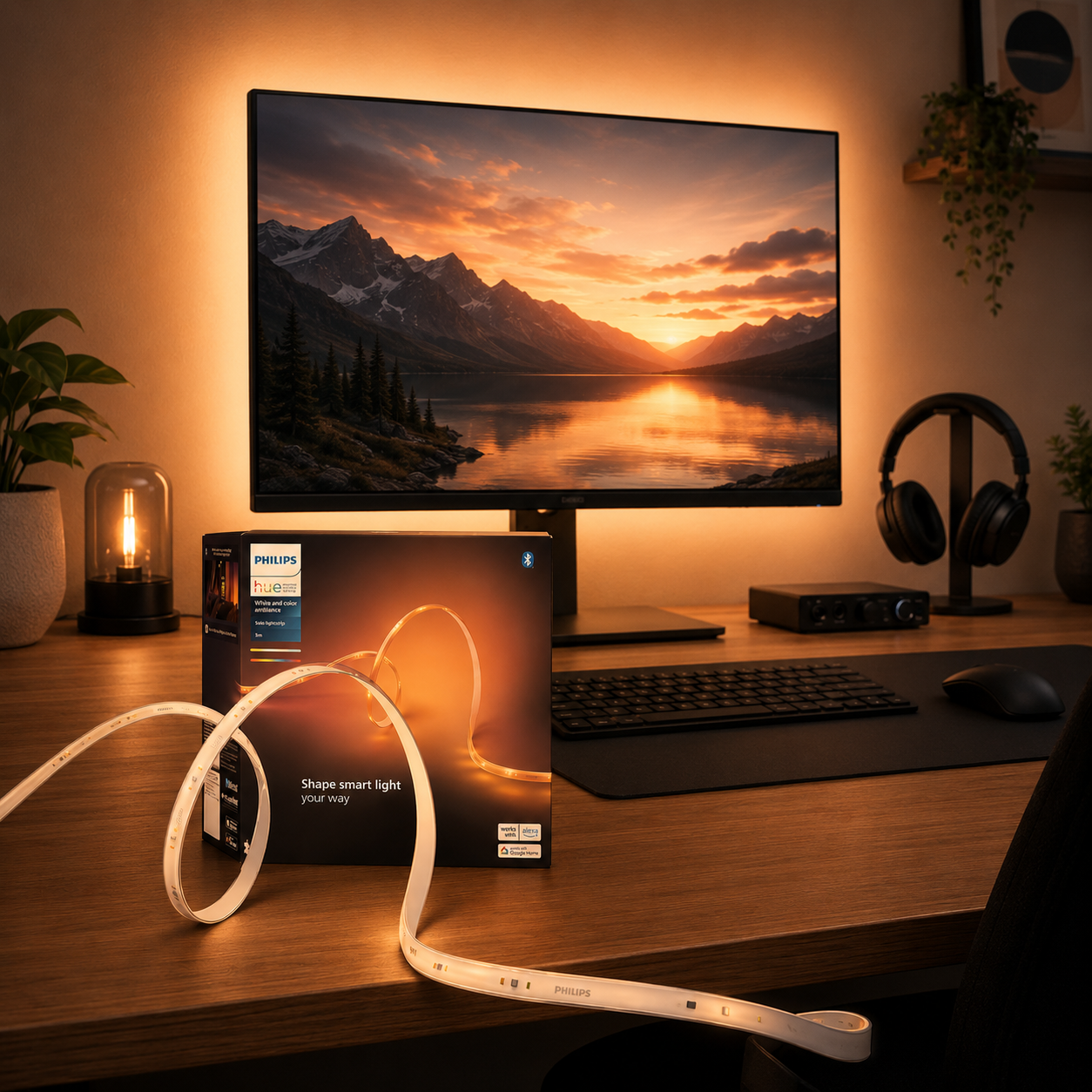
Philips Hue 10ft RGBWW Lightstrip
The single highest-impact, lowest-cost upgrade for a console desk. Mounted along the back edge of the display, this strip casts an even glow that cuts eye strain during dark sessions and makes the screen pop in low light. Because it does warm whites as well as color (RGBWW), you can run a neutral white bias that won't shift on-screen colors — the right call for accurate picture — and save the color for subtle ambient accent when you're not in a story-driven game. At 10 feet it spans a large monitor or TV easily, and Hue scenes let you dim it for the evening. Small spend, big comfort.
- Even bias glow, cuts eye strain in the dark
- RGBWW — neutral white that won't skew color
- 10ft spans a large display, smart dimming
Four ways console desks go wrong
A console desk is simple, which makes a few specific mistakes stand out. Avoid these and the setup stays cool, clean, and comfortable.
- 01
Suffocating the console
The most damaging console-desk mistake is airflow, not aesthetics. Stuffing a console into a closed cabinet, tucking it flat behind the screen, or stacking two directly on top of each other traps heat — the fans spin up to a jet-engine roar and the console thermal-throttles, hurting performance and lifespan. Give each console its own ventilation zone: stood upright toward a desk edge, a few inches of clearance on every side, ports reachable. If a console runs hot to the touch or gets loud, it needs more space. Ventilation is the one thing a console desk can't compromise on.
- 02
Buying the desk before measuring the room
It's easy to fall for a desk online and discover it blocks a door, forces the chair into a wall, or sits too shallow for the display once it arrives. The fix costs nothing: tape out the desk's footprint on the floor first, and account for wall outlets, Ethernet ports, and door swing before buying. For a 55" TV on a desk you want real depth (28-30") so you're not sitting too close; for a monitor, less. A desk that fights the room gets resented within a week no matter how good it looked in the listing. Measure first, buy once.
- 03
Gaming from a sofa or the wrong chair
The whole point of a console desk is ergonomics, so undermining it with the wrong seat wastes the effort. A soft living-room chair or a kitchen stool pulled up to the desk produces back and neck strain within a month of long sessions — the exact problem the desk was meant to solve. Use a gaming chair or quality task chair with lumbar support, set to the desk height so your feet are flat and elbows sit near 90 degrees. Even great posture needs breaks; standing or moving a few minutes each hour matters. The chair isn't the place to save money on a console desk.
- 04
Skipping surge protection and wired network
A console desk concentrates hundreds of dollars of hardware in one spot, and two quiet mistakes bite later. First, chaining cheap extension cords instead of using a proper surge protector — a power outage mid-session can corrupt a save, and a surge can fry the lot; a quality surge protector (ideally with battery backup) is cheap insurance. Second, relying on Wi-Fi for online play when a wired Ethernet run gives far more stable latency and faster downloads. Both are easy to sort during the initial cable pass, and both save real pain down the line. Protect the gear and stabilize the connection.
Console desk questions, answered
TV or monitor for a console desk setup?
At desk distance, a monitor usually wins. A 27-32" monitor gives sharper UI text and lower input lag than a large TV viewed up close, and fits the surface without forcing you to sit too far back. A 48-55" TV works if your desk is deep enough (28-30") to sit back from it — better for a shared or living-room-adjacent space. Either way, prioritize 4K with a high refresh rate, plus HDMI 2.1, VRR, and low input lag for current-gen consoles. For a dedicated desk you sit close to, a good gaming monitor is usually the sharper, more responsive choice.
How much ventilation does a console need on a desk?
More than most people give it. Consoles generate significant heat and need clear airflow to avoid thermal throttling and loud fans — Sony advises around 4 inches (10cm) of clearance on all sides of a PS5, and the same principle applies to any modern console. Stand consoles upright toward the edges of the desk, keep the vents unobstructed, and never tuck one in a closed cabinet, flat behind the screen, or stacked on another console. If it runs hot to the touch or gets loud, it needs more space. Ventilation is the one non-negotiable on a console desk.
How deep should my desk be for a console setup?
It depends on the display. For a 27-32" monitor, a standard 23-24" depth is fine. For a 55" TV on the desk, aim for at least 24" and ideally 28-30" so you're not sitting too close — optimal viewing distance for a 55" 4K TV is roughly 4.6-6.9 feet. If your desk is shallow, wall-mounting or arm-mounting the display frees surface space and pushes it back to a healthier distance. Leave a few inches of clearance behind the display for cables and console ventilation regardless of depth. Match the depth to the screen, not the other way around.
How many consoles fit on one desk?
On a 60" desk, two current-gen consoles plus a compact one (like a Switch dock) fit comfortably side by side with room for a controller stand. Beyond two or three, it starts feeling cramped and ventilation suffers. If you own more, keep the actively-used consoles on the desk and store the rest on a nearby shelf or under-desk bracket, rotating them in as needed. Prioritize clean cable routing and clearance around each console over cramming the maximum number onto the surface — a couple of well-ventilated consoles beat a crowded row of overheating ones.
Can I run a console and a gaming PC on the same desk?
Yes, and an L-shaped desk is ideal for it — one wing for the PC with keyboard, mouse, and monitor, the other for the TV or shared display with consoles and controllers. You can share a single high-quality display between PC and console with an HDMI switch, float screens on arms to clear surface space, and put the PC tower on an under-desk stand to keep it off the carpet. The key is keeping the controller side and keyboard side at the same ergonomic height, so neither forces an awkward posture. A hybrid build is the cleanest way to get productive work and console gaming on one desk.
What's the easiest upgrade if my console setup feels “off”?
Start with an afternoon of cable management and display repositioning before buying anything new. Getting the screen to proper eye level (a monitor or TV arm helps) and decluttering the cables makes an existing setup feel new for almost no money. Add a simple bias light behind the display for eye comfort, and give controllers and headsets dedicated homes so the surface clears. Often the best console-desk upgrade isn't new hardware — it's organizing and repositioning what you already have. If one thing's bugging you, it's usually screen height or cable clutter.
The best new setups, in your inbox
One thoughtful email. No spam, no fluff.