
Small gaming desk setup ideas
Six elements that fit a complete gaming setup into a tight space — dorm, bedroom corner, or studio — through vertical thinking and footprint discipline, not compromise.
A great gaming setup has nothing to do with square footage and everything to do with intention. You can fit a complete, comfortable battlestation into a dorm room, a bedroom corner, or a studio apartment — a functional setup fits inside roughly 43 square feet — as long as you stop thinking about the desk as the only surface you have. The win in a small space isn't spending less; it's spending smart on the pieces that reclaim room.
That's the key difference from a budget build. A small-space setup can absolutely justify a $40 monitor arm or a clever storage cart if it frees up the surface you actually game on — the goal is footprint efficiency, not the lowest possible price. Compact desks fit tight spaces without sacrificing function, but the real unlock is thinking vertically: moving storage to the wall, mounting the monitor instead of standing it, and pushing everything that doesn't need to be on the surface below or above it.
In a small space, the clear surface is the whole game. Every element below exists to move something off the desk — up to the wall, down to the floor, or onto an arm — so the limited room you have stays open.
This guide breaks a small gaming setup into six elements, from the compact desk foundation to the cable management that matters more when every inch shows. It covers the gear worth buying, the mistakes that waste precious space, and an FAQ on desk size, chair clearance, and fitting a real setup into a genuinely tiny room.
How to win at small spaces
Small-space gaming is a discipline of subtraction and verticality. These five principles decide whether a tight room feels cramped or feels like a deliberately efficient battlestation.
- 01
Think vertically, not outward
When floor and desk space are limited, the answer is up. Maximizing a small workspace means thinking vertically — floating shelves above the desk free up surface area, wall-mounted storage increases capacity where a drawer unit won't fit, and pegboards put controllers and headsets within reach without consuming an inch of desktop. The wall above your desk is the most underused real estate in any small room. Build into it before you ever consider a bigger desk.
- 02
Protect the clear surface
The single habit that makes a small desk feel bigger is keeping the surface clear. Only keep frequently used items within arm's reach; limiting what sits on the desk prevents the clutter that makes a tight space feel chaotic. Creating physical zones — assigning specific areas to specific tasks — keeps the surface organized, and a monochrome color scheme creates a calm, cohesive look. The fewer things on the desk, the larger the room reads and the more space your mouse hand actually has.
- 03
Mount the monitor, free the desk
A bulky stock monitor stand eats the most valuable real estate on a small desk: the space directly in front of you. A clamp-on monitor arm frees up that desk real estate, floating the screen and leaving the surface beneath completely usable, while monitor risers can create storage space underneath. The arm also lets you dial in proper ergonomic height — the screen at eye level, pushed back to a comfortable viewing distance — which a cramped desk otherwise makes hard to achieve.
- 04
Choose compact gear deliberately
In a small setup, the footprint of every piece matters. A compact TKL or 65% keyboard drops the number pad and reclaims real mouse-sweep space — meaningful room for low-sensitivity aiming on a narrow desk. A laptop-only or single-monitor approach can work on a surface as narrow as 31 inches wide and 18 inches deep. Choosing gear sized for the space, rather than cramming full-size equipment onto a small desk, is the difference between functional and frustrating.
- 05
Hide everything that can be hidden
Concealing clutter contributes to productivity and calm in small spaces. Under-desk drawers and rolling carts hide peripherals and supplies; under-desk hooks keep headphones accessible but off the surface; cable management boxes conceal power strips and cable trays hide cords off the ground. In a small room, clutter shows immediately, so the setups that look clean are the ones where everything non-essential has moved out of sight — below the desk, behind it, or into a closed drawer.
Six elements that fit a gaming setup into a small space
Each element reclaims space a full-size setup would waste. Build all six and a tight corner becomes a complete, comfortable battlestation that never feels cramped.
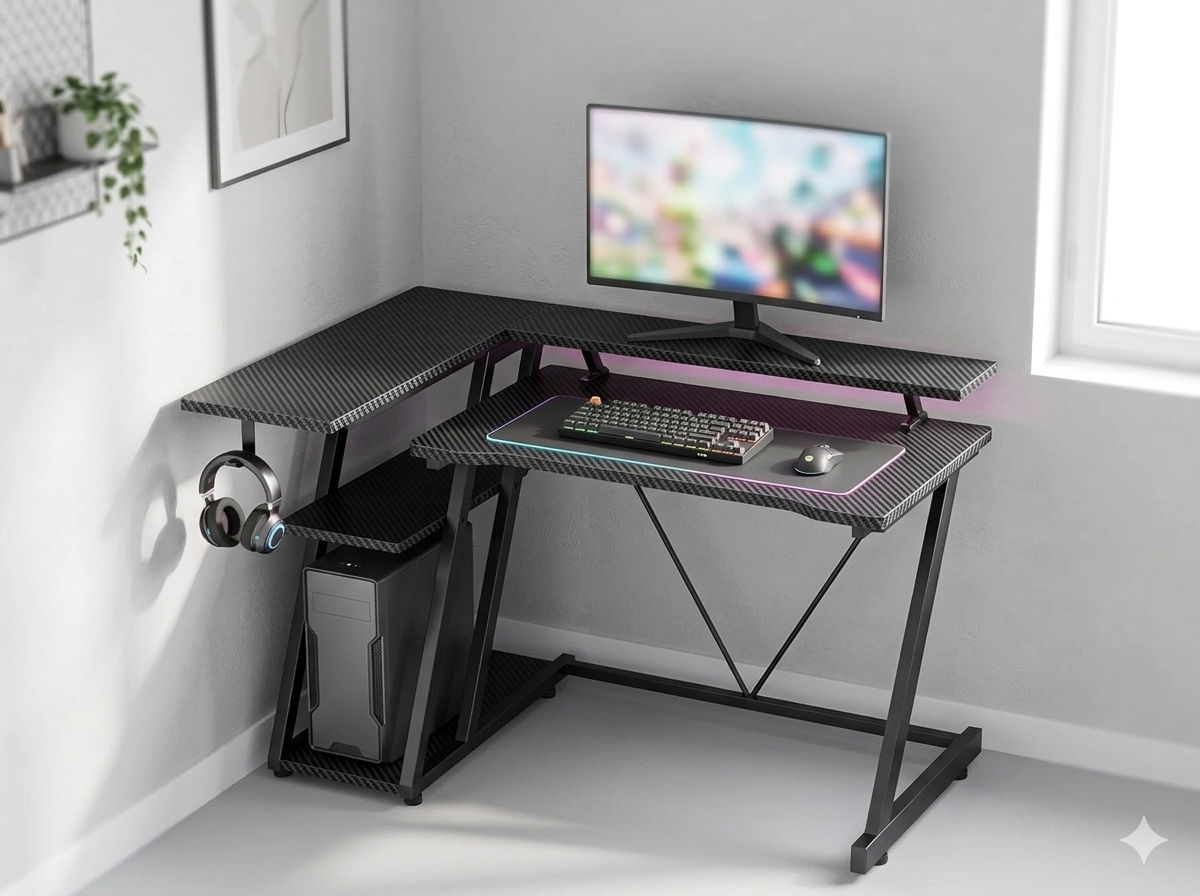
The Compact Desk Foundation
Everything starts with a desk sized honestly for the room. A compact gaming desk in the 40-47" range fits a tight corner while still holding a monitor, keyboard, and mouse comfortably — and many compact models include built-in shelves or a monitor stand that adds storage without adding footprint. Measure before you buy, and leave at least 28 inches of clearance behind the desk so your chair can roll back. A genuinely compact desk against a light wall, with the PC tower on a floor stand rather than the surface, is the foundation a small setup builds on.
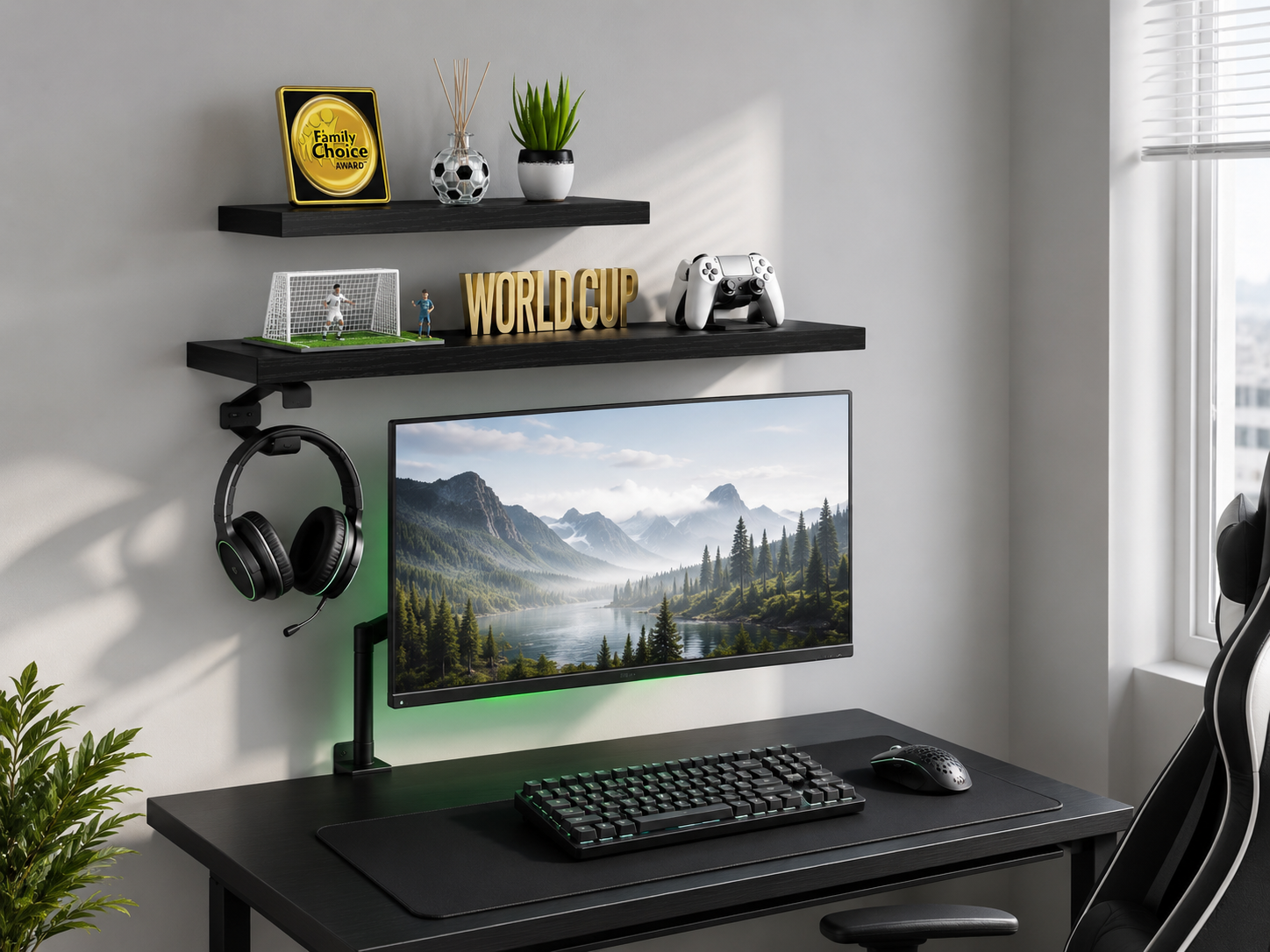
Vertical Space & Wall Mounting
The wall above the desk is where a small setup wins back the most room. Floating shelves hold games, a small plant, and a controller without touching the desk surface, and wall-mounted storage increases capacity exactly where a floor-standing drawer unit won't fit. A wall shelf can also perch a small speaker or decor up and out of the way. One note worth respecting: MDF floating shelves often support only 25-50 lbs before sagging, while solid-wood versions handle far more — so anchor into studs and don't overload them. Build upward, and the desk surface stays free.
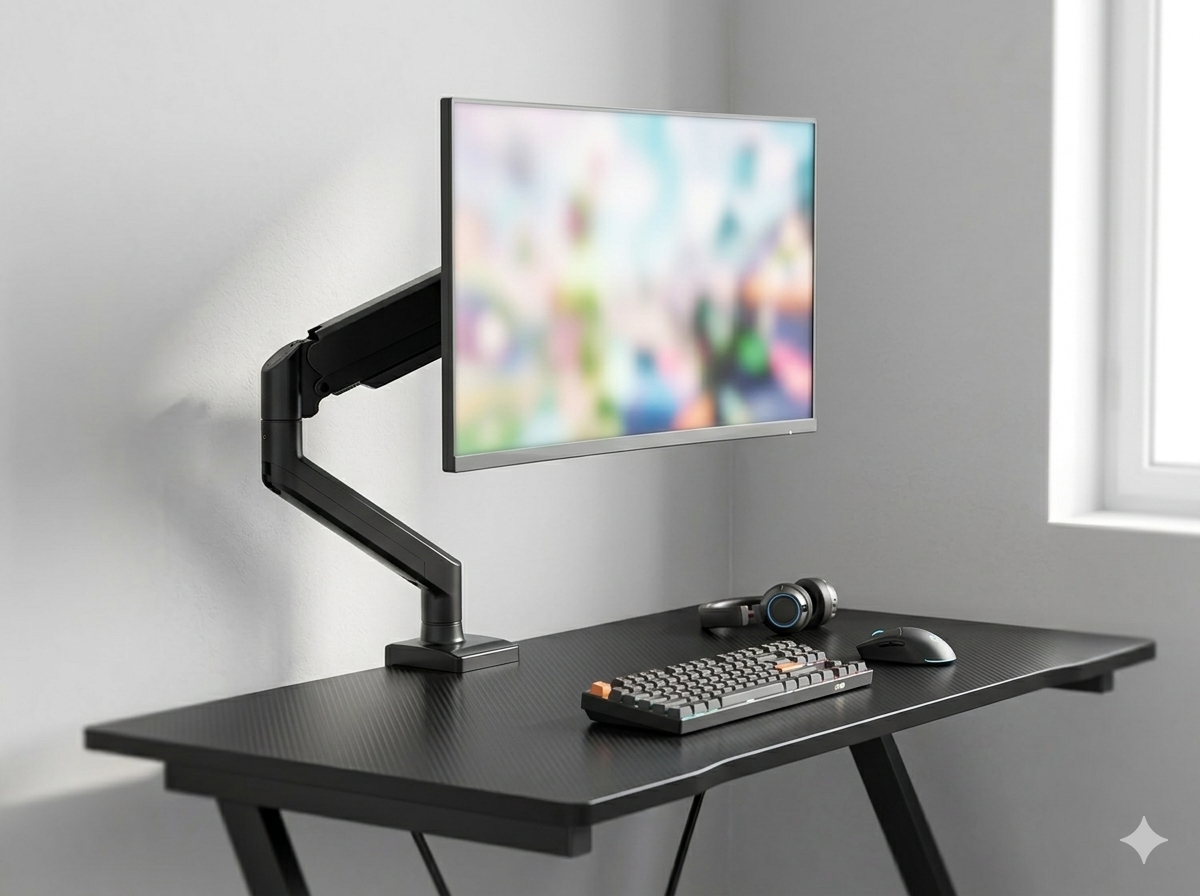
Single-Monitor & Space-Saving Mounting
A clamp-on monitor arm is the highest-impact upgrade in a small setup. Clamped to the back edge, it floats the monitor and frees the entire surface beneath — space a bulky stock stand would consume — while letting you set proper eye-level height and push the screen back for a comfortable viewing distance. For most small gaming spaces a single monitor is the right call; if you do need a second screen later, many arms expand to dual. The reclaimed surface under a mounted monitor is often the difference between a cramped desk and a comfortable one.
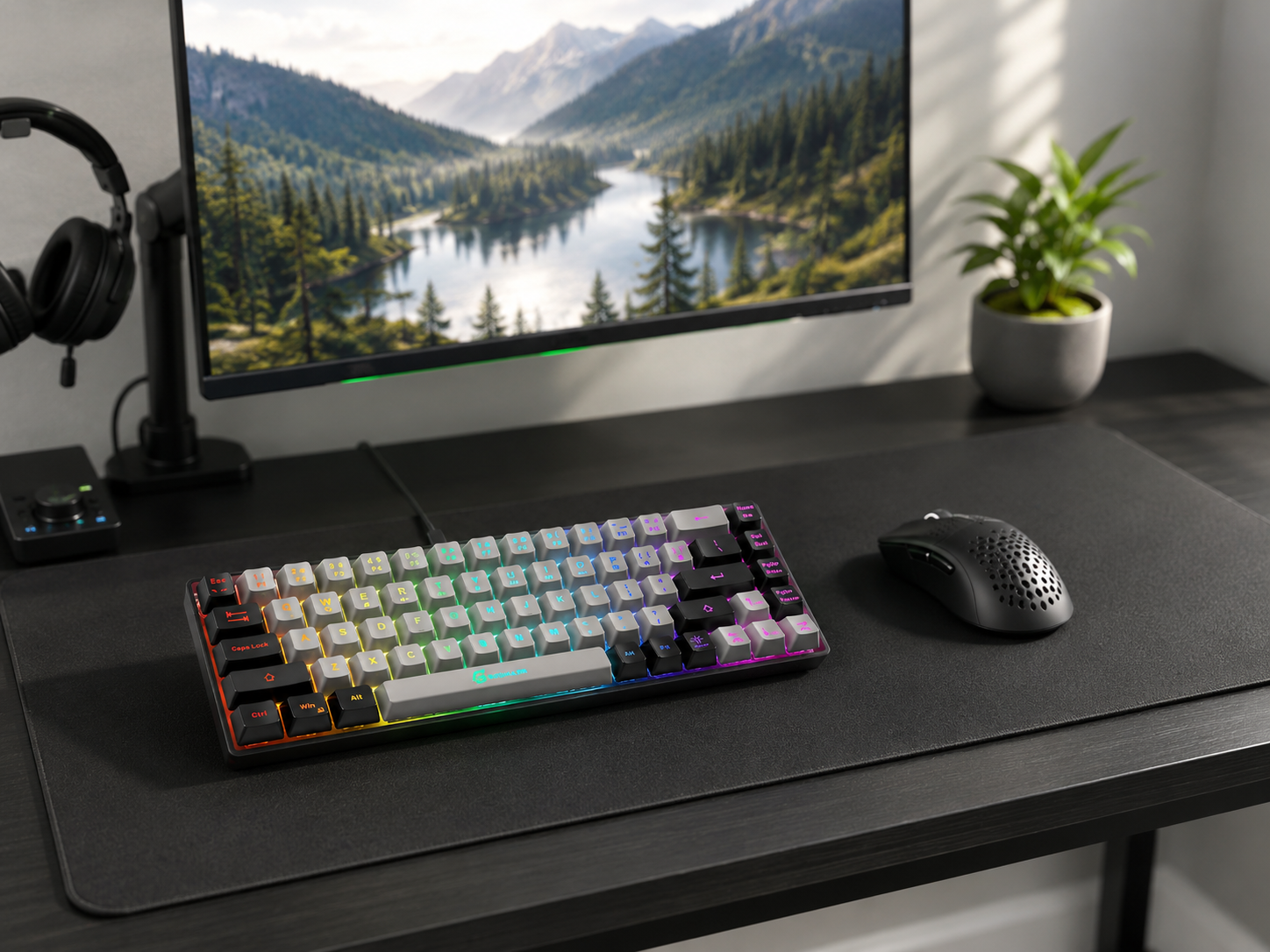
Footprint-Friendly Peripherals
On a small desk, peripheral size is real estate. A compact TKL or 65% keyboard drops the number pad and gives back a surprising amount of mouse-sweep room — meaningful space for low-sensitivity aiming when the desk is narrow. Pair it with a modest desk mat that defines a clean zone rather than a sprawling one. Keeping peripherals appropriately sized, instead of forcing a full-size board and oversized pad onto a compact surface, is what keeps a small setup feeling deliberate rather than crammed. Smaller gear, more usable space.
Under-Desk & Hidden Storage
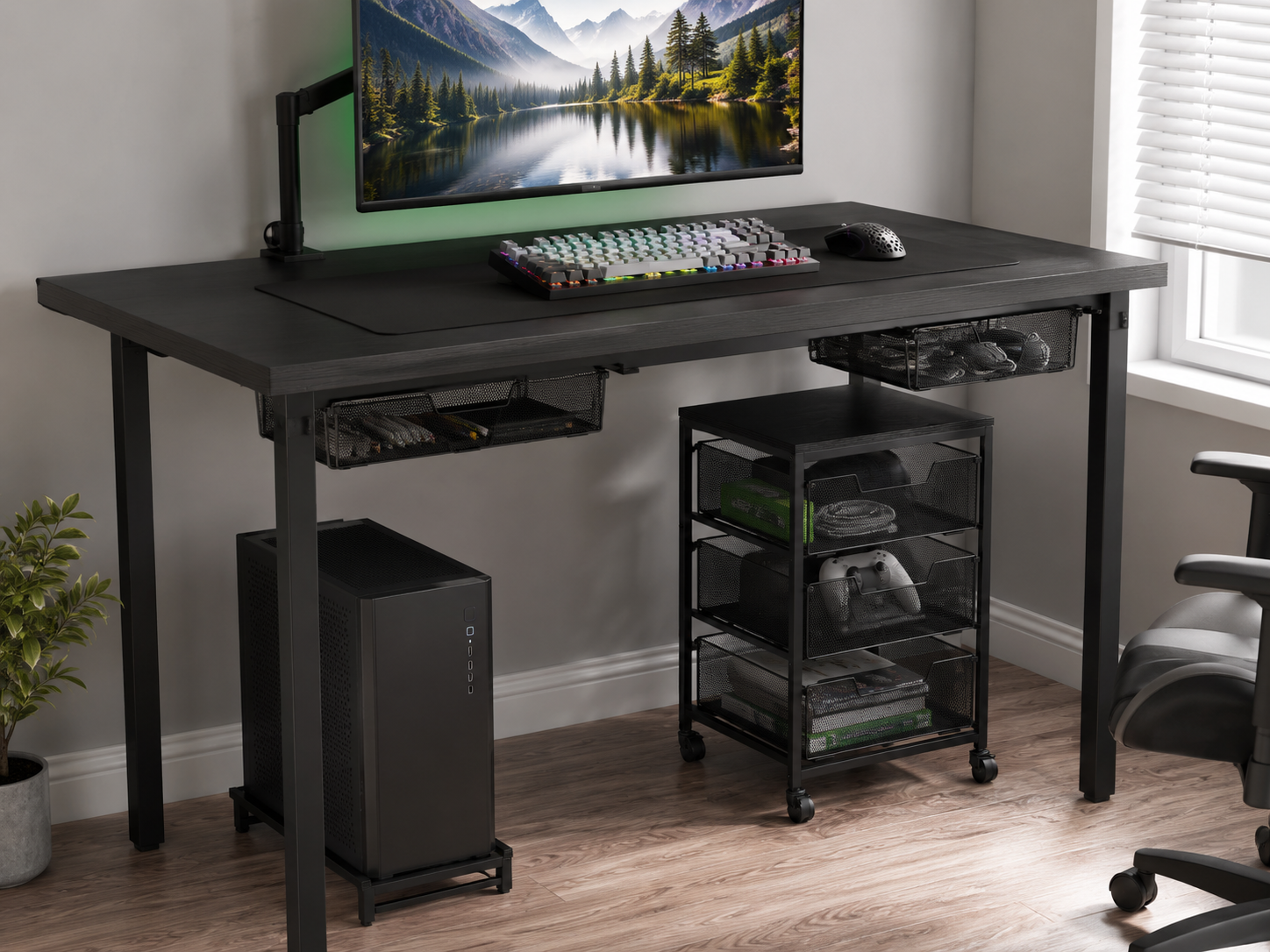
The space beneath the desk is prime storage that most people ignore. A rolling under-desk cart or a set of under-desk drawers hides peripherals, cables, and supplies out of sight, and rolls out only when you need it. Installing under-desk drawers helps conceal clutter, and a mobile cart can tuck completely away when not in use. This is where everything that doesn't earn a place on the surface lives — keeping the small desktop clear and the room uncluttered. In a tight space, hidden storage does more for the look than any decor.
Cable Management for Tight Spaces
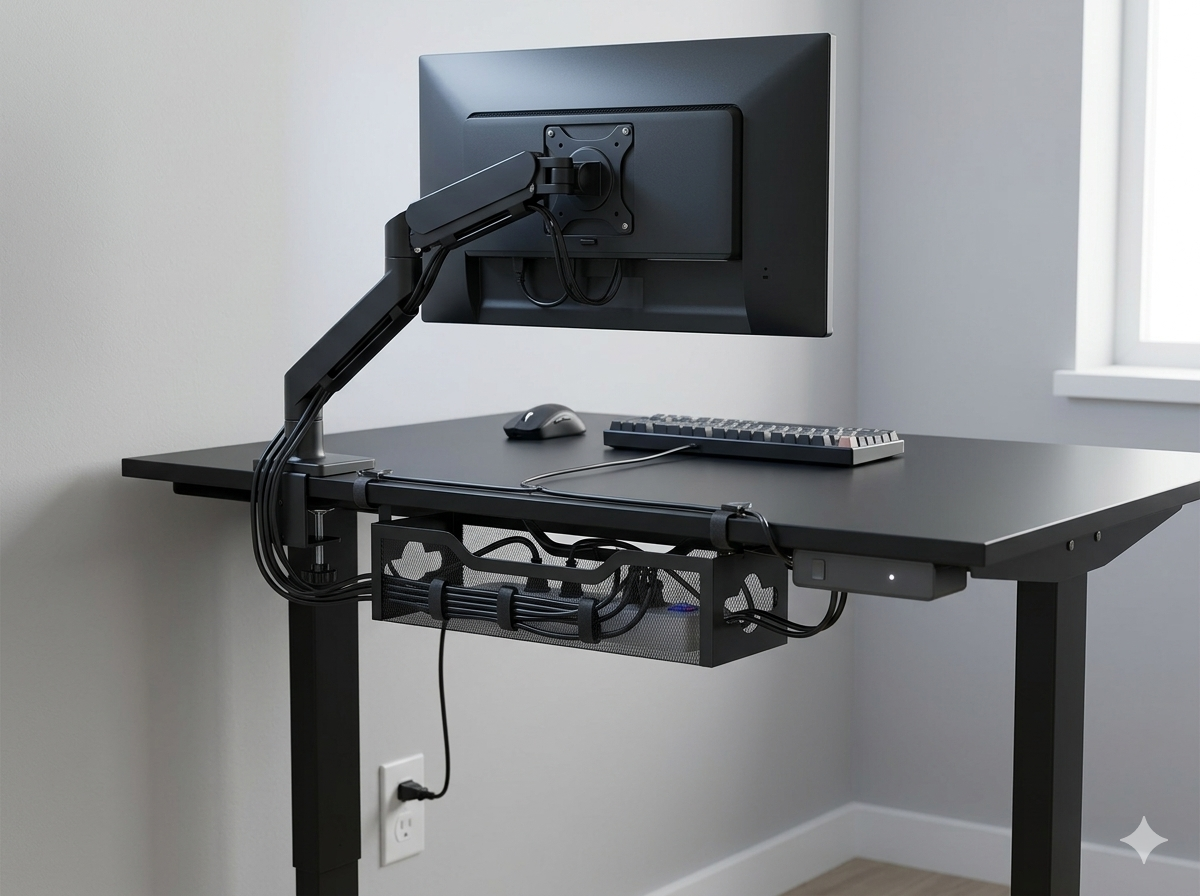
Cable management matters more in a small space because clutter shows instantly — there's nowhere for a tangle to hide. Route cables along the monitor arm's channel, down the back of the desk through adhesive clips, and into a small under-desk tray; cable management boxes conceal the power strip and cable trays keep cords off the ground. Under-desk hooks keep headphone and controller cables accessible but tucked away. The payoff is bigger here than anywhere: in a tight room, one clean cable to the wall instead of a visible nest makes the whole space read as calm and intentional.
Six pieces that build a small-space battlestation
Each piece earns its place by reclaiming room — a compact desk, a space-saving arm, vertical and hidden storage, and footprint-friendly peripherals. Chosen for efficiency in tight spaces, not the lowest price.
Some links in this section are affiliate links. If you buy through one of them, we may earn a small commission at no extra cost to you. We only recommend gear we'd use ourselves.
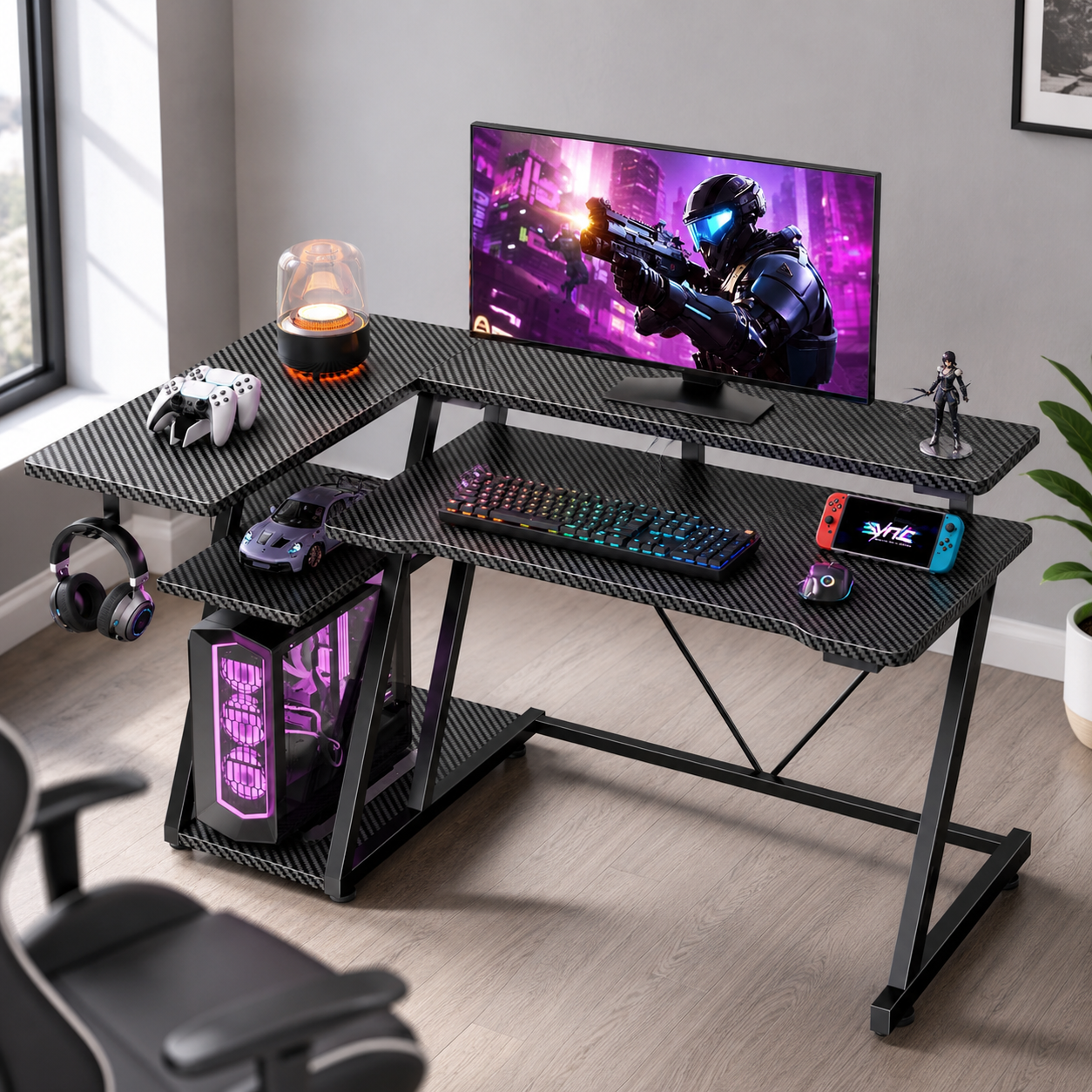
Korfile 40" Gaming Desk with Storage
A genuinely compact 40" desk that still earns its keep, with built-in storage shelves and a monitor stand that add capacity without adding footprint. It fits a tight corner or a narrow wall a full-size gaming desk couldn't, while the integrated shelving means some of your storage problem is solved the moment it's assembled. For a dorm, a bedroom corner, or a studio, this is the foundation — small enough to fit, smart enough that the limited surface isn't your only storage.
- Compact 40" width for tight spaces
- Built-in storage shelves and monitor stand
- Fits corners a full-size desk can't
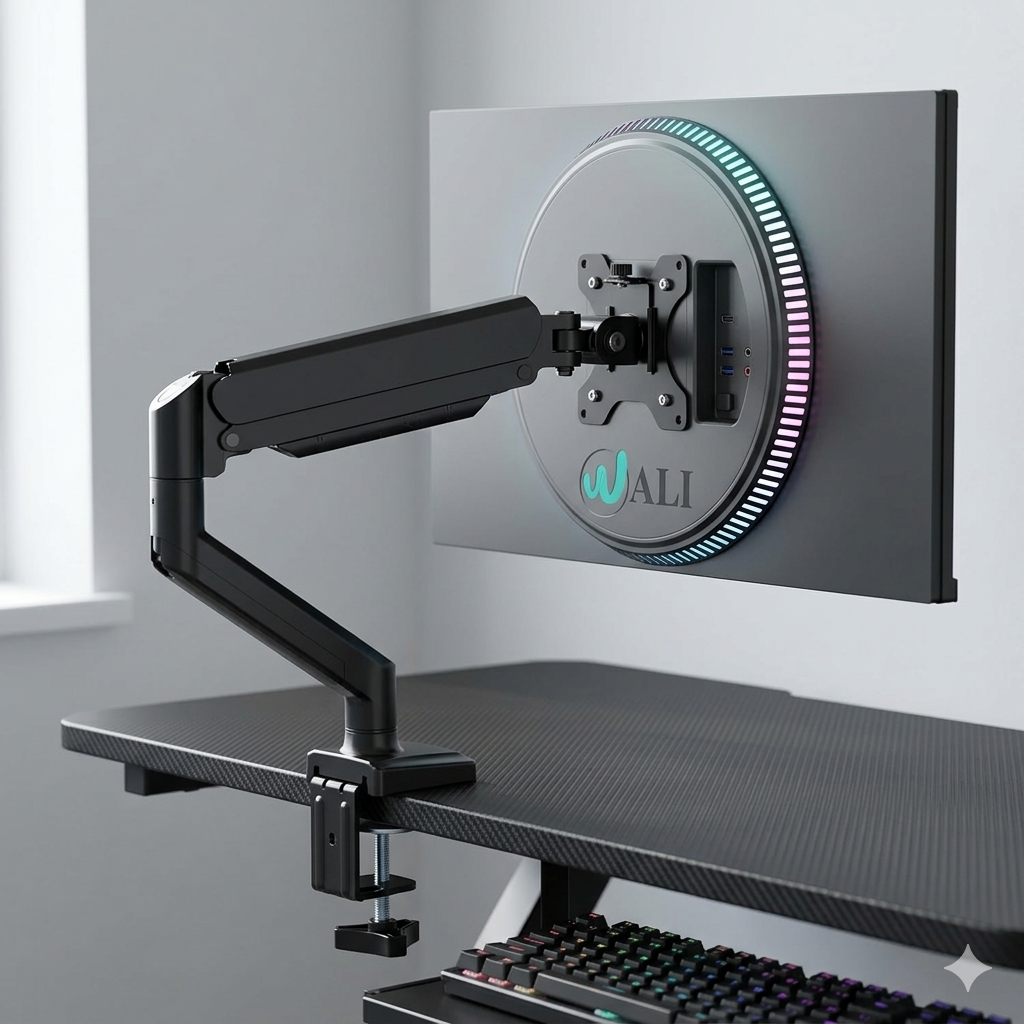
WALI Single Monitor Mount (13-34")
The single most effective way to reclaim a small desk's surface. This clamp-on arm fits screens from 13 to 34 inches and floats the monitor off the desk entirely, freeing the space a stock stand would occupy and letting you set proper eye-level height. The gas-spring movement makes it easy to reposition, and the clamp install needs no drilling. On a compact desk, the usable surface this frees up beneath the screen is transformative — it's the upgrade that most changes how a small setup feels.
- Fits 13-34" monitors, clamp-on install
- Frees the entire surface beneath the screen
- Adjustable to proper ergonomic eye level
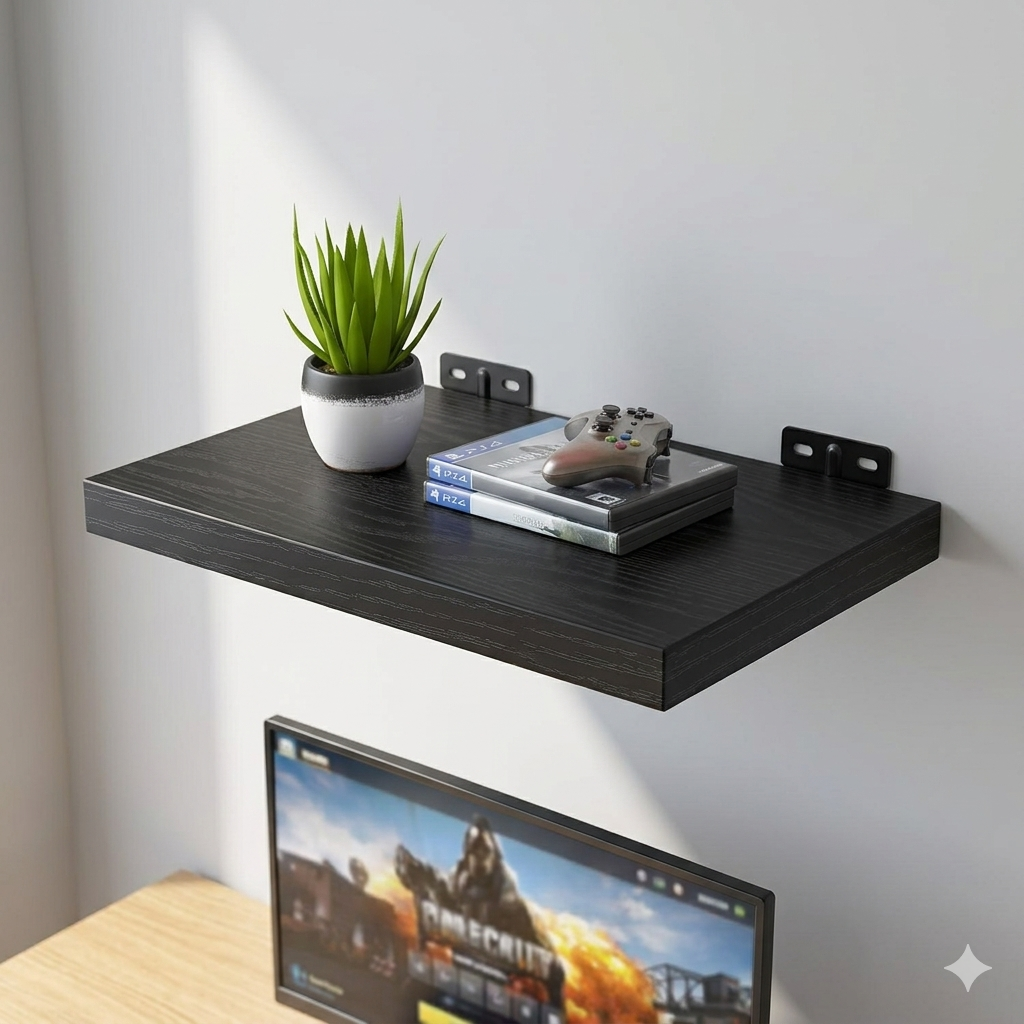
BAYKA Floating Wall Shelves
Vertical storage that consumes zero desk or floor space. Mounted above the desk, these floating shelves hold games, controllers, a small plant, or decor — moving the clutter up and off your working surface. They install with concealed brackets for a clean floating look, and a set gives you tiered storage exactly where a small room has room to spare: the wall. Anchor them into studs and keep loads sensible, and they turn empty wall space into the storage a compact desk can't provide on its own.
- Wall-mounted, zero floor or desk footprint
- Concealed brackets for a clean floating look
- Tiered storage for games, decor, and gear
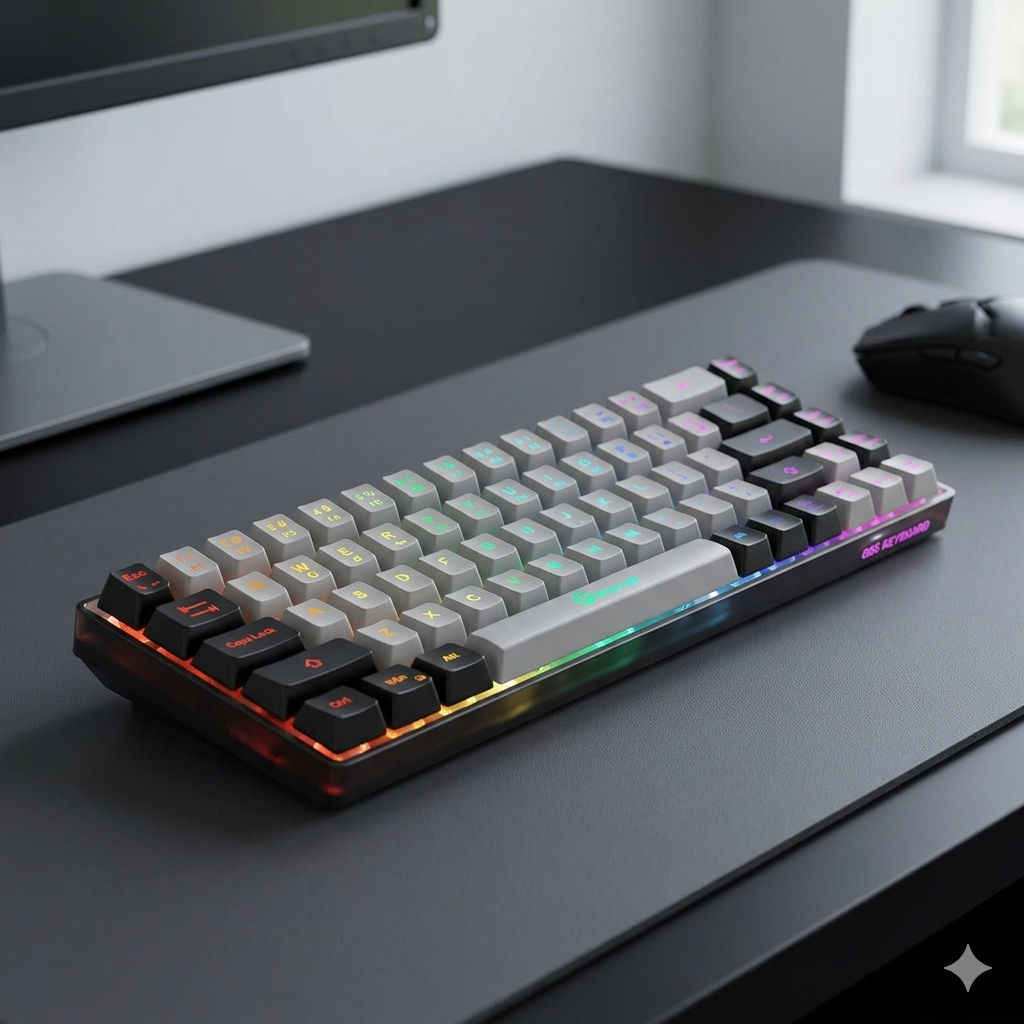
GEODMAER 65% Gaming Keyboard
A 65% layout is the small-desk sweet spot — it keeps the arrow keys most gaming needs while dropping the number pad and function row, reclaiming real mouse-sweep space on a narrow surface. Ultra-compact with anti-ghosting and no-conflict key rollover for reliable inputs under pressure, it delivers the full gaming feel in a fraction of the footprint. On a small desk, the inches you save next to a 65% board are exactly the inches your mouse hand needs for comfortable low-sensitivity aiming.
- Ultra-compact 65% layout, keeps arrow keys
- Anti-ghosting with no-conflict key rollover
- Frees significant mouse space on a narrow desk
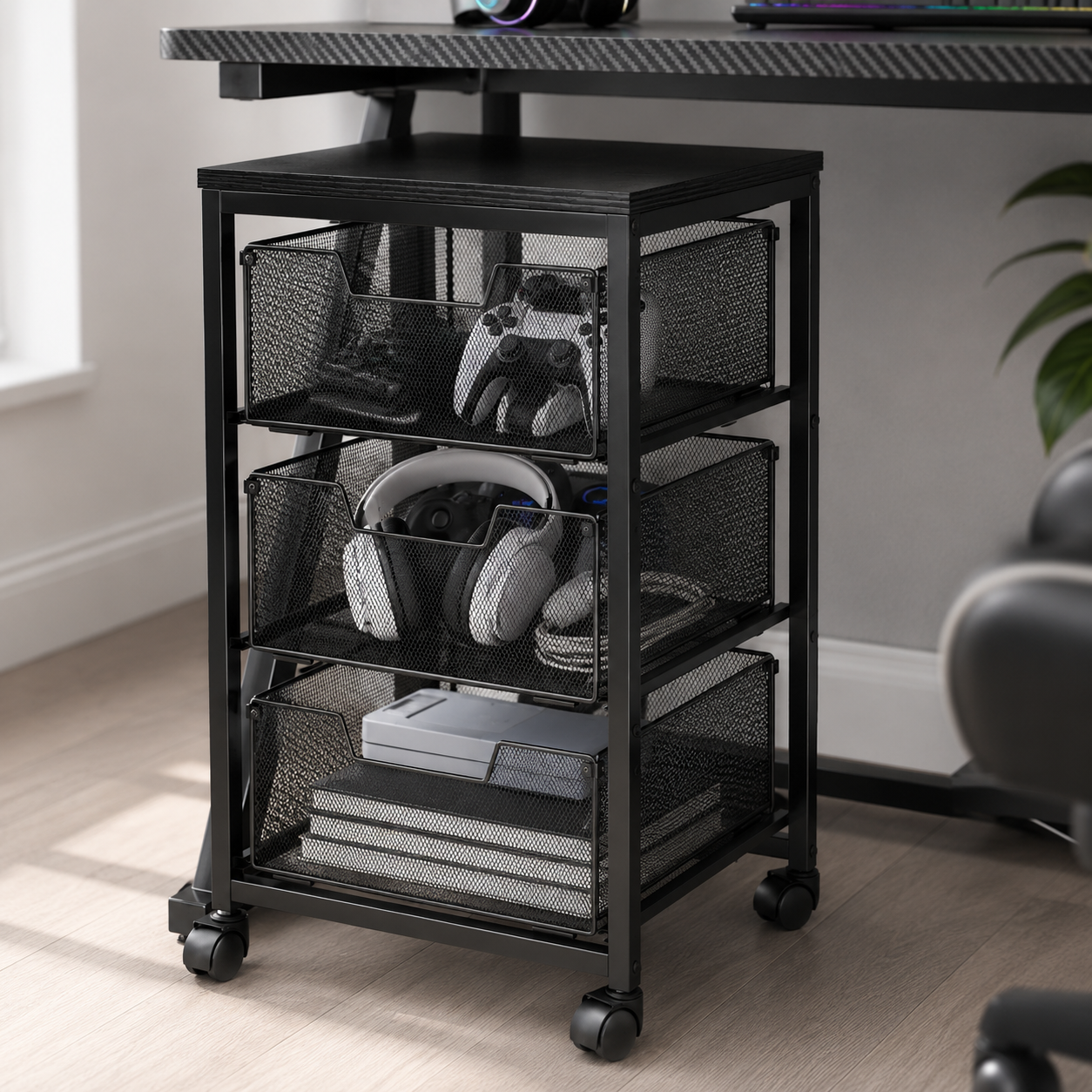
Under-Desk Rolling Storage Cart
Turns the dead space under your desk into hidden storage that rolls away when you don't need it. Four drawers swallow peripherals, cables, games, and supplies, keeping them off the surface and out of sight, while the lockable wheels mean it tucks fully under the desk or rolls out for access. In a small room where every visible item adds to the clutter, a closed rolling cart is the cleanest way to store the gear a compact desk has no room for — storage that disappears under the surface entirely.
- Four drawers for peripherals and supplies
- Lockable wheels — tucks away or rolls out
- Uses dead under-desk space, fully hidden
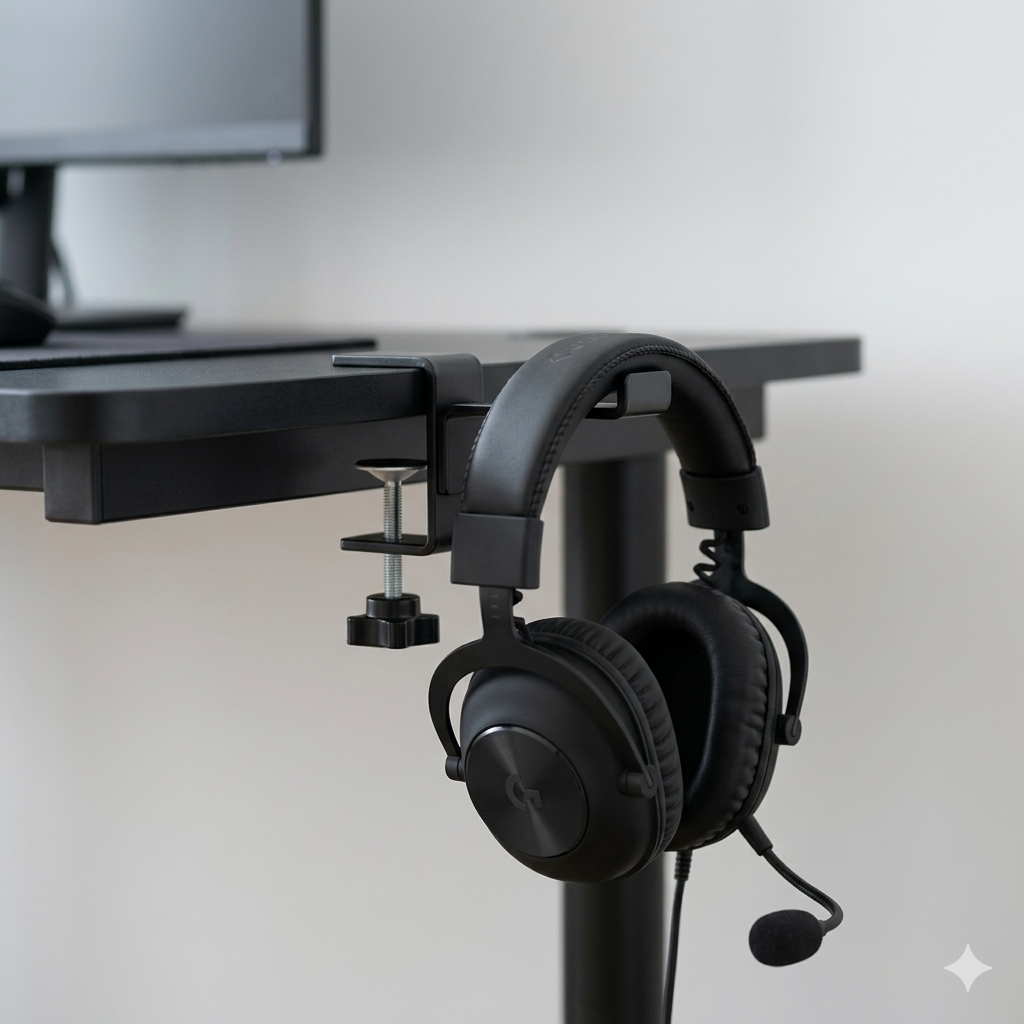
Foldable Headphone Stand & Hanger
A small accessory that keeps the headset off the surface and the desk clear. This foldable hanger holds a gaming headset out of the way — clamp it to the desk edge or fold it flat when not in use — reclaiming the space a headset sprawled on the desk would take. Under-desk and edge-mount headphone holders keep the headset accessible but off the limited surface, which is exactly the kind of small move that, repeated across a setup, keeps a tight space feeling open and deliberate.
- Holds the headset off the desk surface
- Foldable and space-saving when not in use
- Edge-mount keeps it accessible but out of the way
Four ways small gaming setups go wrong
Most cramped, frustrating small setups are failing on one of these. Avoid them and a tight space stays comfortable.
- 01
Buying a desk too big for the room
The most common small-space mistake is cramming a full-size gaming desk into a room that can't hold it — leaving no chair clearance and no floor space to move. Measure your actual dimensions first, and account for at least 28 inches of clearance behind the desk so your chair can roll back comfortably. A compact 40-47" desk that fits with room to spare beats a 55" desk wedged against the bed. In a small space, a desk that fits the room is always better than the biggest one you can squeeze in.
- 02
Ignoring the wall above the desk
Leaving the wall empty wastes the best storage real estate a small room has. Without vertical storage, everything piles onto the desk surface — games, controllers, supplies — until a compact desk feels impossibly cluttered. Floating shelves, wall hooks, and pegboards move that load up and off the surface for the cost of a few brackets. The setups that look impossibly clean in tiny rooms almost always have a worked wall doing the storage a small desk can't. Build upward before you give up on the space.
- 03
Letting the surface fill with clutter
In a small space, a cluttered desk doesn't just look bad — it shrinks the room. Keeping every item, cable, and accessory on the limited surface is the fastest way to make a compact setup feel cramped and chaotic. Keep only frequently used items within arm's reach, move everything else to wall shelves or under-desk storage, and protect the clear surface as the priority it is. A clear desk reads as a larger room; a full one reads as a smaller, busier one. Subtraction is the whole discipline.
- 04
Treating cables as an afterthought
Cable chaos that you'd barely notice in a large room dominates a small one — there's nowhere for it to hide. Skipping cable management until it's a visible nest behind a compact desk undoes all the space-saving work everywhere else. Route cables along the monitor arm, clip them down the desk back, hide the power strip in a cable box, and run them into an under-desk tray. In a tight space the payoff is outsized: clean cables are the difference between a setup that looks deliberate and one that looks like a dorm-room afterthought.
Small gaming desk questions, answered
What size desk is best for a small gaming setup?
A compact gaming desk in the 40-47" range fits most tight spaces while still holding a monitor, keyboard, and mouse comfortably. A single-monitor or laptop-based setup can work on a surface as narrow as 31 inches wide and 18 inches deep. The more important measurement is clearance: leave at least 28 inches behind the desk so your chair can roll back. Measure your actual available space before buying — a desk that fits the room with room to spare always beats the biggest one you can wedge in.
How do I fit a gaming setup in a small bedroom or dorm?
Think vertically and hide what you can. Put a compact desk in a corner, mount the monitor on a clamp-on arm to free the surface, move storage to floating wall shelves above the desk, and tuck a rolling cart underneath for everything else. Keep the PC tower on a floor stand rather than the desk. A complete, comfortable gaming setup fits inside roughly 43 square feet when every piece is chosen to save space and the wall and under-desk areas do the storage a small desk can't.
Is a monitor arm worth it on a small desk?
It's arguably the single best upgrade for a small setup. A clamp-on monitor arm floats the screen and frees the entire surface a stock stand would occupy — often the difference between a cramped desk and a comfortable one. It also lets you set proper eye-level height and push the monitor back to a good viewing distance, which a compact desk otherwise makes hard. For the reclaimed surface alone, an arm earns its place even when budget is tight.
Should I use a compact keyboard for gaming?
On a small desk, yes. A TKL (tenkeyless) or 65% keyboard drops the number pad — and the 65% also drops the function row — reclaiming real mouse-sweep space on a narrow surface while keeping the arrow keys most games need. The footprint you save next to a compact board is exactly the room your mouse hand needs for comfortable low-sensitivity aiming. Unless you specifically rely on the number pad, a compact layout is the better choice in a tight space.
How do I keep a small gaming desk from feeling cluttered?
Protect the clear surface. Keep only frequently used items within arm's reach and move everything else off the desk — up to floating wall shelves, down to an under-desk cart or drawers, and onto hooks for headsets and controllers. Manage cables so there's no visible nest, and consider a monochrome color scheme for a calm, cohesive look. In a small room, a clear surface makes the whole space read as larger, while a full one makes it feel smaller and busier.
Can you fit a gaming PC in a small space?
Yes — the key is getting the tower off the desk. Set the PC on a small floor stand beside or under the desk rather than on the limited surface, which also keeps its vibration out of the desktop and improves airflow. Pair that with a mounted monitor, vertical wall storage, and a hidden under-desk cart, and a full gaming PC setup fits comfortably in a dorm, a bedroom corner, or a studio. Compact cases help, but moving the tower off the surface matters more than its size.
The best new setups, in your inbox
One thoughtful email. No spam, no fluff.