
Budget gaming desk setup ideas
Six elements that build a clean, capable battlestation for under $300 — the smart way to spend every dollar so the setup looks like it cost twice what it did.
A great budget gaming desk setup isn't about buying cheap — it's about spending every dollar where it actually matters. Done right, a complete battlestation comes together for under $300: desk, chair, monitor arm, lighting, and cable management included. Done wrong, you pay a “gaming” tax for RGB gimmicks bolted onto a desk that wobbles when you flick in an FPS. The difference is knowing which corners are safe to cut and which absolutely aren't.
The core insight: creating a budget-friendly gaming desk setup is achievable by prioritizing clean lines, stability, and the right surface over flashy branding. A simple 47-55" rectangular gaming desk with proper cable management will outperform most “gaming-branded” desks loaded with built-in lighting and magnetic accessories — at a fraction of the price. Mixing generic Amazon parts, IKEA-style pieces, and the occasional used find consistently beats overpriced gaming desks on both comfort and value.
The goal isn't a setup that looks cheap. It's a setup that looks like it cost twice what it did — achieved through clean cable management, tasteful lighting, and smart placement rather than expensive gear.
This guide breaks the budget build into six elements, each with a clear “where to spend, where to save” logic. It covers the gear worth buying, the mistakes that quietly waste budget money, and a gaming desk FAQ at the end answering the size, stability, and standing-desk questions that come up most. Every price reflects what's realistic in the 2026 U.S. market — your results may vary by region and timing.
How to spend a tight budget well
A budget build lives or dies on where the money goes. These five principles decide which dollars deliver and which get wasted on the “gaming” tax.
- 01
Spend on the base, not the badge
A good desk isn't the one with the best gaming logo stamped on it — it's the one that doesn't wobble under a loaded rig and gives you enough surface to work comfortably. Powder-coated steel frames with laminated wood tops deliver the best value: they resist warping, handle weight, and cost a fraction of branded alternatives. A standard sturdy office desk can be just as good as many gaming desks if the size and stability are right. Put your money into the structure; the cupholder and headset hook can be added for $5 later.
- 02
Ergonomics over aesthetics, every time
Posture matters more than RGB, more than aesthetics, more than any single peripheral. Monitor position should be at eye level to reduce neck strain — the top of the screen at or slightly below eye level so your gaze angles down 10-20 degrees. Forearms level with the desk, feet flat on the floor. An ergonomic office chair offers better comfort for long gaming sessions than any racing-style throne with a “gaming” label and foam that breaks down in a year. These adjustments cost little or nothing and prevent real discomfort.
- 03
Cable management is the cheapest upgrade that matters most
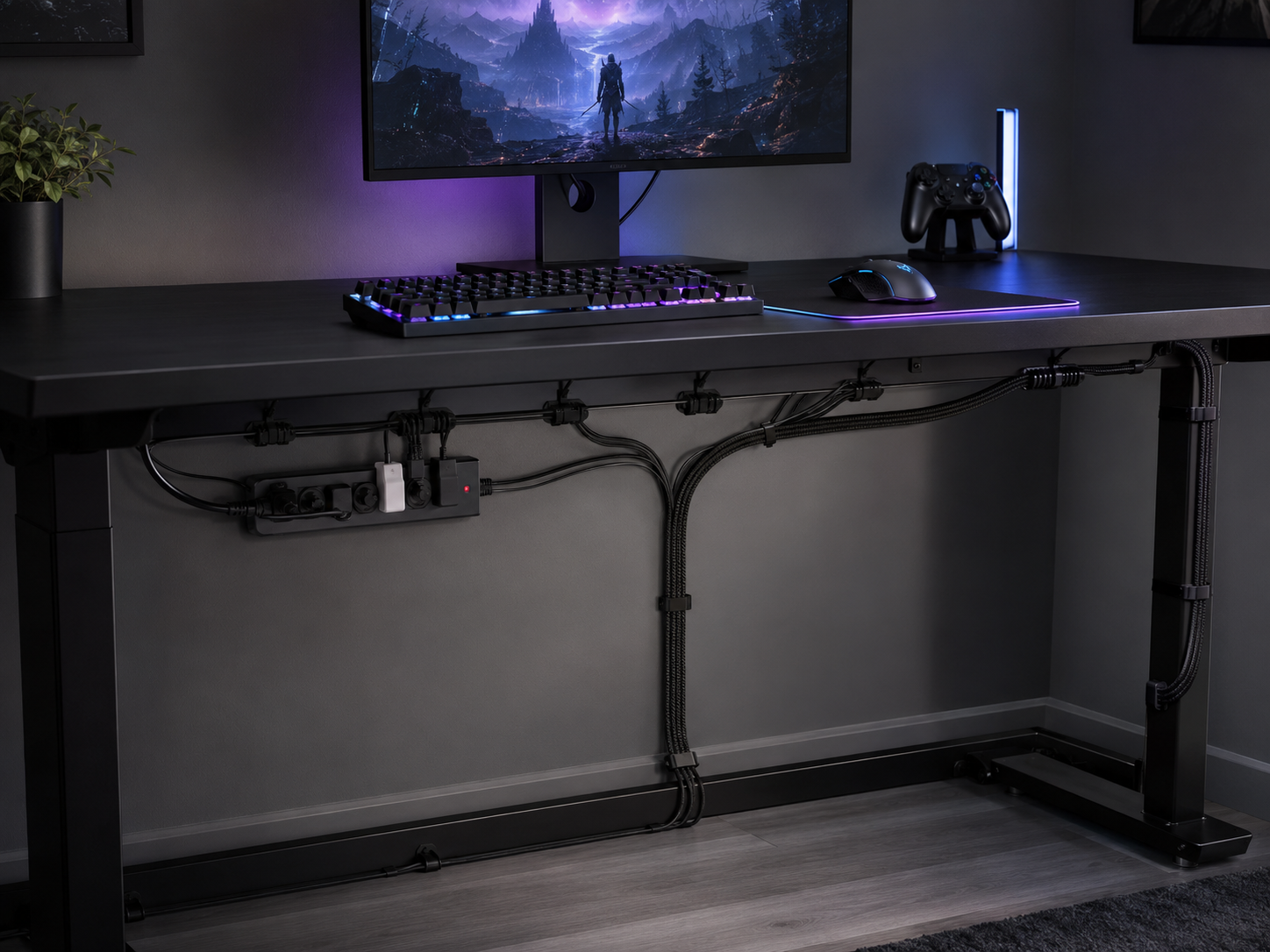
Effective cable management enhances the appearance of a gaming desk setup more than any other single change. About $20 of adhesive clips, Velcro ties, an under-desk tray, and a surge-protected power strip transforms a desk from “dorm-room spaghetti” to “intentional build.” Cable trays and zip ties instantly improve the appearance of a budget setup; Velcro ties hide cables behind desk legs. The premium desks achieve this with concealed compartments costing hundreds — a $20 DIY approach gets 90% of the same visual result.
- 04
Get the tower off the desk
A gaming PC on a small floor stand next to the desk frees up nearly a third of the surface and keeps a 25-pound tower from amplifying every vibration into the desktop. An adjustable stand improves the visibility and accessibility of the device while reclaiming precious workspace. Inexpensive storage bins and under-desk shelves keep peripherals off the surface too. The clearer the desktop, the more premium the whole setup reads — and the more room your mouse hand actually has.
- 05
Decorate with whatever's left — and keep it controlled
RGB and decor come last, funded by whatever budget remains after the base, chair, and cable management are handled. A consistent color scheme can make a gaming setup feel intentional and high-end even when every piece costs under $50. Inexpensive ambient lighting — a USB-powered RGB LED strip for bias lighting behind the monitor — improves the aesthetic dramatically for under $15. The rule: keep it organized and controlled. Chaotic clashing RGB looks worse than no RGB at all.
Six elements that build a budget gaming desk
Each element contributes a specific piece of the build, with its own “where to spend, where to save” logic. Get all six right and you've got a clean, capable battlestation that punches well above its price.
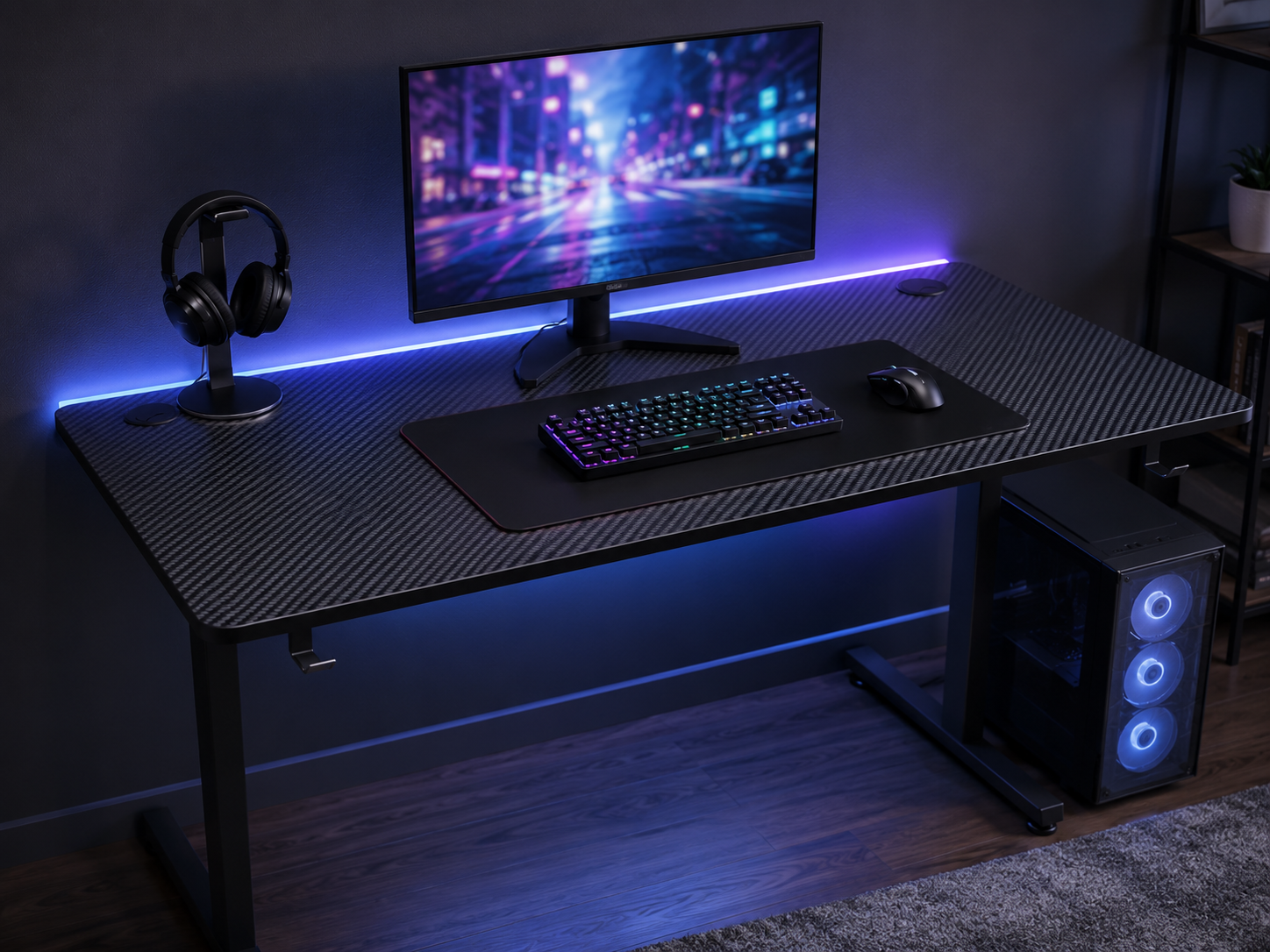
The Budget Desk Foundation
The desk sets everything. For a single-monitor gaming PC, aim for at least 47×23" of surface; for dual or multiple monitors, jump to 55×27", the sweet spot for most setups. Look for a powder-coated steel frame, a laminated top, crossbar support, and a tested weight rating of at least 150 lbs. A no-name 55" Amazon desk near $95 holds up as well as the IKEA Utespelare (160 x 80 cm, roughly $150) for everyday use. An L-shaped gaming desk is worth it only if you have a corner to fill and genuinely need to separate gaming from work — the Homcom L-shaped desk runs under $100 and even includes RGB lighting, though stability reviews are mixed.
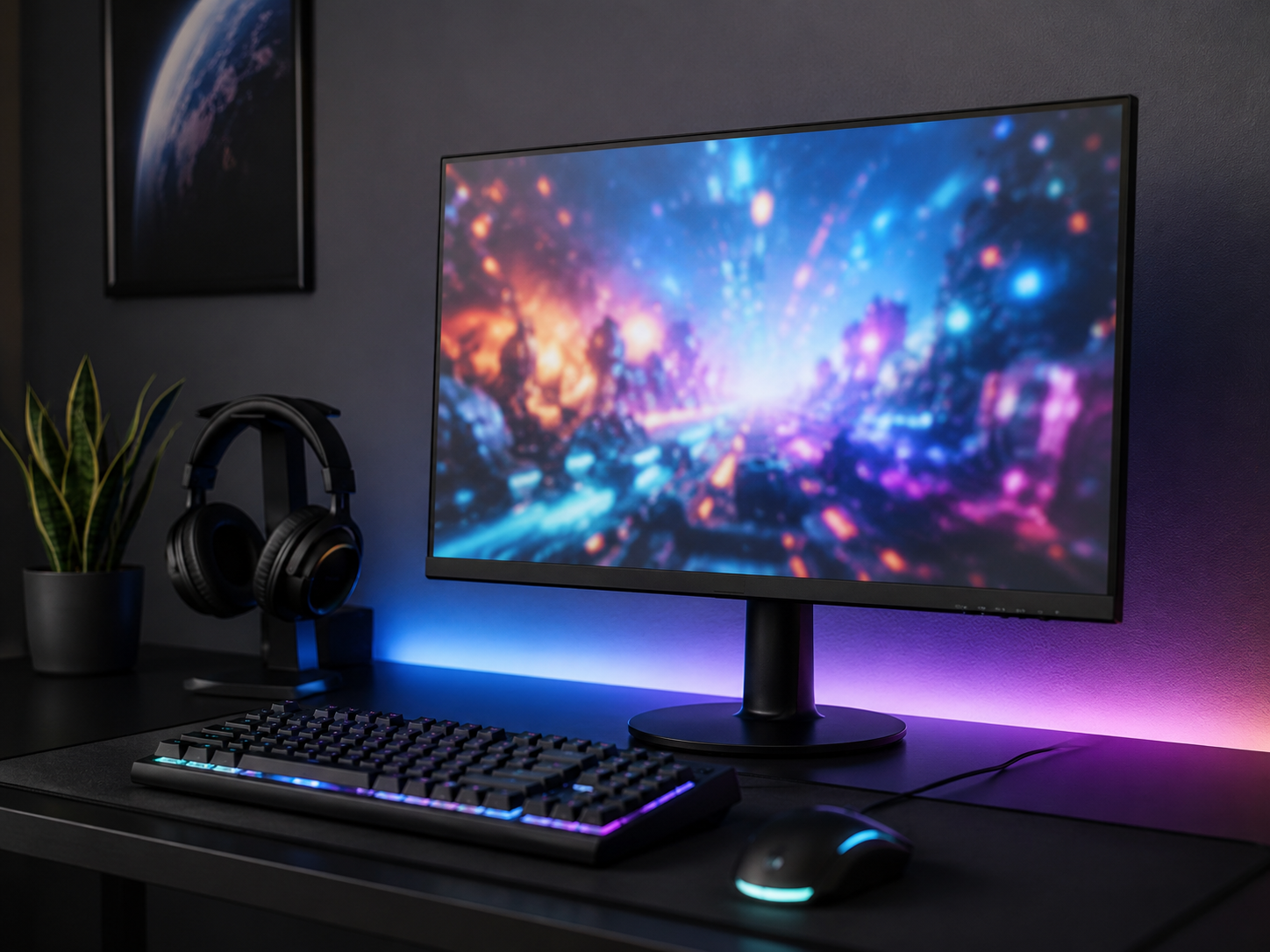
Affordable Monitor & Mounting
A monitor arm is the single upgrade that most changes how a budget desk feels. Monitor arms free up desk space and improve setup aesthetics — clamping the screen to the back edge lets it float at proper eye level while clearing the surface beneath. Basic gas-spring arms run $25-40; stay at or below 80% of the arm's rated weight to prevent slow drift over time. Pair it with an affordable high-refresh display: a 24" 100Hz panel is plenty for budget competitive play, and on ultra-small desks a 24" monitor with a console tucked on a low shelf beneath saves real space.
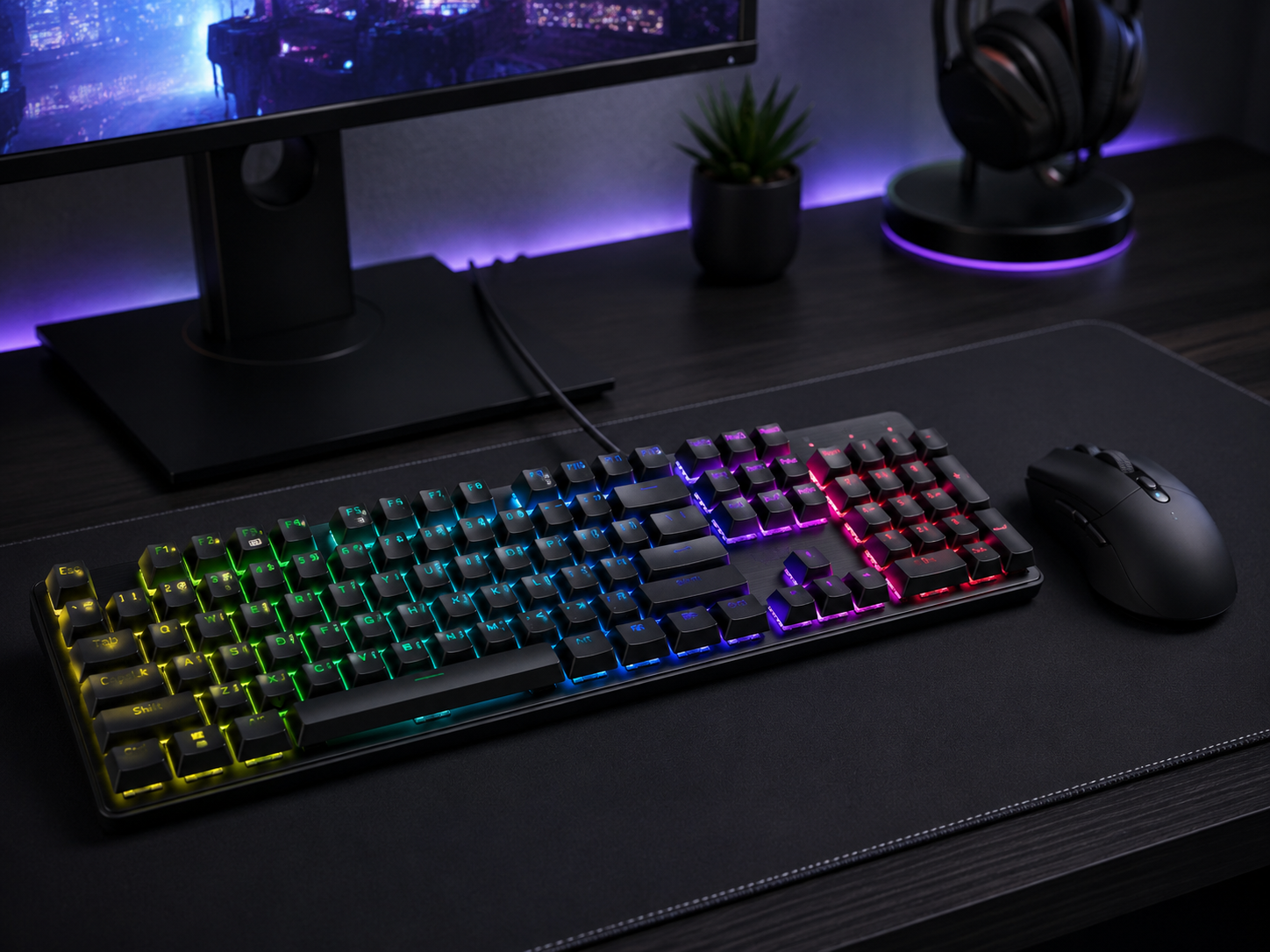
Budget Peripherals That Punch Up
Peripherals are where budget gear has caught up most to premium — a $40 mechanical keyboard and a well-reviewed wireless mouse now rival gear that cost triple a few years ago. Look for a mechanical keyboard with hot-swappable switches (so you can upgrade the feel later without replacing it) and a lightweight mouse with a proven sensor. A compact TKL or 75% keyboard reclaims about four inches of mouse space on a tight desk — a meaningful gain for low-sensitivity FPS aiming. These are the pieces you touch every second you game, so they earn careful choosing.
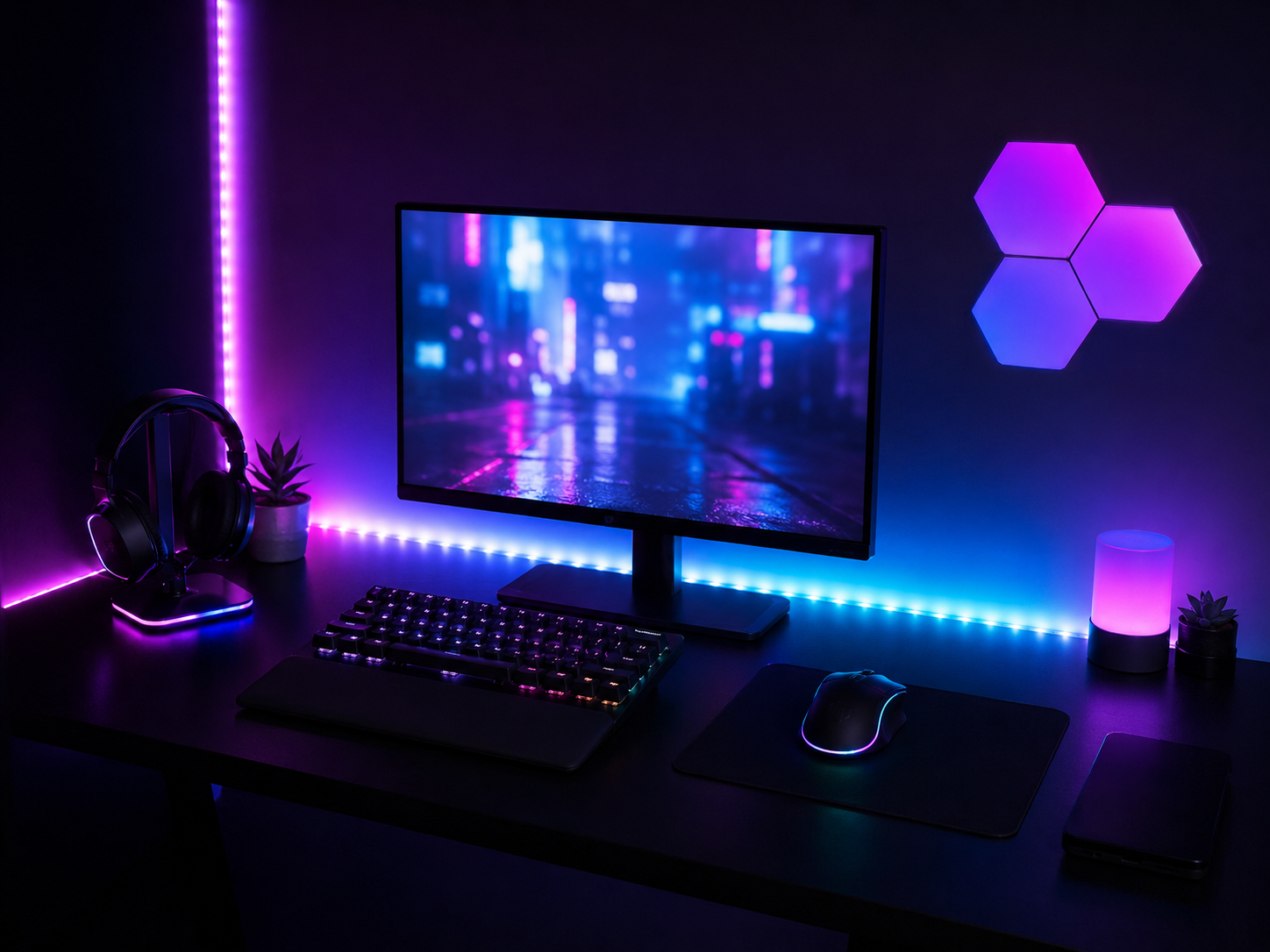
RGB on a Budget
RGB is where budget setups most often go wrong — and where a few dollars, spent well, do the most work. A simple USB-powered RGB LED strip creates immersive lighting effects for under $15, and LED strips create ambient lighting by adding a glow behind the monitor (bias lighting that also reduces eye strain in a dark room). Affordable LED lighting can enhance the look of a gaming desk setup dramatically without breaking the bank. The discipline is restraint: a controlled single color or smooth gradient unifying the keyboard, strip, and ambient glow reads as intentional and high-end. Chaotic clashing rainbow reads as cheap.
Cable Management & Clean Build
This is the cheapest upgrade with the biggest visual payoff. Using zip ties and adhesive clips cleans up visible cables; an under-desk cable tray and a mounted power strip hide the rest. The 30-minute routine: route every cable to the back edge, bundle by device, clip or tie each bundle into the tray, and leave only one visible cord dropping to the wall outlet. Leave a little slack so a minor adjustment doesn't mean redoing everything, and route power separately from Ethernet and charging cables to prevent tangling. Command hooks store headphones or controllers off the surface entirely.
Smart Storage & Small-Space Tricks
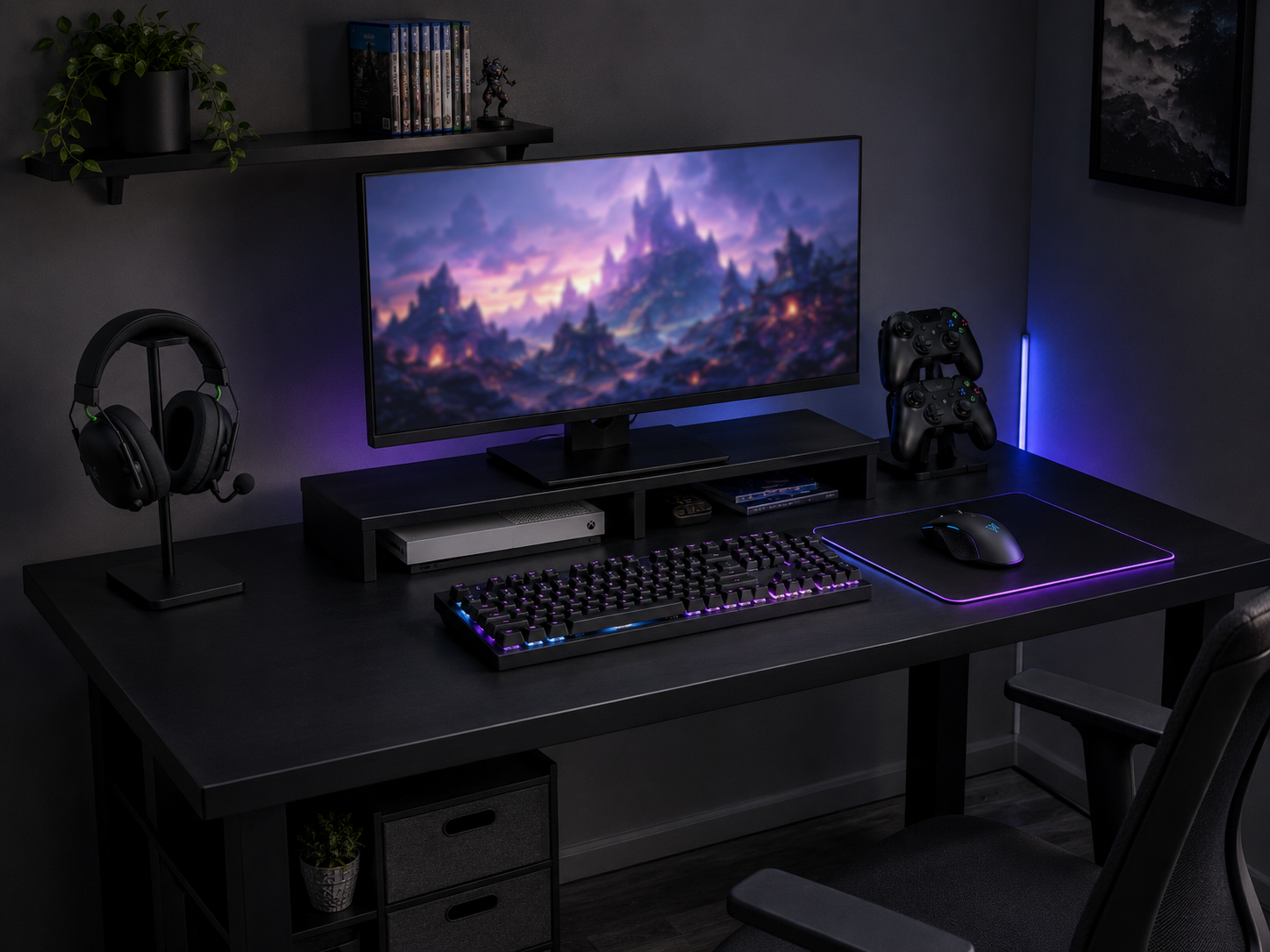
Smart placement makes even a cheap 47" desk feel like a premium one. A headset stand or clamp-on hook frees the surface; under-desk shelves and inexpensive storage bins keep peripherals off the desktop; command hooks store controllers and headphones on the desk side or a nearby wall. Keep the front edge of the desk completely clear — no controllers, no water bottles, no stray cables — which visually enlarges the space and gives your arms room to rest. Budget-friendly wall organizing systems keep gear accessible without consuming any desk real estate at all.
Eight pieces that build a budget battlestation
The first five build the core setup — desk, monitor, keyboard, mouse, and lighting. The last three are the finishing pieces: cable management, a headset, and the stand that keeps it off your desk. Every pick is chosen for value per dollar, not brand prestige.
Some links in this section are affiliate links. If you buy through one of them, we may earn a small commission at no extra cost to you. We only recommend gear we'd use ourselves.
GTPLAYER 55" Gaming Desk with LED Lights
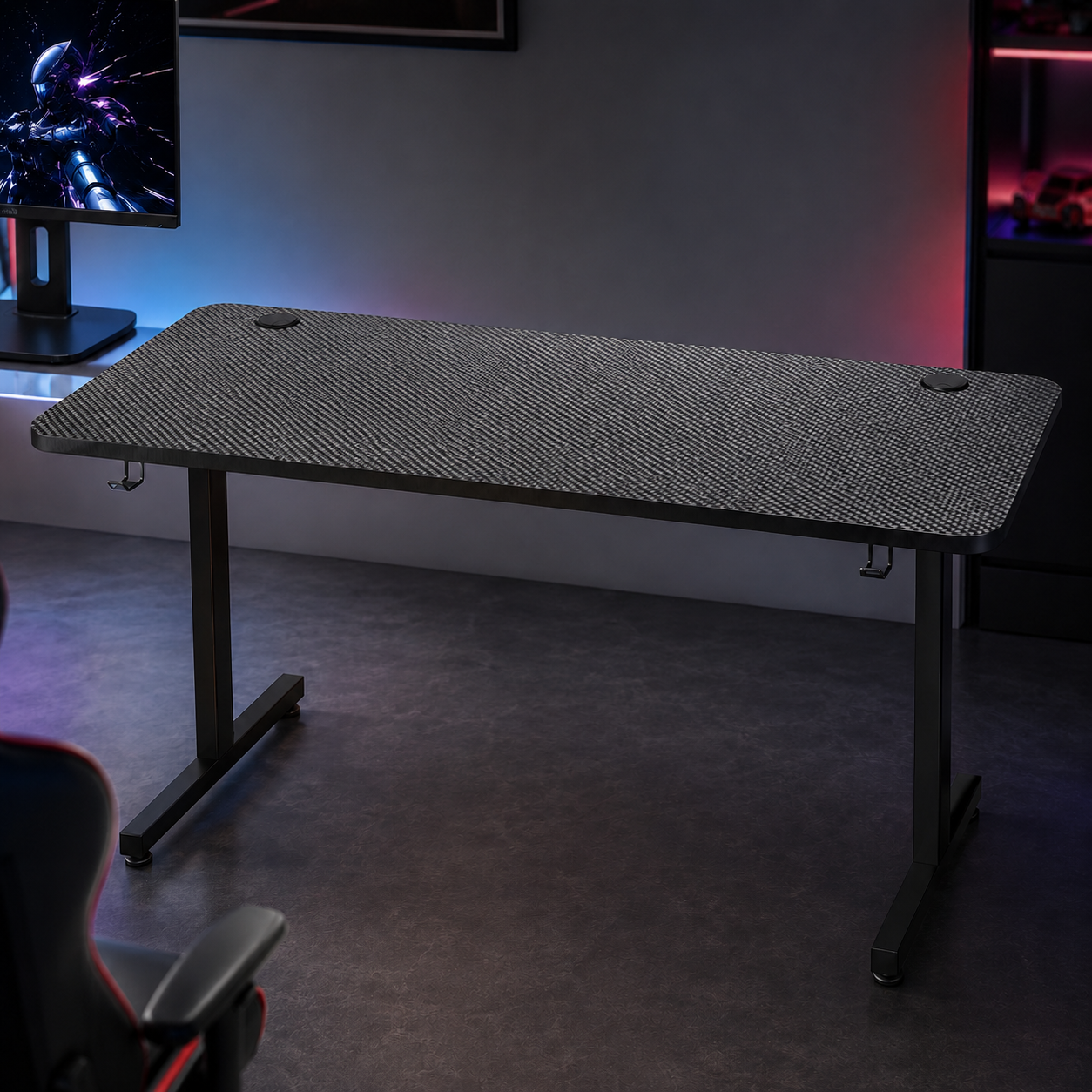
Hits the 55" sweet spot with room for dual monitors, on a sturdy steel frame with a carbon-texture top. The built-in LED lighting and headphone hook are bonuses you'd normally add separately — here they come included without the usual “gaming” tax. At this width and price it's the rare branded gaming desk that actually competes with generic options on value, and it gives you the depth to run a monitor at a proper viewing distance.
- 55" wide for single or dual monitors
- Steel frame with carbon-texture laminate top
- Built-in LED lighting and headphone hook
Philips 24" 100Hz Frameless Monitor
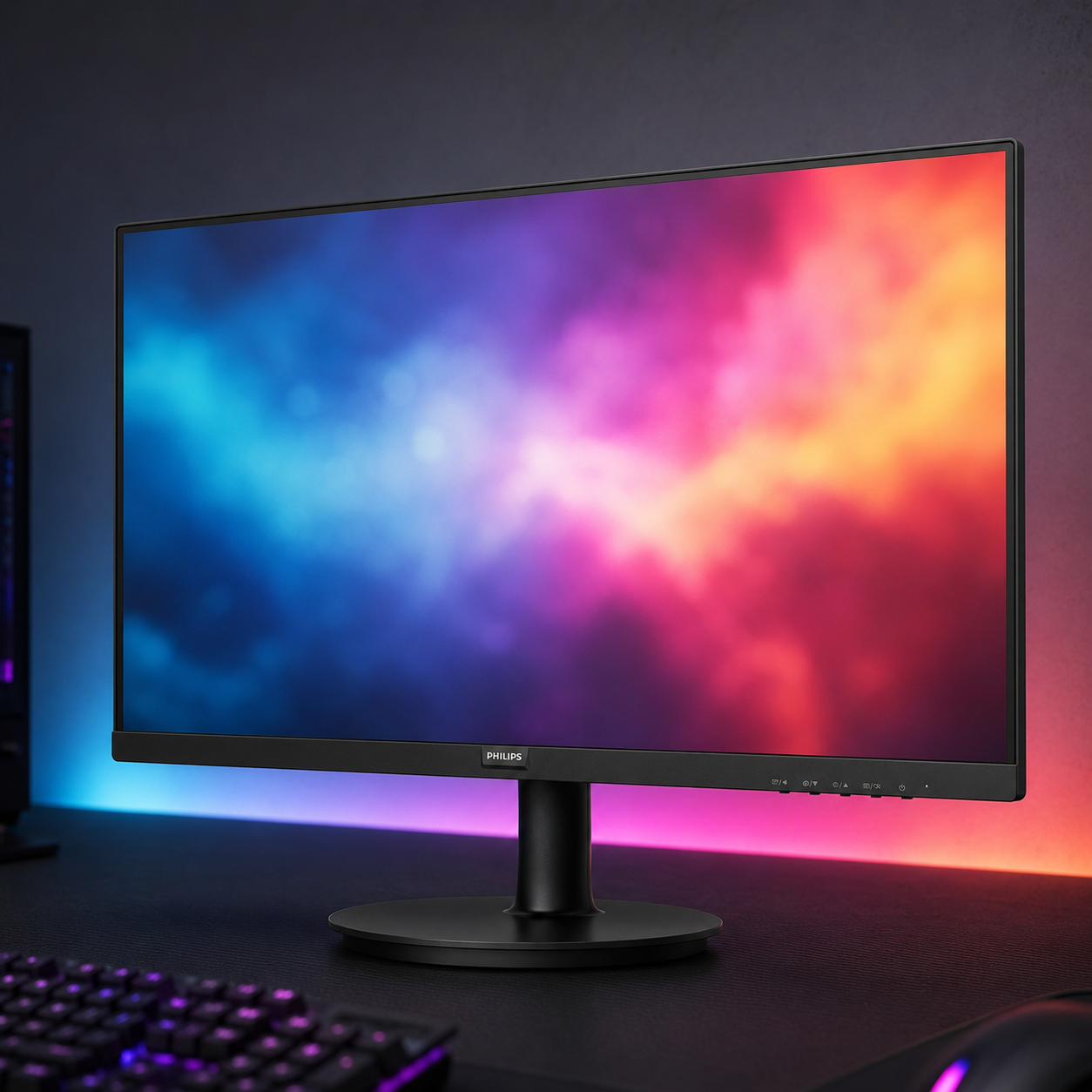
For budget competitive play, a 24" 100Hz frameless panel is the value sweet spot — high enough refresh for smooth FPS gameplay, small enough to fit any desk at proper viewing distance, and frameless bezels that look clean in a multi-monitor lineup later. Philips backs it with a solid warranty. You don't need a $400 ultrawide to play well; you need a responsive panel at the right size, and this is exactly that.
- 24" display with 100Hz refresh rate
- Frameless design for clean multi-monitor setups
- Proper size for a 20-30" viewing distance
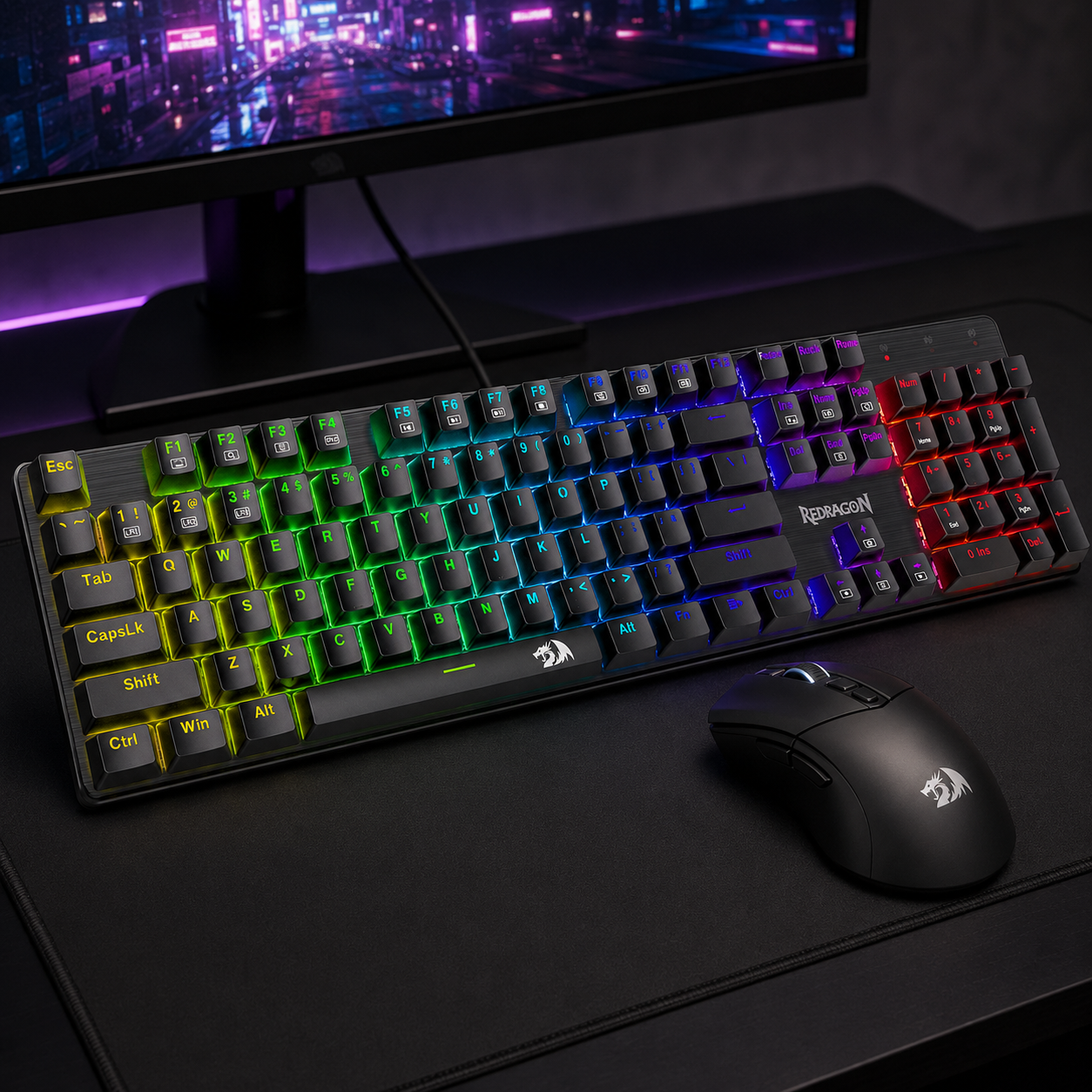
Redragon Hot-Swappable Mechanical Keyboard
A mechanical board with hot-swappable switches at a budget price is the smart long-term play — you can change the switch feel later without buying a whole new keyboard. Double-shot keycaps resist wear, anti-ghosting handles fast inputs, and the RGB backlight ties into a controlled color scheme. Redragon has earned its reputation as the value king of mechanical keyboards, and this one delivers a typing and gaming feel that genuinely punches above its cost.
- Hot-swappable switches for future upgrades
- Double-shot keycaps and full anti-ghosting
- RGB backlight for a unified color scheme
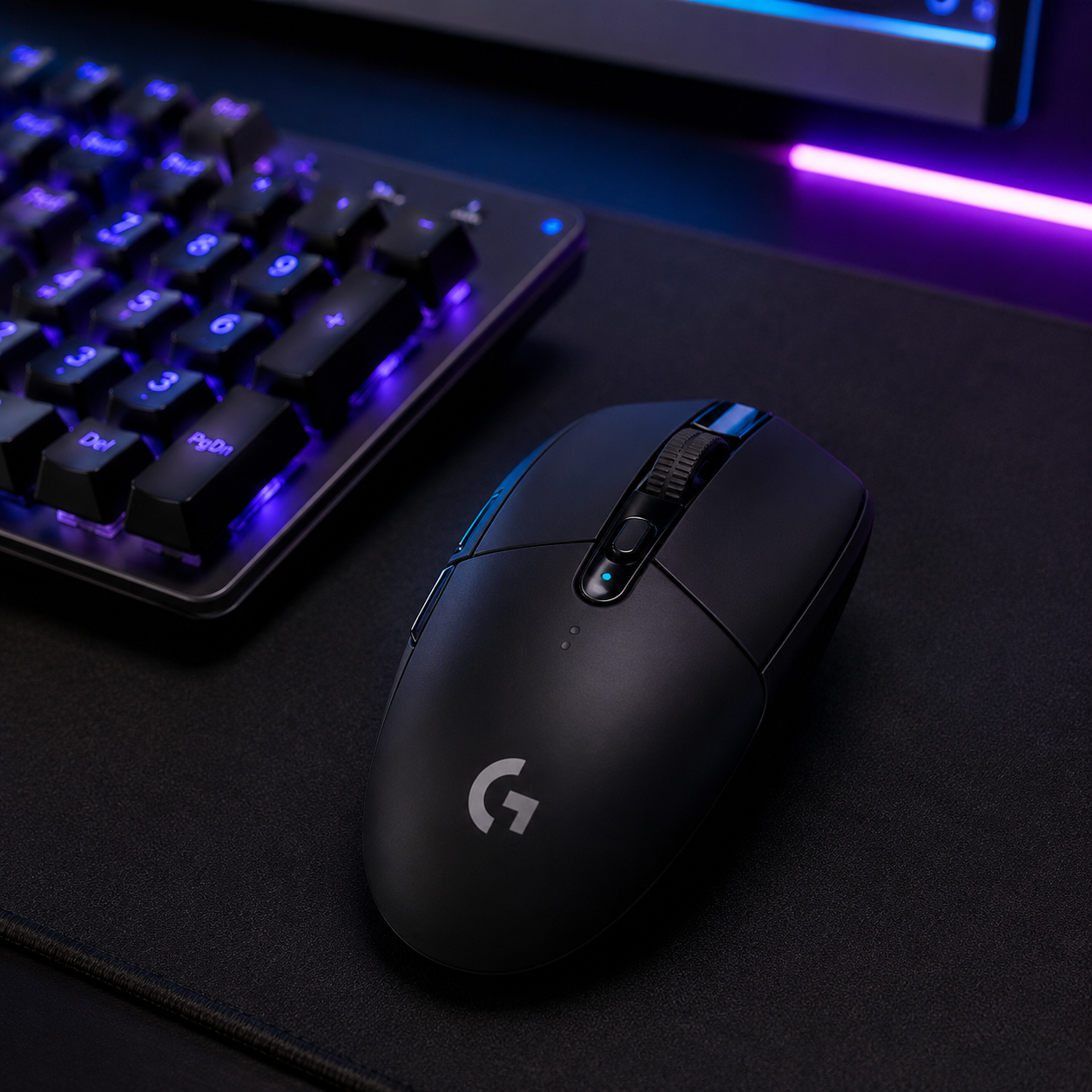
Logitech G305 Lightspeed Wireless Mouse
The mouse that proved budget wireless could compete with premium. The G305 pairs Logitech's proven HERO sensor with genuine Lightspeed wireless and impressive battery life, all at a price that undercuts most wired competitors. It's lightweight, accurate, and reliable — exactly what low-sensitivity FPS aiming needs. This is the rare budget peripheral that serious players keep using long after they could afford to upgrade, because there's little reason to.
- HERO sensor with Lightspeed wireless
- Lightweight shape for fast, accurate aiming
- Long battery life on a single AA
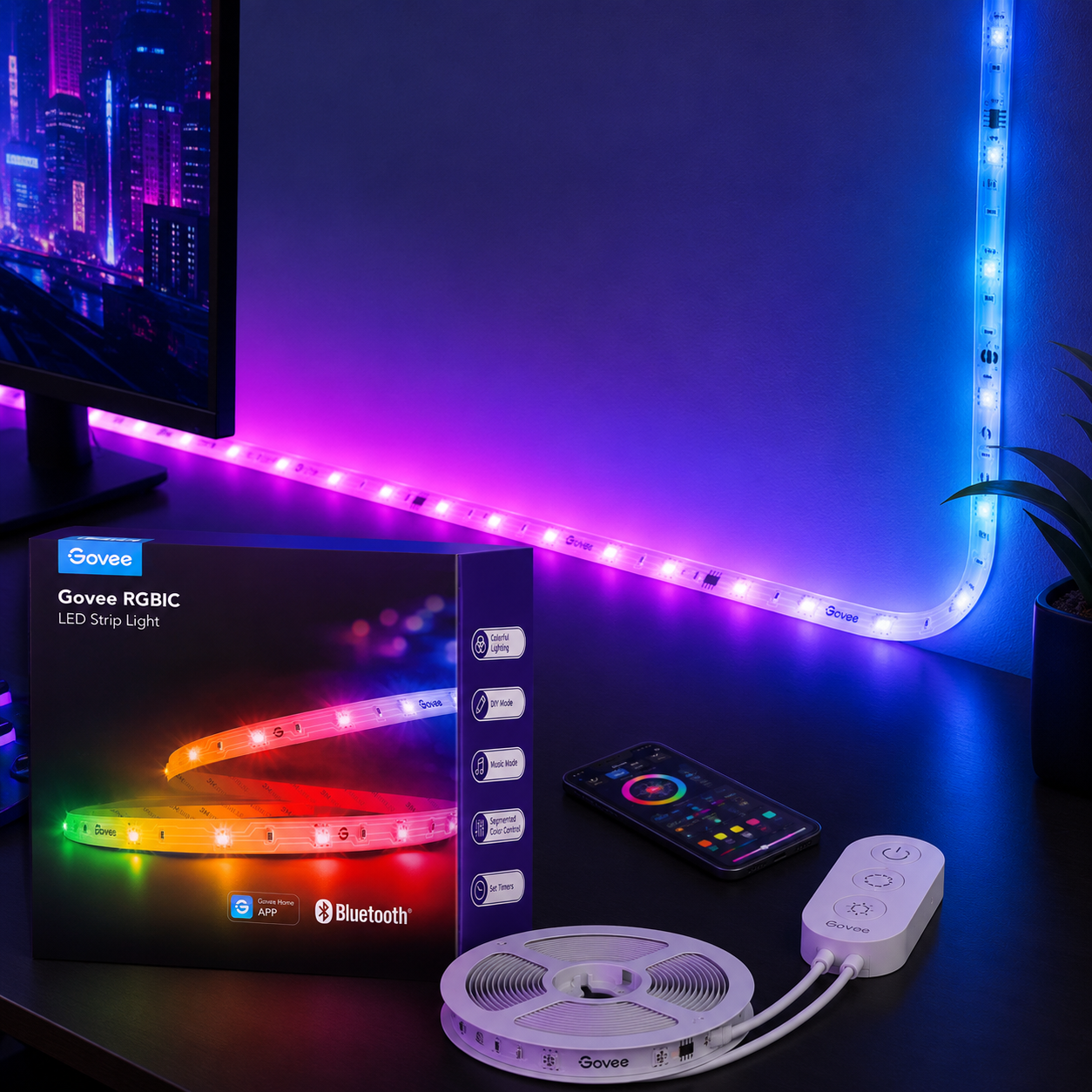
Govee RGBIC LED Strip Lights
The single best dollar-for-dollar atmosphere upgrade. Govee's RGBIC strips let different segments show different colors at once, so you can run a smooth controlled gradient behind the monitor rather than a flat single hue. App and Bluetooth control make dialing in a tasteful palette easy. Mounted as bias lighting behind the screen, it adds immersive ambient glow and reduces eye strain in a dark room — the immersive lighting effect that makes a budget setup look intentional for around $15.
- RGBIC segments for smooth multi-color gradients
- App and Bluetooth control for easy tuning
- Adhesive backing for quick monitor mounting
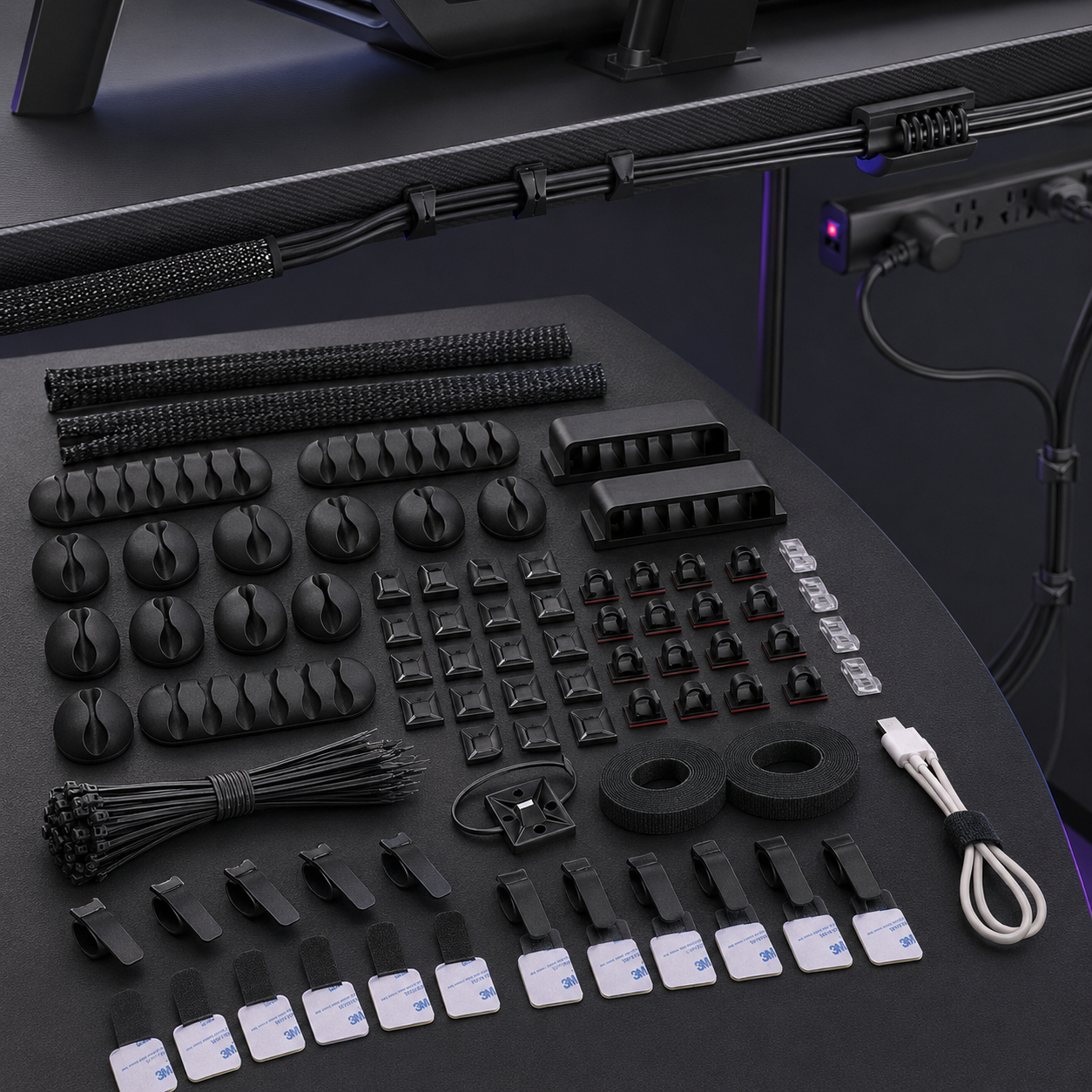
Cord Management Organizer Kit
The cheapest upgrade with the biggest visual return. An all-in-one kit of cable sleeves, adhesive clips, and fastening ties handles the entire 30-minute cleanup — bundle cables by device, route them to the back edge, and clip them out of sight. This is the difference between “dorm-room spaghetti” and a build that looks deliberately assembled. The premium desks bury this function in $400 concealed compartments; this kit gets the same clean result for the price of a sandwich.
- Cable sleeves, adhesive clips, and ties in one kit
- Handles a full desk's worth of cables
- Adhesive mounting, no drilling required
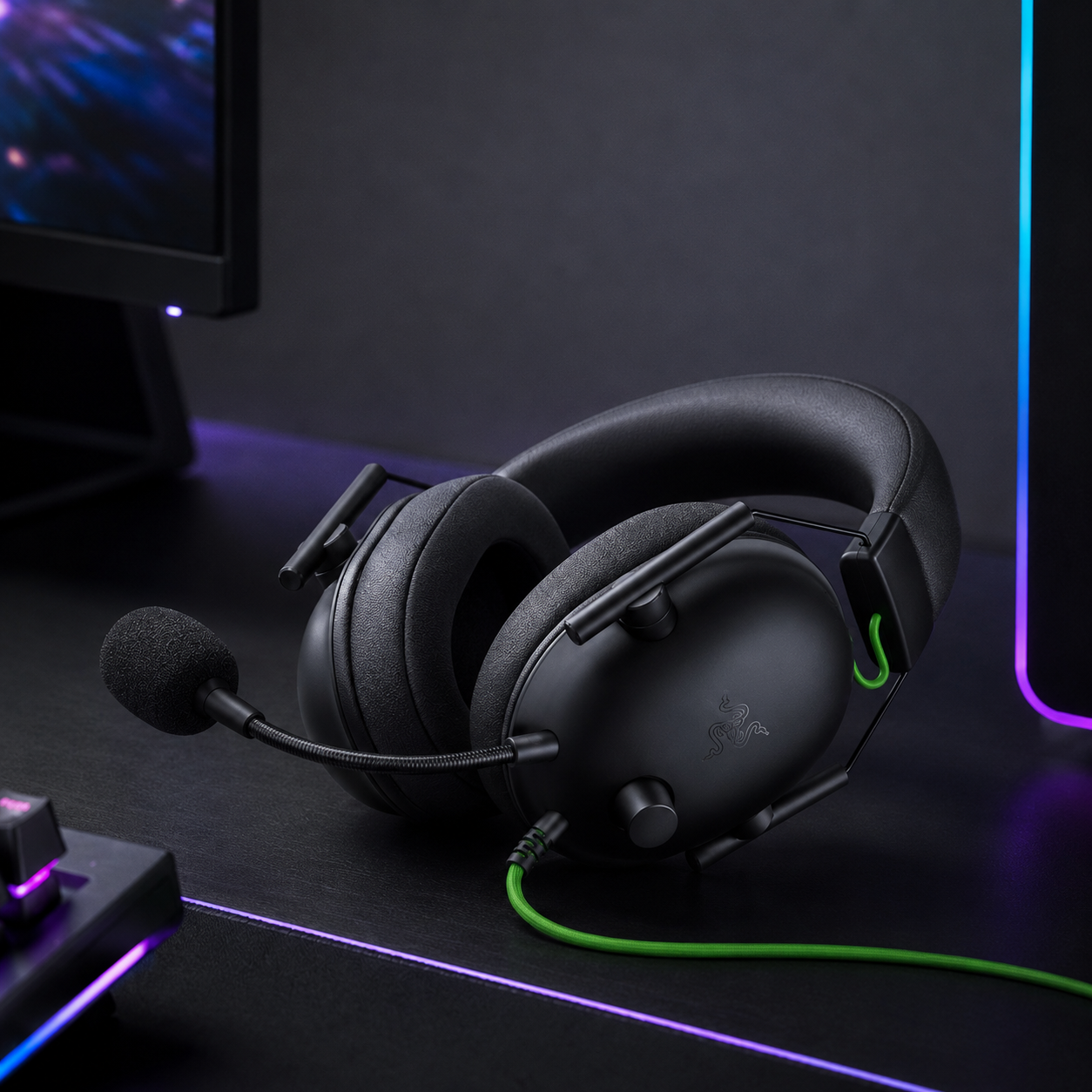
Razer BlackShark V2 X Gaming Headset
A genuinely premium-sounding headset at a budget price — the BlackShark V2 X has become a community default for value, with positional audio that actually helps in competitive FPS and a lightweight, comfortable fit for long sessions. Memory-foam cushions, a clear mic, and broad compatibility across PC and console make it a do-everything pick. This is one place a small spend over rock-bottom pays off, since audio cues are a real competitive advantage.
- Positional audio for competitive FPS
- Lightweight with memory-foam cushions
- PC and console compatible
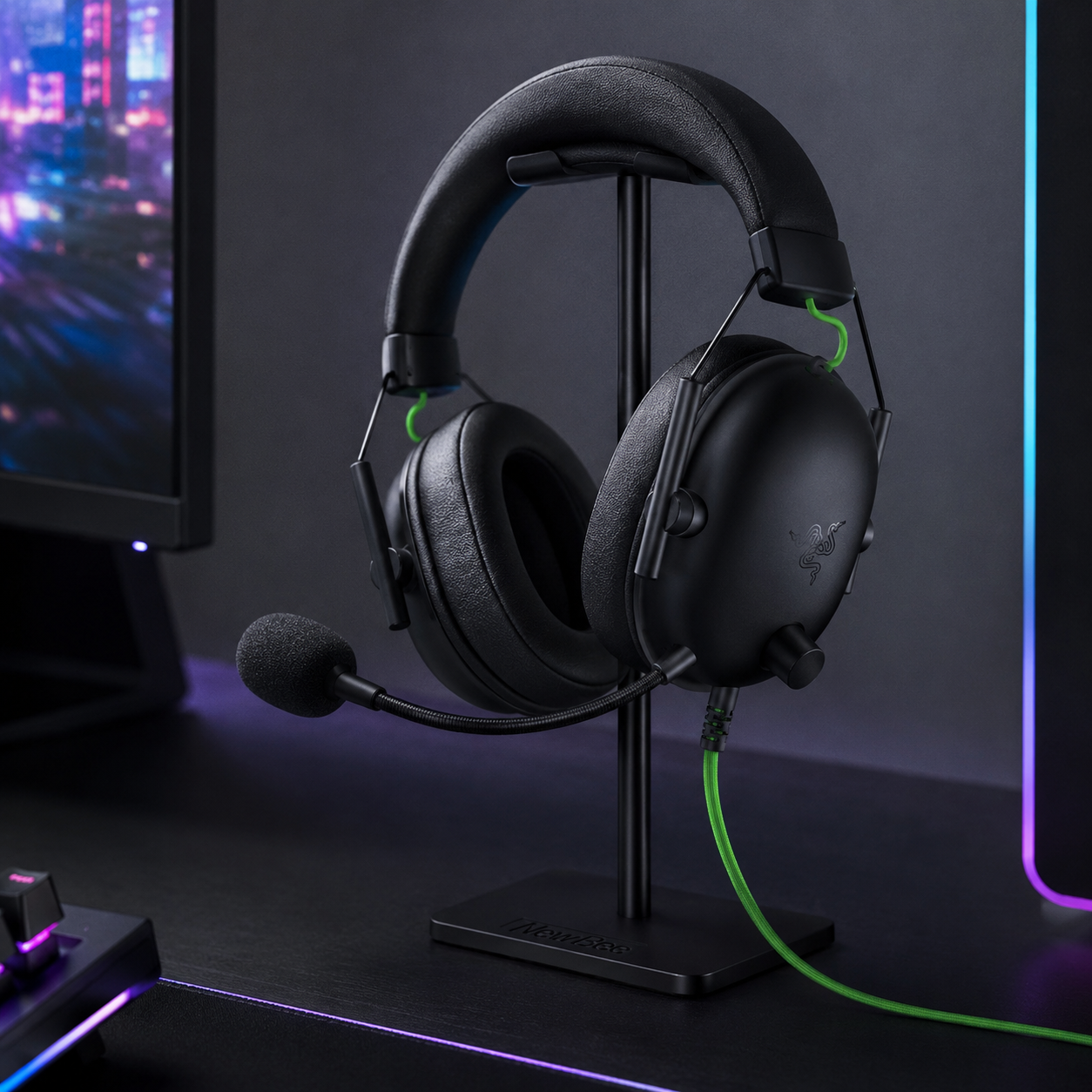
New Bee Headphone Stand
A small purchase that does outsized work for a clean desk. Parking the headset on a dedicated stand instead of dropping it on the desk frees up surface space and keeps the front edge clear — the single habit that most visually enlarges a small workspace. Sturdy enough not to tip with a heavier headset, and compact enough to tuck into a back corner. It's the finishing piece that turns a tidy setup into a deliberate one.
- Stable base that won't tip with heavier headsets
- Compact footprint for a back corner
- Keeps the desk's front edge clear
Four ways budget gaming setups waste money
Most budget builds that disappoint fail on these four predictable mistakes. Avoid them and your money goes where it counts.
- 01
Paying the “gaming” tax on the desk
The most common budget mistake is spending $300+ on a branded gaming desk for features — cupholders, headset hooks, built-in RGB, magnetic accessories — that add up to maybe $15 of real value you could bolt on yourself. A no-name 55" desk with a steel frame and a tested weight rating outperforms most branded gaming desks at a third of the price. Premium desks like the Secretlab Magnus Pro (supporting up to 265 lbs) or the Arozzi Arena (with its hydrophobic surface) are genuinely nice — but you're paying $400-700 for the badge and the extras, not the core function.
- 02
Buying a desk too shallow for proper monitor distance
The most common gaming desk regret is something that looked great in photos but has a surface too shallow to push the monitor back to a comfortable 20-30" viewing distance. OSHA workstation guidelines recommend at least 24" of depth, ideally 27-30" for a larger display. A desk that's plenty wide but only 18" deep forces the monitor uncomfortably close. Measure your depth need before you buy, and if running multiple gaming monitors, don't go under 55" wide or the peripherals get squeezed and the mouse pad shrinks to nothing.
- 03
Skipping the chair to fund RGB
Every dollar going to decorative lighting is a dollar not going to build quality, chair comfort, or a better monitor arm. The classic budget error is a glowing RGB-everything setup paired with an $80 racing chair whose foam collapses within a year. An ergonomic office chair — even a used one off Facebook Marketplace — offers better comfort for long sessions than any racing-style throne with a gaming label. Posture outlasts aesthetics. Fund the chair first; decorate with whatever's left.
- 04
Letting RGB run chaotic
Chaotic, clashing RGB looks worse than no RGB at all — and it's the fastest way to make an otherwise-clean budget setup read as cheap. The fix costs nothing: pick a controlled palette (a single color, or a smooth two-to-three-color gradient) and run it consistently across the keyboard, the strip, and the ambient glow. A consistent color scheme makes a setup feel intentional and high-end even when every piece costs under $50. Restraint, not quantity, is what separates a premium-looking budget build from a garish one.
Budget gaming desk questions, answered
How much does a budget gaming desk setup cost?
A complete budget gaming desk setup — desk, chair, monitor arm, lighting, and cable management — comes together for under $300 in the 2026 U.S. market. A balanced build runs around $257-300: a 55" desk (~$95), a used ergonomic chair (~$90), a gas-spring monitor arm (~$36), an under-desk cable tray (~$16), an RGB strip (~$12), and a headset hook (~$8). A budget setup for a gaming desk can even be built for under $200 if you skip the chair upgrade and use a monitor you already own.
What size desk is best for a budget gaming PC setup?
Most players are comfortable with at least a 47×23" desk. If space and budget allow, 55×27" is ideal — room for a keyboard, mouse, and monitor without feeling cramped. Dual-monitor or ultrawide users benefit from 55-63" width; below that, peripherals get squeezed and the mouse pad shrinks. Depth matters for eye comfort: OSHA workstation guidelines recommend at least 24" of depth, ideally 27-30" for a larger display, so you can push the monitor back to a proper 20-30" viewing distance.
Is a gaming-branded desk really necessary?
No. A standard sturdy office desk can be just as good as many gaming desks if it has the right size and stability — the differences are mostly cosmetic. Gaming desks add extras like cupholders, headset hooks, cable grommets, and USB ports, but these are easy to add later for a few dollars. On a budget, it's smarter to invest in a monitor arm, a good chair, and cable management than to pay for a “gaming” label. The best gaming experience comes from the sum of all parts, not the name on the desk.
Should I get a standing desk for gaming on a tight budget?
Standing desks promote better posture and circulation during gaming, but a sturdy standing desk or motorized frame can eat most of a small budget on its own — motorized options like the Flexispot E7 Pro (supporting up to 440 lbs) or the Secretlab Magnus Pro (height range 25.6 to 49.2 inches) start at $300+ for the frame alone. If your total budget is under $300, a fixed-height desk plus occasional standing breaks is the better choice. Upgrade to a motorized frame later and reuse the same desktop — most tabletops are compatible with aftermarket frames, so the initial purchase isn't wasted.
How can I keep my budget gaming desk from wobbling?
Tighten every bolt after assembly and again after a week of use, use floor levelers on uneven floors, and place the desk flush against a wall for extra bracing. Add a cheap back crossbar or corner braces if the frame allows — under $10 at any hardware store and a massive improvement in rigidity. Most importantly, keep the gaming PC on the floor instead of the desk: a 25-lb tower amplifies every vibration, and moving it to a small floor stand is often the difference between a shaky desk and a rock-solid one.
What's the easiest upgrade to make a cheap desk feel premium?
Two upgrades punch far above their cost: a monitor arm and an under-desk cable tray. Together they run about $50 and completely transform how a desk looks and feels. Clean cable management and correct monitor height do more for the premium feel than any RGB strip alone — when the surface is clear and the monitor floats at eye level, the whole setup looks intentional and polished. Improve in stages rather than replacing the whole desk: add a better chair, then lighting, then a second monitor, keeping the setup evolving rather than starting over.
The best new setups, in your inbox
One thoughtful email. No spam, no fluff.